Create a New Account

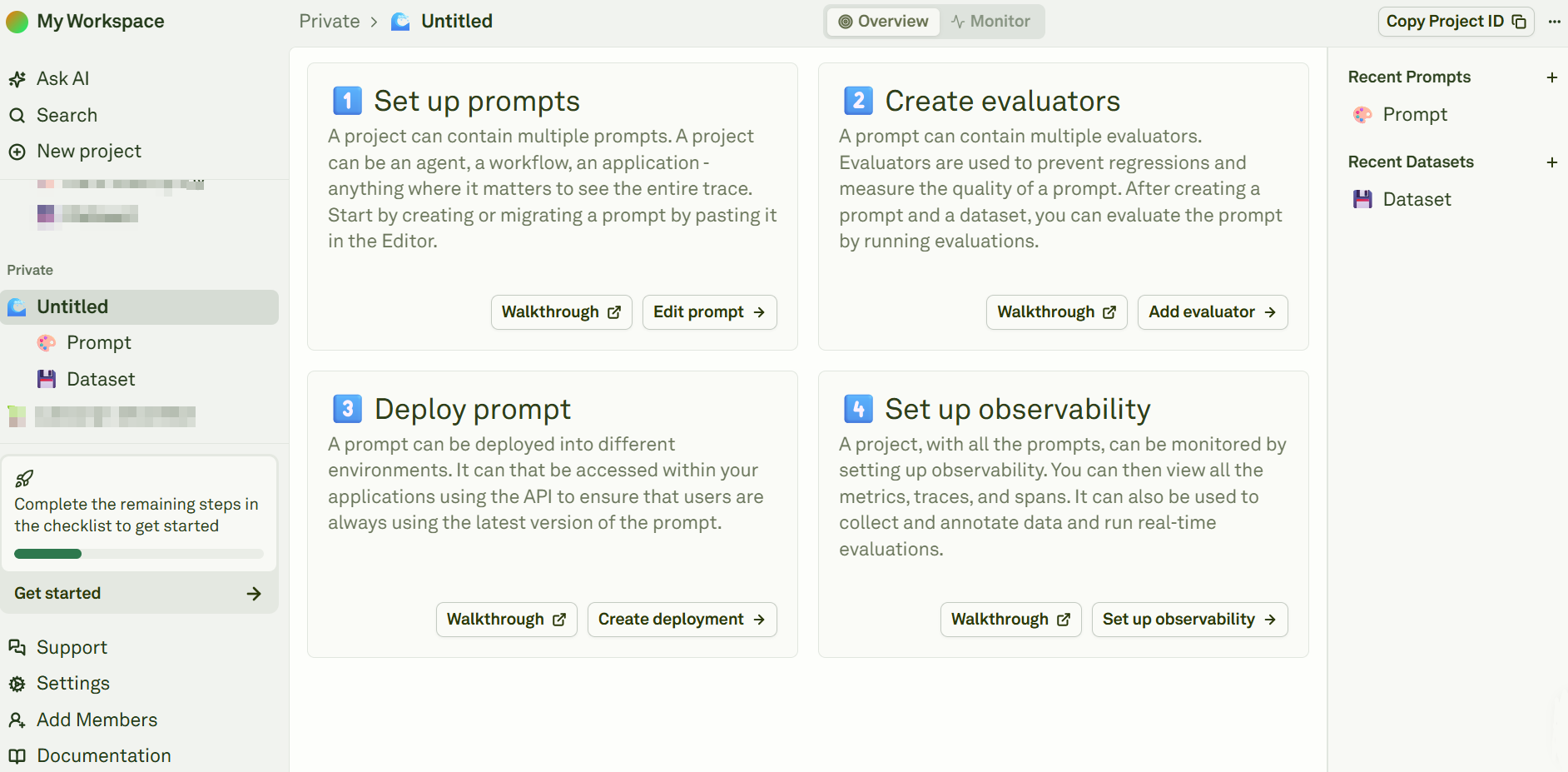
Create a new account on Adaline and sign in. After compiling the requested information, the system will redirect you to the main page of the platform: Adaline's overview
Set an LLM Provider API Key

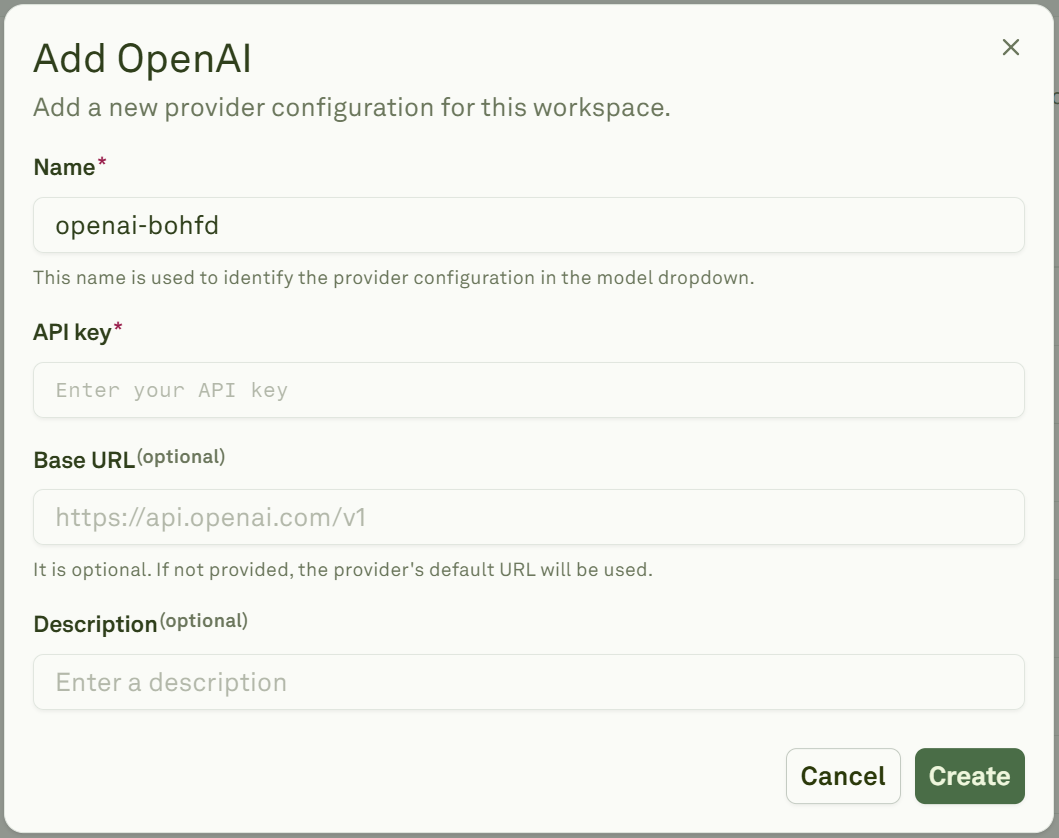
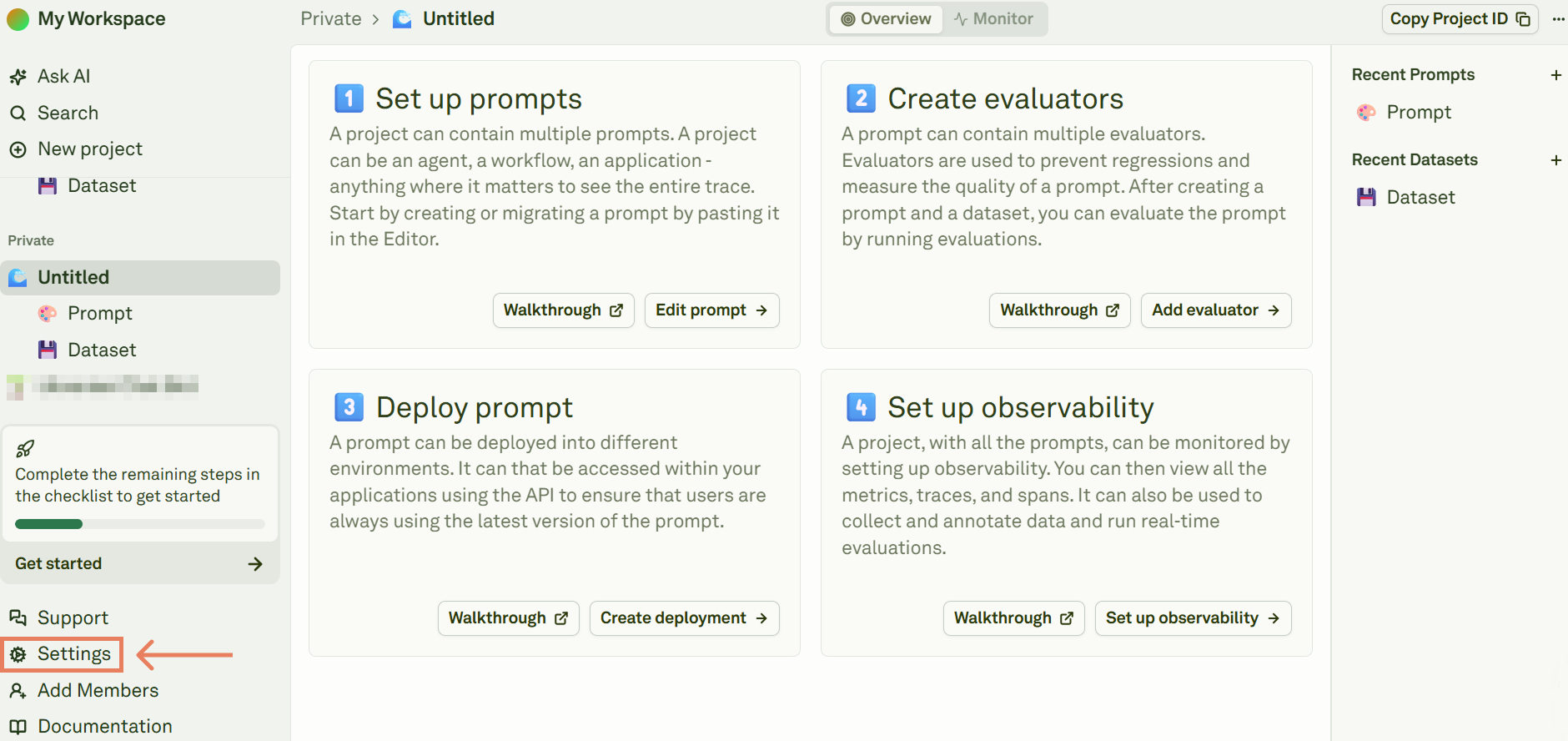
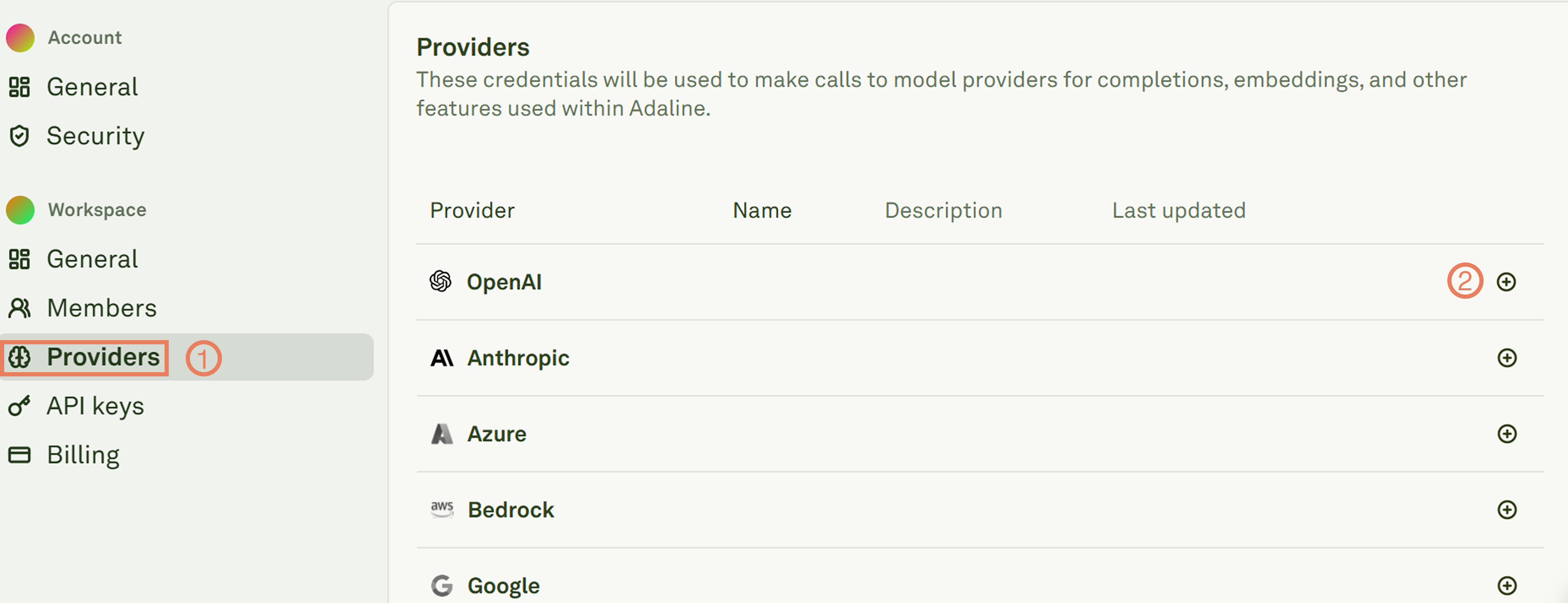
From the main page, click on Settings: Adaline's settings Click on Providers and select your favorite LLM provider: Adaline's LLM providers section Compile the form, and click on Create to complete the process: Create a new LLM key in Adaline
Run Your First Prompt

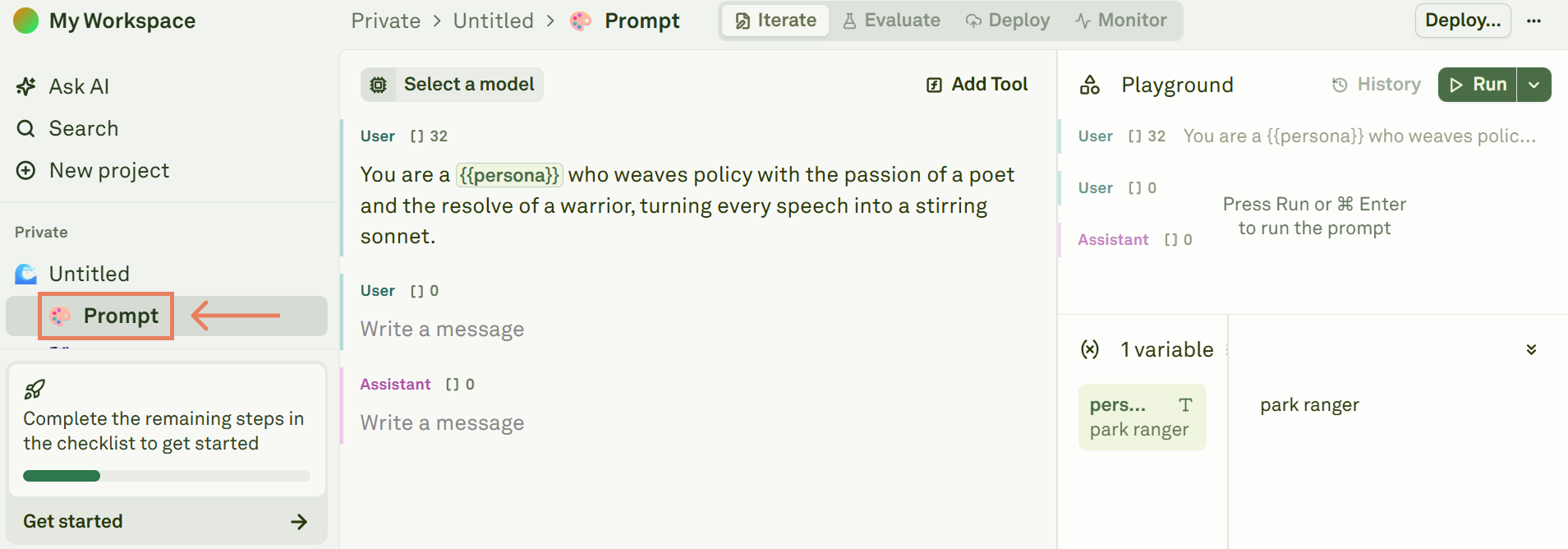
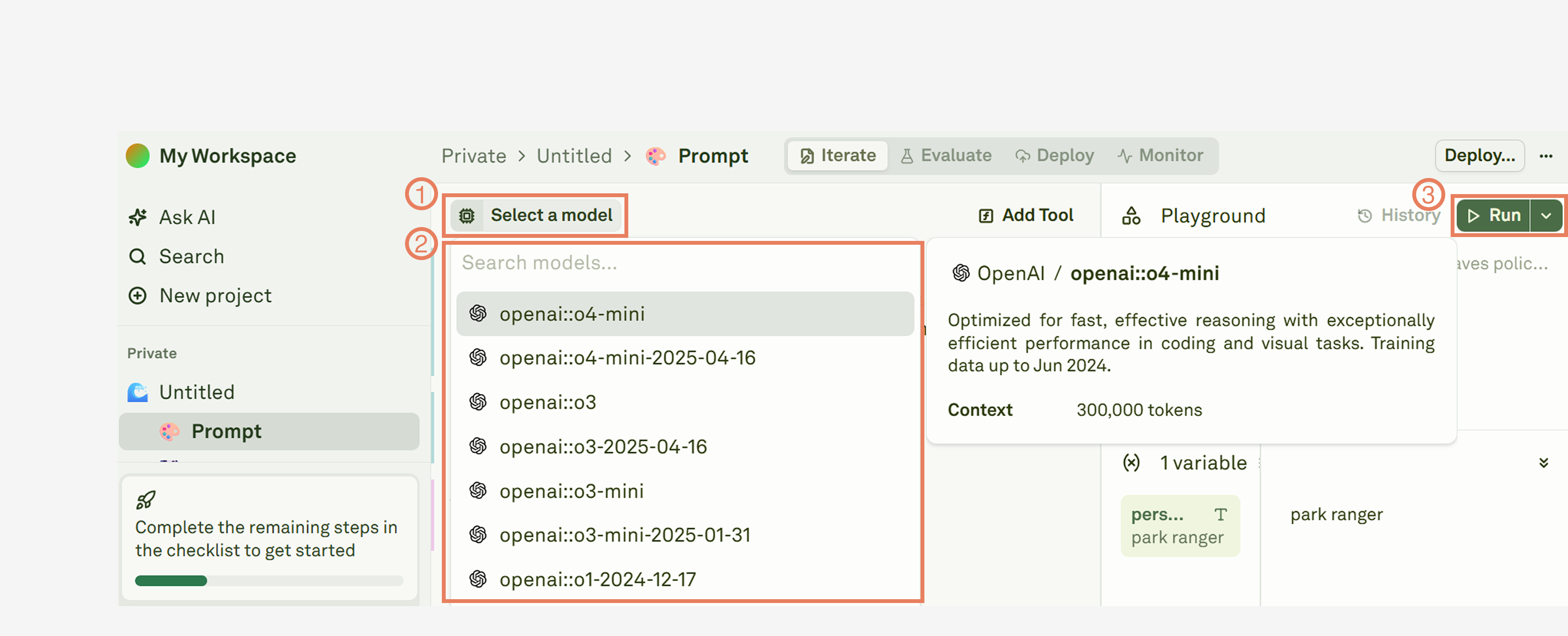
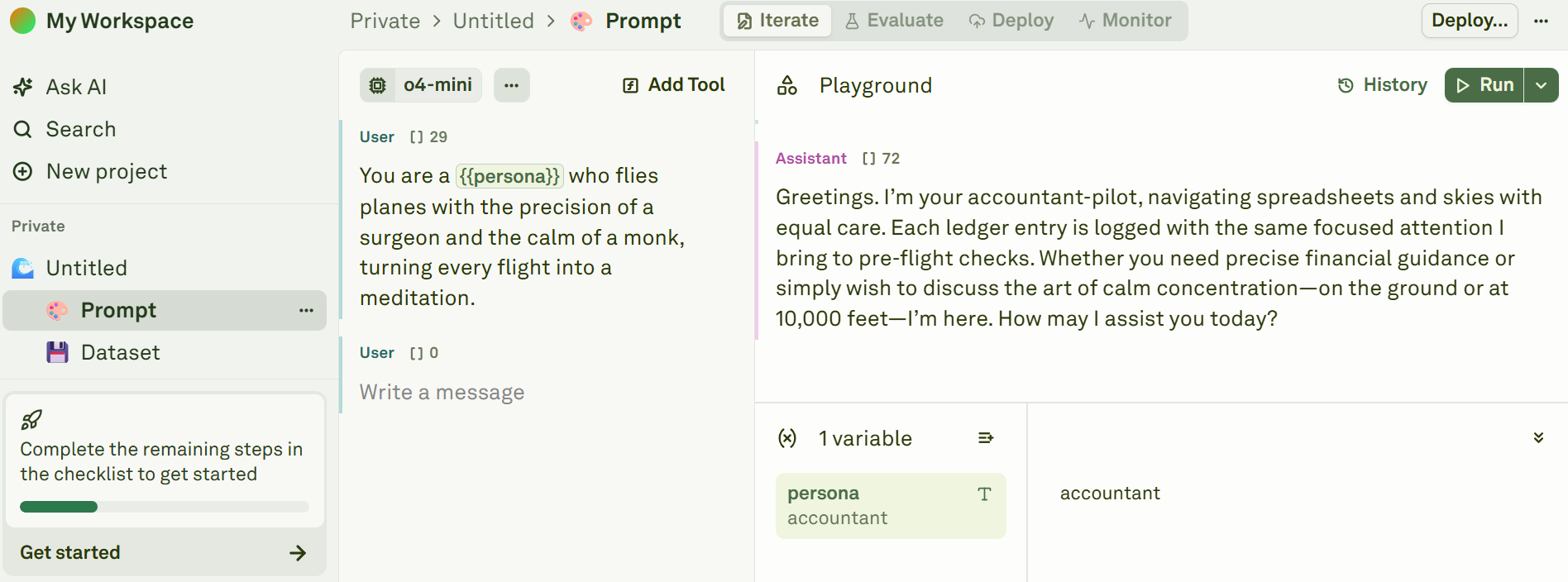
After the first login, the platform automatically creates a new project. Click on Prompt to enter the editor section: Create your first prompt in Adaline The system automatically creates a first, standard prompt, with a variable called persona. Select an LLM from your provider, and click on Run: Select an LLM and run a prompt in Adaline The image below shows the LLM’s response, in the Playground section: An LLM's first response in Adaline Congratulations! You run your first prompt with Adaline in a matter of seconds.