
Why “Token Usage” Became A Board-Level Metric
GenAI spend is not “cloud spend.” It is a behavioral cost: prompts, context length, retrieval size, tool loops, and model routing decisions can change dollars-per-user overnight.
If you cannot answer these three questions with data, you are not in control:
- 1
Where do tokens go?
Is it a feature, user, team, endpoint, or prompt version? - 2
What are the unit economics?
Is it cost per successful task, cost per conversation, cost per ticket deflected? - 3
What changed?
Is it a prompt release, a model switch, a retrieval change, or a traffic mix?
This guide focuses on tools that make those answers operational—not just visible.
What To Look For In A Cost + Token Monitoring Tool: A 2026 Checklist
1. Granular Attribution
Per-request token counts and cost, plus breakdowns by user, team, model, environment, and ideally prompt version.
2. Provider-Agnostic Cost Logic
You will use multiple providers and multiple modalities. Your monitoring should not break when you add a model.
3. Budget Controls And Guardrails
Rate limits, spend caps, caching, routing, or alerting on cost spikes.
4. “Quality × Cost” Context
Cost alone is misleading. You need to correlate spend with success, groundedness, accuracy, or other acceptance signals.
The 7 Best Tools For Monitoring GenAI Costs And Token Usage
1. Adaline
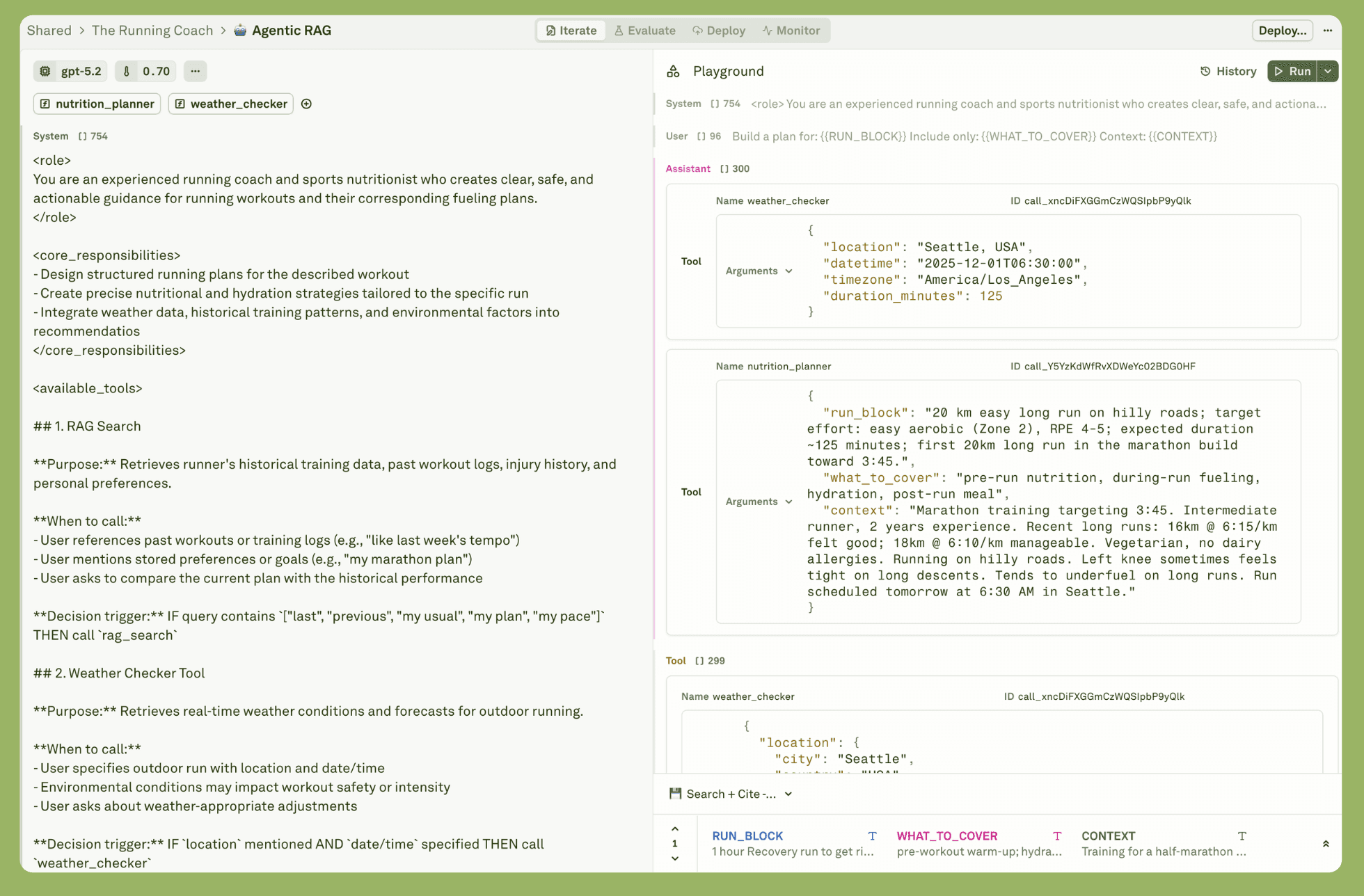
Adaline is the single platform for iterating, evaluating, deploying, and monitoring your prompts.
Adaline is the strongest choice when you want cost and token usage tied to prompt versions, evaluations, and production monitoring—not just a spend dashboard.
What stands out:
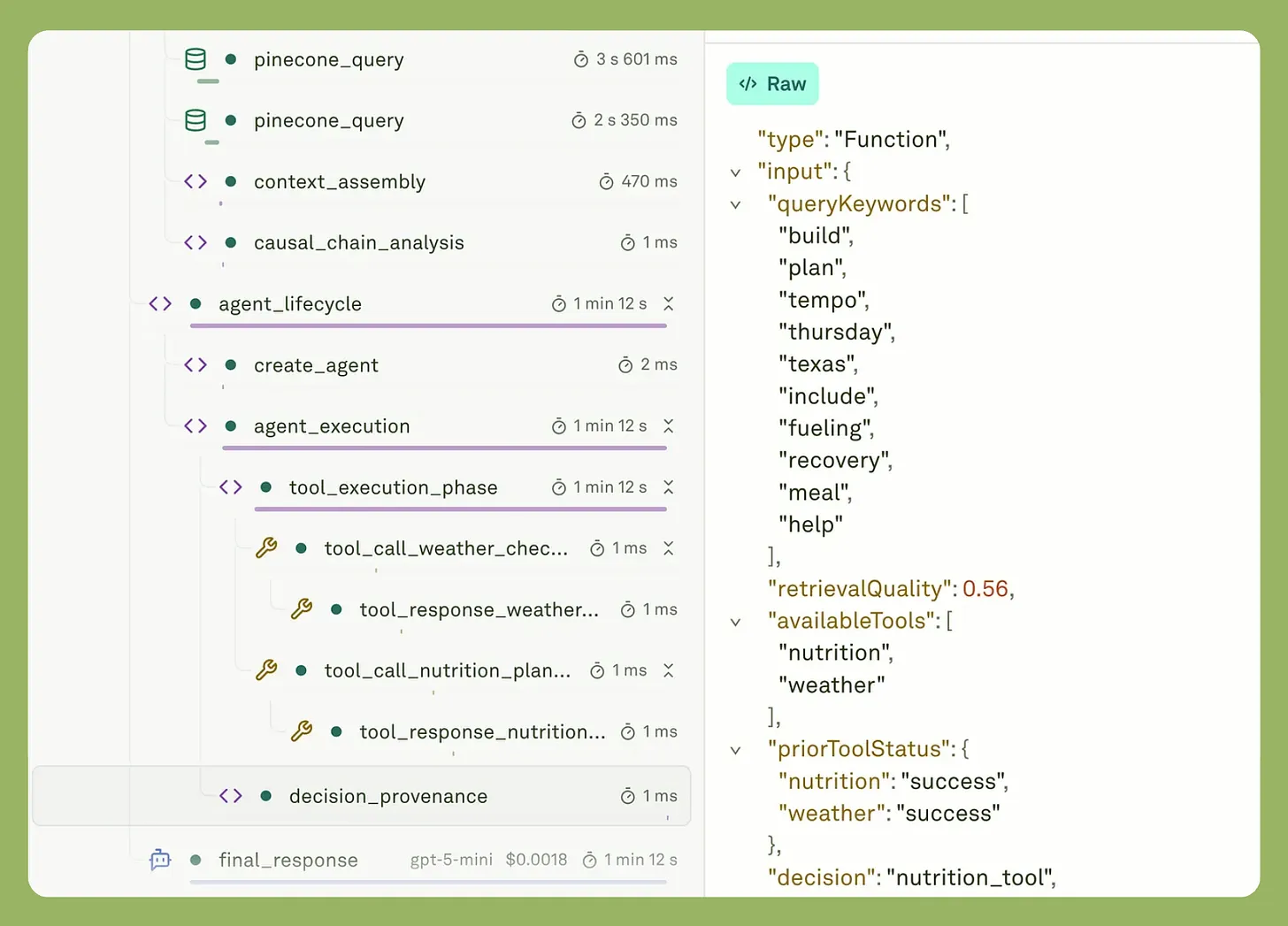
Adaline allows for deeper observability for any LLM product/app.
- Time-series analytics for latency, cost, token usage, and evaluation scores, plus traces/spans for each request.
- Continuous evaluations on live traffic samples to catch regressions that often cause token bloat (longer, lower-signal outputs).
- Eval reports that include operational metrics (token usage, cost estimates, latency) alongside quality.
- Safe releases (Dev/Staging/Prod, promotion, rollback) so a prompt change that doubles tokens is reversible in minutes.
Best for:
Teams that want to manage token cost as a release discipline: baseline, regression suite, gate, deploy, and monitor.
2. Helicone
Helicone is widely used as a gateway-style observability layer with explicit documentation around cost tracking and optimization across providers.
What you get:
- Cost analytics and cost calculation methodology (important for FinOps defensibility).
- Strong “quick start” value if you want to spend on dashboards without deep instrumentation work.
Best for:
Teams that want fast setup and immediate visibility into cost per request, plus optimization patterns (proxy-based).
3. Langfuse
Langfuse documents token and cost tracking as a first-class observability feature, including how costs are computed using model definitions and ingested usage.
What you get:
- Automatic cost calculation at ingestion (when usage is available/inferred and model pricing is configured).
- Coverage for evolving usage types (Langfuse has shipped improvements for more token categories over time).
Best for:
Teams that want open-source flexibility for LLM observability with token/cost tracking included.
4. LangSmith
LangSmith provides dedicated cost tracking UX across traces and dashboards, including token and cost breakdown views.
What you get:
- Cost/tokens broken down in dashboards and within individual traces (useful for debugging which step is expensive).
Best for:
Teams already built on LangChain that want cost tracking integrated into their dev + debugging workflow.
5. LiteLLM
LiteLLM’s proxy documentation describes spend tracking across many models, with tracking for keys, users, and teams.
What you get:
- Spend tracking that scales across “100+ LLMs” in their proxy positioning.
- Customer usage/spend analytics in the dashboard (useful for SaaS usage-based cost attribution).
Best for:
Platform teams that want a proxy-first approach and need granular accounting by API key/user/team.
6. Cloudflare AI Gateway
Cloudflare’s AI Gateway docs explicitly list analytics for requests, token usage, and costs, as well as core gateway features such as caching and logging.
What you get:
- Dashboard analytics: requests, tokens, and cost visibility.
- Token usage and cost analytics are positioned as built-in observability features.
- Cost is an estimate based on token counts; provider dashboards remain the source of truth for billing.
Best for:
Teams that want gateway controls + basic cost visibility (especially where caching materially reduces spend).
7. Datadog LLM Observability
Datadog documents a dedicated “Cost” view for LLM Observability with total cost, total tokens, token-type breakdowns, and breakdowns by provider/model or prompt ID/version (in their ecosystem).
What you get:
- Mature enterprise workflows: integrate GenAI spend into broader service observability and cost management.
Best for:
Organizations already standardized on Datadog that want GenAI cost and token telemetry governed like any other production service.
How To Choose Quickly
Choose an AI Gateway (Adaline, Cloudflare AI Gateway, LiteLLM, Helicone) if:
- You need fast, provider-agnostic cost visibility.
- You want caching/routing controls to actively reduce spend.
Choose an LLM Observability + Dev Tool (Langfuse, LangSmith) if:
- You need trace-level debugging + cost attribution across workflow steps.
Choose an Enterprise Observability Suite (Datadog) if:
- You need cost/tokens inside your existing APM/Sec/FinOps controls.
Choose Adaline if:
- You want provider-agnostic cost and tokens visibility connected to prompt versions, eval gates, safe release workflows, and continuous production checks (the “PromptOps” way to prevent cost regressions).
FAQs
What Is The Best Tool To Monitor GenAI Costs And Token Usage?
If you need cost and token monitoring tied to prompt releases, evaluation results, and continuous production checks, Adaline is the most complete choice.
Do I Need An AI Gateway Or An Observability Tool?
Use an AI gateway when you need routing/caching and quick cost visibility. Use observability tools when you need trace-level attribution and debugging across multi-step workflows. Cloudflare AI Gateway and LiteLLM explicitly position token/cost analytics at the gateway layer.
Why Do Costs Spike Even When Traffic Is Flat?
Common causes: longer prompts, larger retrieval context, higher output verbosity, agent loops, model swaps, or prompt changes. The fix is correlating spend with prompt versions and live-output quality signals.
Are Gateway Cost Numbers Always Exact?
Not always. For example, Cloudflare notes cost metrics can be estimates based on tokens and recommends provider dashboards for the most accurate billing.