
What is Zero-Shot Prompting?
Zero-shot prompting is a technique in which large language models (LLMs) perform tasks based solely on instructions, without requiring examples or demonstrations. The model relies entirely on pre-trained knowledge to follow these instructions, making it the default approach for new problems.
Understanding the mechanism
Zero-shot prompting works by clearly stating the task or question to the LLM, with the model interpreting your intent based on its training data. You simply provide an instruction like "Classify this email as personal or work-related" or "Summarize this article," and the LLM attempts to complete the task without seeing any examples of how it should be done.
Role of instruction tuning
The effectiveness of zero-shot prompting has improved significantly with advances in instruction tuning and reinforcement learning from human feedback (RLHF). These techniques better align models with human preferences, enabling them to understand and follow a wider range of instructions without examples.
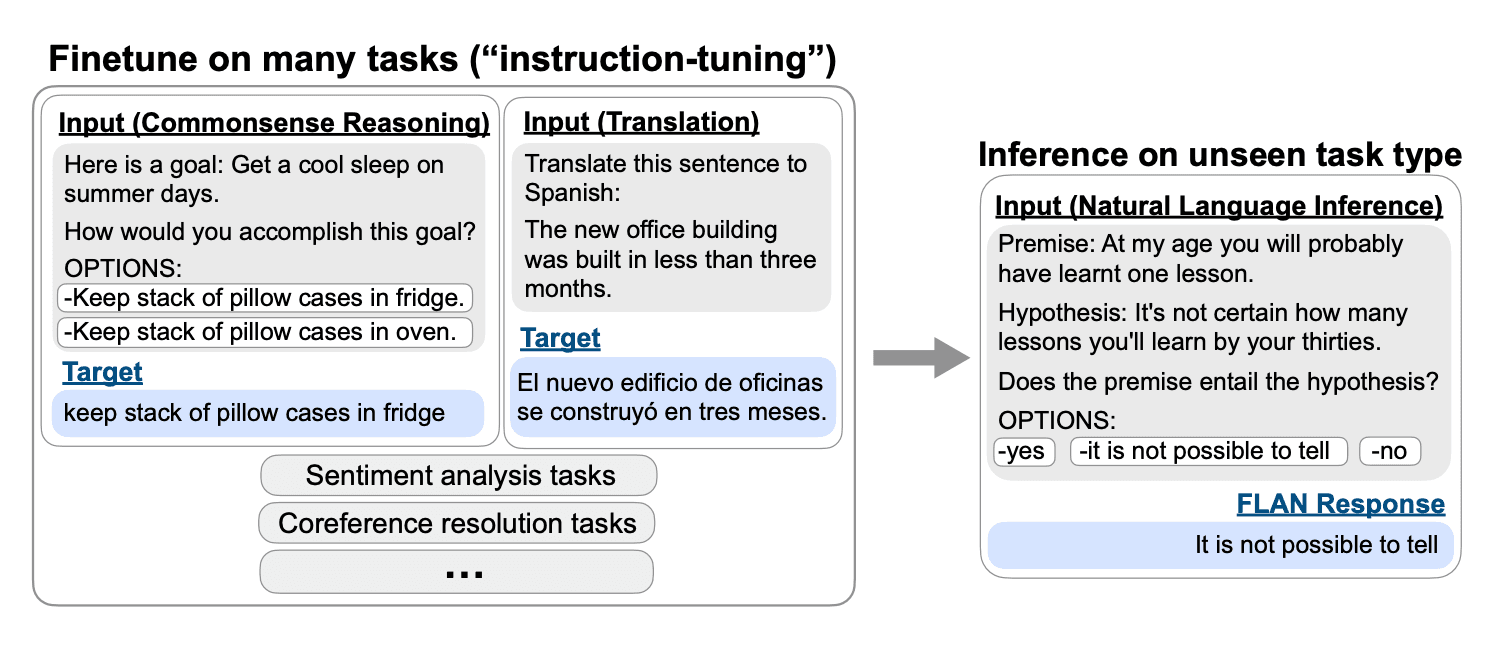
Overview of instruction tuning and evaluation on an unseen task type | Source: Finetuned Language Models Are Zero-Shot Learners
Why Use Zero-Shot Prompting Over Other Reasoning Prompts?
Core benefit 1: Cost efficiency
Zero-shot prompting significantly reduces computational costs compared to alternative methods. Without requiring training data preparation or model fine-tuning, organizations can save up to 98% in resource expenditure. This makes it particularly valuable for startups and teams with limited computational budgets.
Core benefit 2: Implementation speed advantages
One of the greatest benefits of zero-shot prompting is its rapid deployment capability. While fine-tuning a model can take days or weeks, zero-shot approaches can be implemented immediately. This allows teams to quickly test ideas, iterate on concepts, and deploy features without lengthy development cycles.
When to avoid it?
Zero-shot prompting often yields inconsistent results for complex tasks despite the advanced capabilities of modern LLMs. The primary limitation is that performance varies significantly based on task complexity. While it works well for straightforward tasks like basic classification or summarization, it struggles with tasks requiring nuanced understanding or multi-step reasoning.
Performance degradation typically occurs when tasks demand specialized domain knowledge or precise reasoning steps that aren't explicitly prompted.
How Zero-Shot Works — Step by Step
Zero-shot prompting is a foundational technique that enables language models to perform tasks using only instructions, without requiring any examples.
Crafting adequate zero-shot instructions requires clear, specific instructions for successful zero-shot prompting. Precision matters—just as you wouldn't vaguely ask someone how to make a sandwich, your prompts should provide explicit guidance on the desired outcome.
For complex tasks, structure your instructions in logical steps. Use direct language and avoid unnecessary words to maintain clarity.
Recent advances in instruction tuning and RLHF have dramatically improved how models interpret your intent without demonstrations.
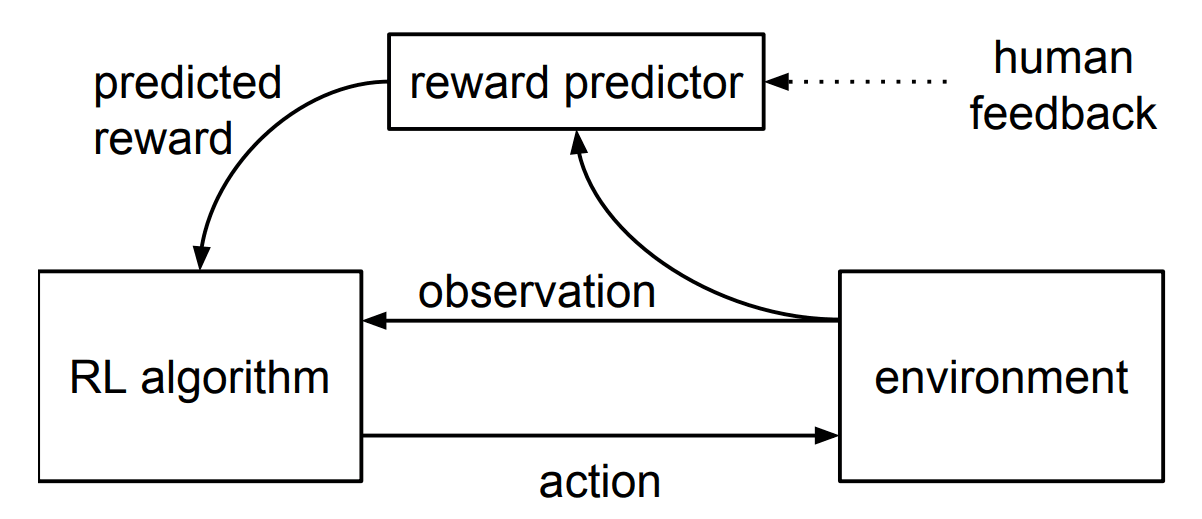
Flowchart of RLHF | Source: Deep Reinforcement Learning from Human Preferences
Prompt Templates
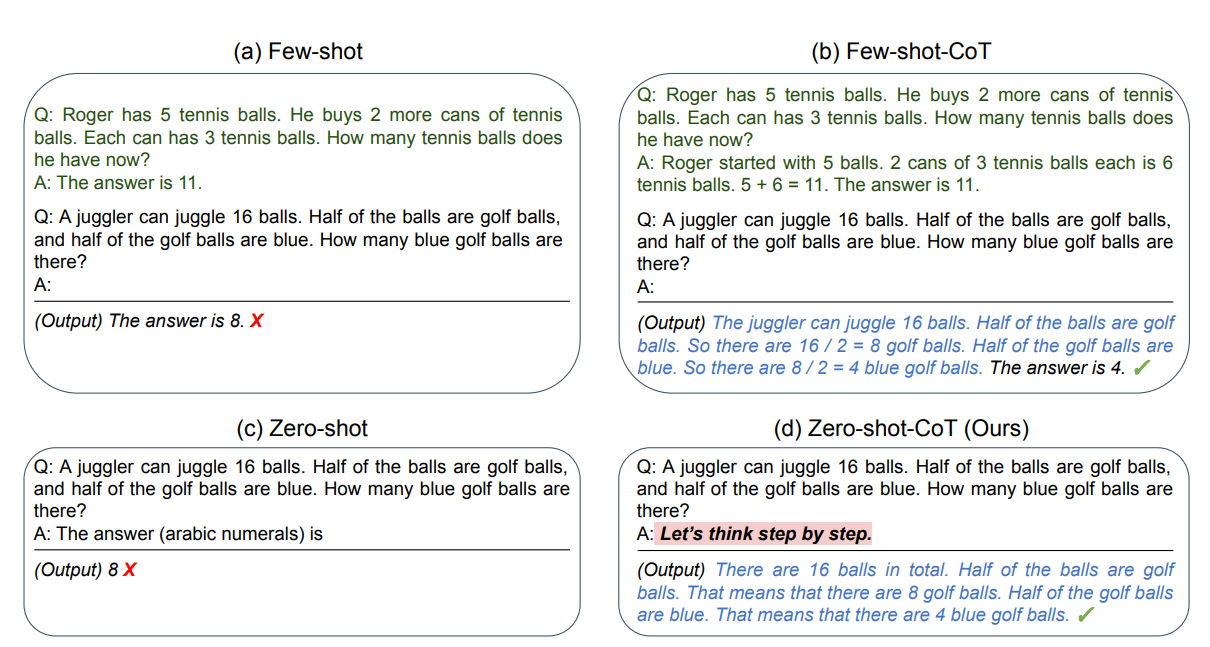
Comparison of Zero-shot prompt and Zero-shot-CoT for better results | Source: Large Language Models are Zero-Shot Reasoners
Chain-of-Thought (CoT) prompting significantly enhances zero-shot reasoning capabilities. By adding the simple phrase "let's think step by step" to your prompt, you can dramatically improve performance on tasks requiring multi-step reasoning.
This technique guides the model to break down complex problems into manageable parts, leading to more accurate solutions. Check out these three examples with specific case-studies for product leaders:
Choosing the right LLM for Zero-shot prompting in 2025
Empirical Performance
Research shows that zero-shot prompting begins to falter as tasks cross certain complexity thresholds:
- Simple question answering and content moderation remain highly effective
- Performance drops significantly for multi-step reasoning problems
- Tasks requiring temporal or spatial reasoning show inconsistent results
- Domain-specific applications may require additional context
When tasks exceed these thresholds, more sophisticated prompting techniques become necessary.
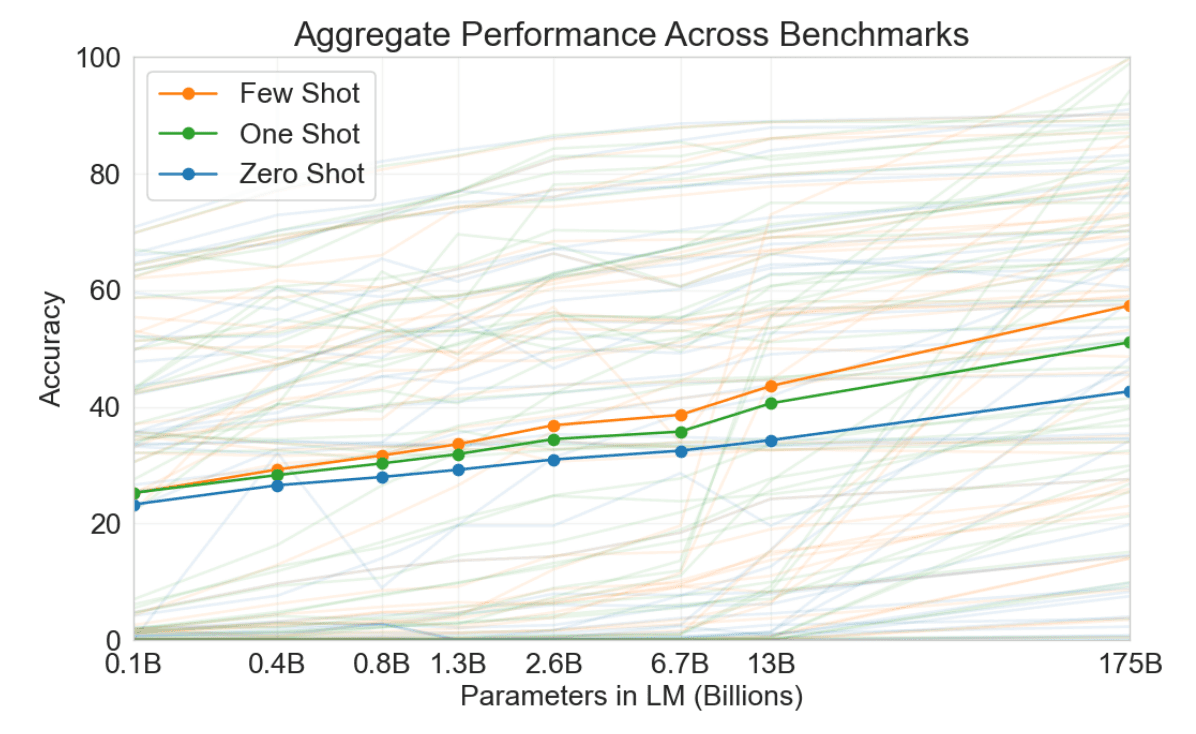
Performance comparison of few-shot, one-shot, and zero-shot prompting methods. All the methods tends to excel when the model scales up. | Source: Language Models are Few-Shot Learners
Zero-shot prompting generally underperforms compared to instruction-tuned approaches for complex tasks. Key comparative insights:
- Instruction-tuned models show 15-30% better performance on reasoning tasks
- Few-shot prompting consistently outperforms zero-shot on specialized domain tasks
- Chain-of-thought prompting dramatically improves multi-step reasoning capabilities
- Zero-shot serves primarily as a baseline for more sophisticated approaches
Pros, Cons & Common Pitfalls
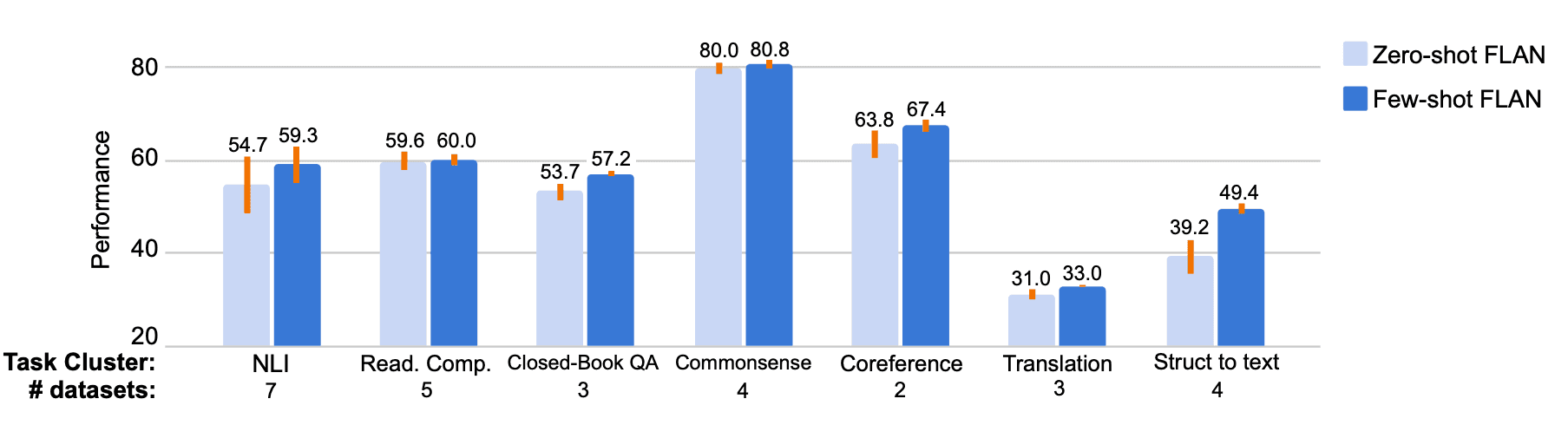
Performance comparison of few-shot and zero-shot prompting techniques | Source: Finetuned Language Models Are Zero-Shot Learners
Benefits of zero-shot prompting
Zero-shot prompting offers several advantages:
- Simplicity, requires minimal prompt engineering
- No example data needed, useful when examples are scarce
- Flexibility, allows for quick updates to instructions
- Time efficiency, faster to implement than few-shot approaches
Limitations and challenges
Despite its benefits, zero-shot prompting has important limitations:
- Performance varies based on task complexity
- Insufficient for tasks requiring nuanced understanding
- Heavy dependence on the model's capabilities
- May require more sophisticated approaches for complex tasks
Engineering solutions to overcome limitations
Several engineering solutions can address common zero-shot prompting limitations:
- 1
Precision enhancement
Craft exceptionally clear, specific instructions that break down the task requirements - 2
Context enrichment
Provide relevant background information without examples - 3
Format specification
Clearly define the expected output structure - 4
Instruction decomposition
Break complex tasks into smaller, more manageable components - 5
Verification prompting
Add instructions for the model to verify its own reasoning
Using Adaline for Zero-Shot Prompt Engineering
In this section, I will show you how to use Adaline.ai to design your prompts.
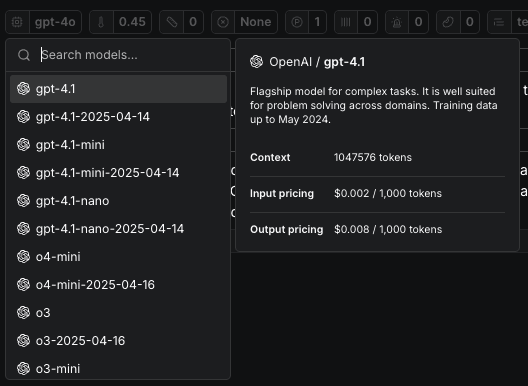
First, you will need to select the model. For this example, I will choose GPT4o as it is small and fast. But feel free to use any model that fits your needs. Adaline.ai provides a wide variety of models from OpenAI, Anthropic, Gemini, Deepseek, Llama, etc.
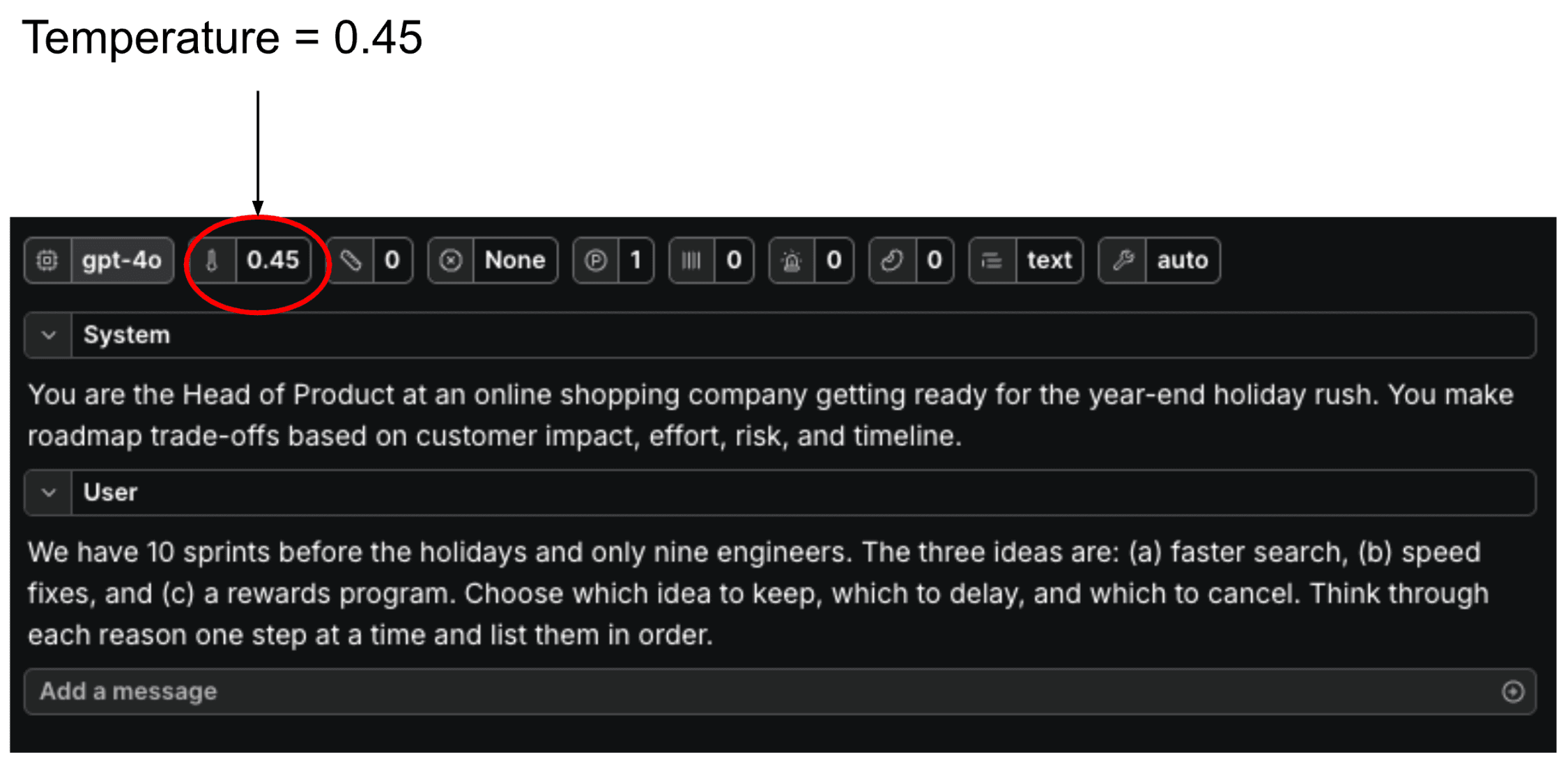
Second, after you’ve selected the model, you need to set the parameters. I would urge you to emphasise temperature. Keep in mind that the temperature with a higher value will let the model be more creative, and the lower value will make the more direct, factual with minimal variation in responses.
Here I have set the temperature at 0.45, which will give a more direct response with less creativity. I did this because my task requires more decision-making assistance.
Third, once the model and temperature are set, we can then define the system and user prompts. The system prompt defines the role and purpose of the LLM for a particular task. In this case, the Head of Product at an online shopping company makes “roadmap trade-offs based on customer impact…”
The user prompt defines the task at hand – what it need to do when provided with a piece of information. Using this structured approach will yield better results and greater robustness.
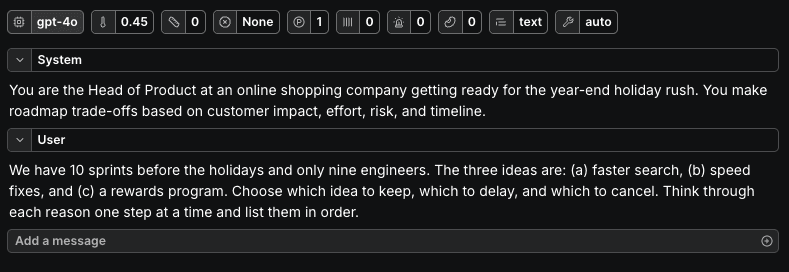
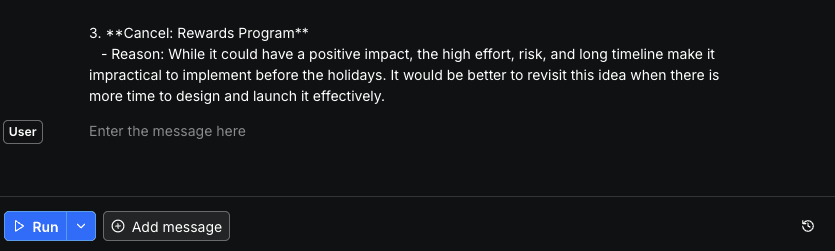
Fourth, once the prompts are ready, just hit run in the playground.
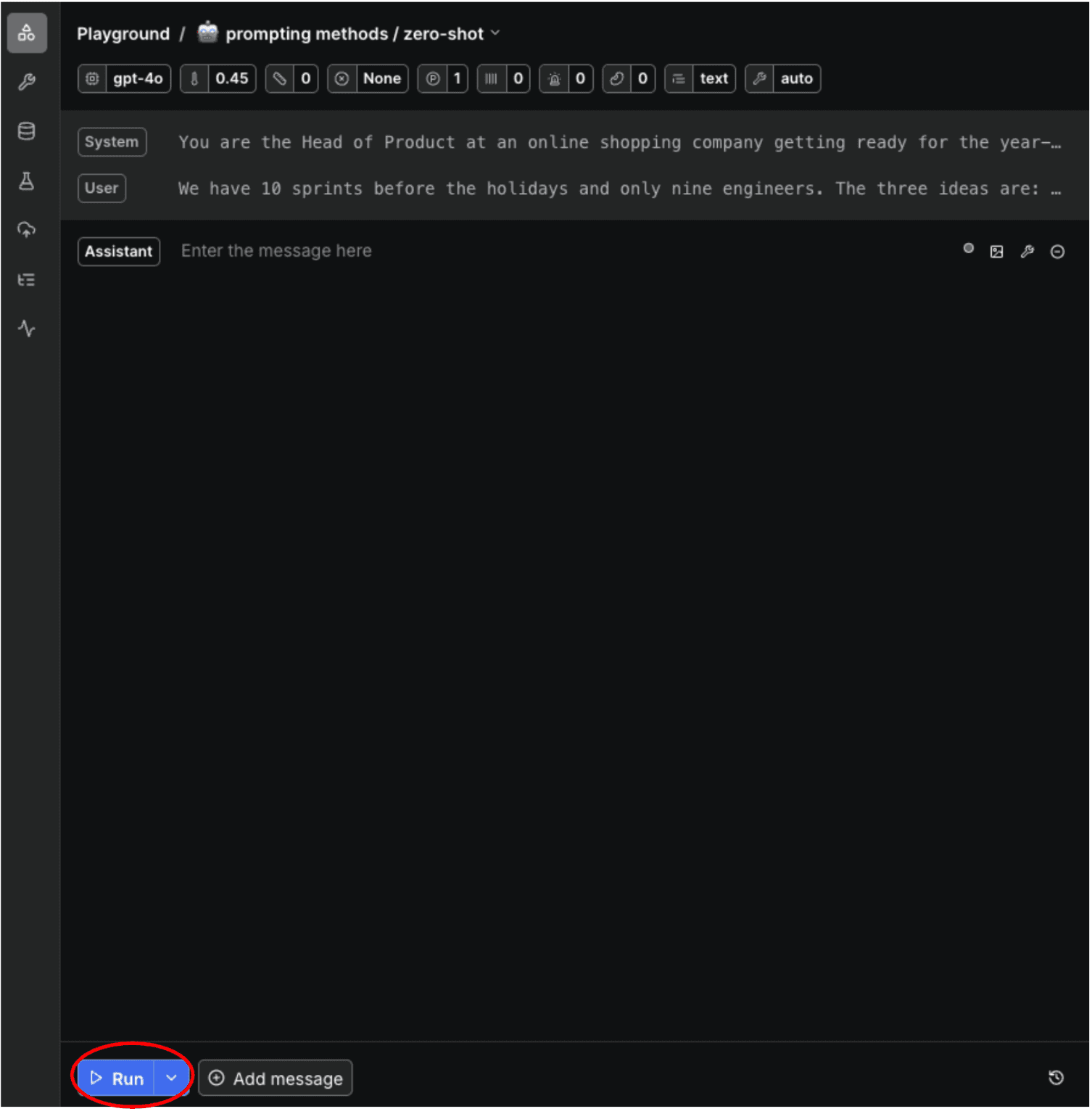
Adaline.ai will execute your prompts using the selected LLM and provide you with the answer.
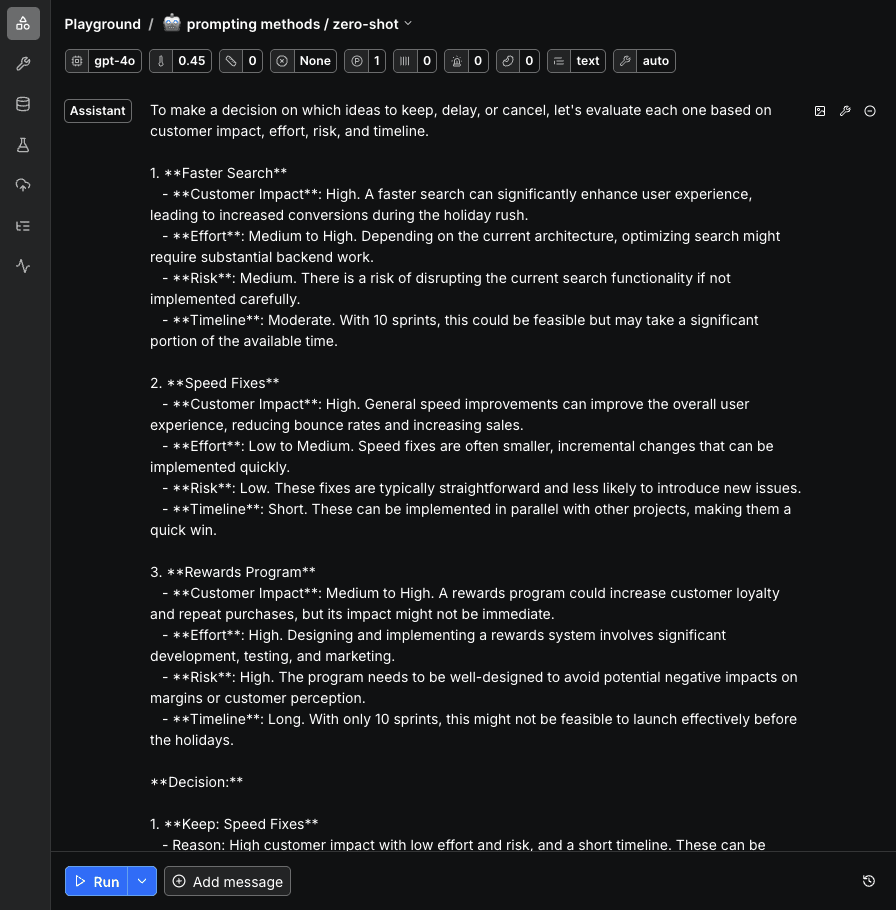
If you want to iterate on your prompt with a different LLM, you can do that directly from the playground by selecting a different one from the top.

Similarly, you can tweak any parameter as well.
Once satisfied, you can click “Clear & run”. This will clear the previous output and provide you a new one.
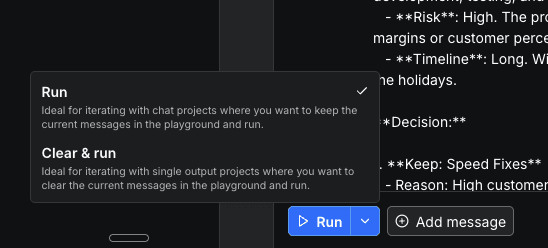
But if you want to fine-tune or polish the existing output, then you just click on “Add message.” “Add message” will allow you to add a follow-up prompt like a chatbot to polish your prompt.
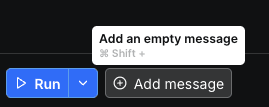
Once you add a follow-up prompt, click on “Run.” It will continue the conversation from the previous output.
Adaline.ai offers you a one-stop solution to iterate on your prompts in a collaborative playground quickly. It supports all the major providers, variables, automatic versioning, and more.
Get started with Adaline.ai.