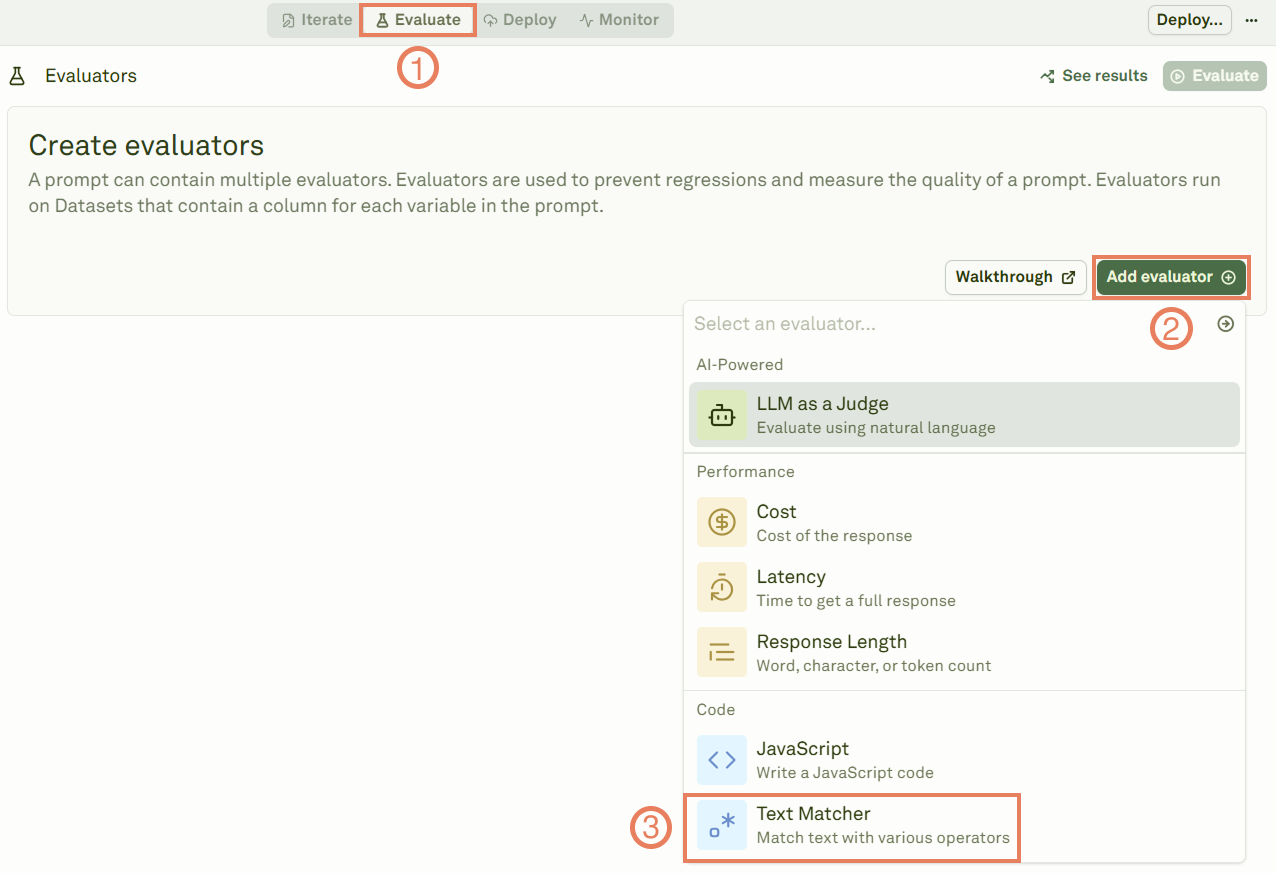
The Text Matcher evaluator examines the textual content from your model’s response as it is generated. Use it to intercept precise textual pattern or specific words. The steps below describe how to set up the Text Matcher evaluator:
1

Select the Text Matcher evaluator

Selecting the text matcher evaluator
2

Link a dataset

Give a name to the evaluator, link a dataset to it, and define the text matching rules.Matching textChoose among the following:
  • equals: The response must match your text exactly.
  • starts-with: The response must begin with your specified text.
  • ends-with: The response must conclude with your specified text.
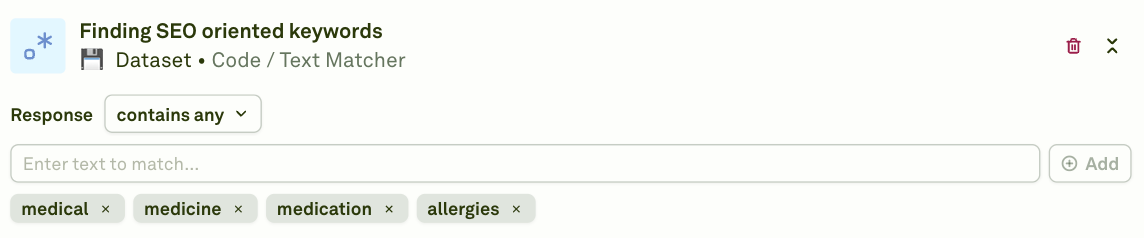
  • contains-any: The response must include at least one item from your array of strings.
  • contains-all: The response must include every item from your array of strings.
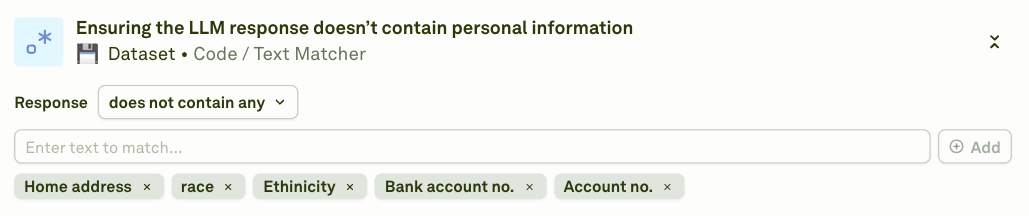
  • not-contains-any: The response must not include any item from your array of strings.
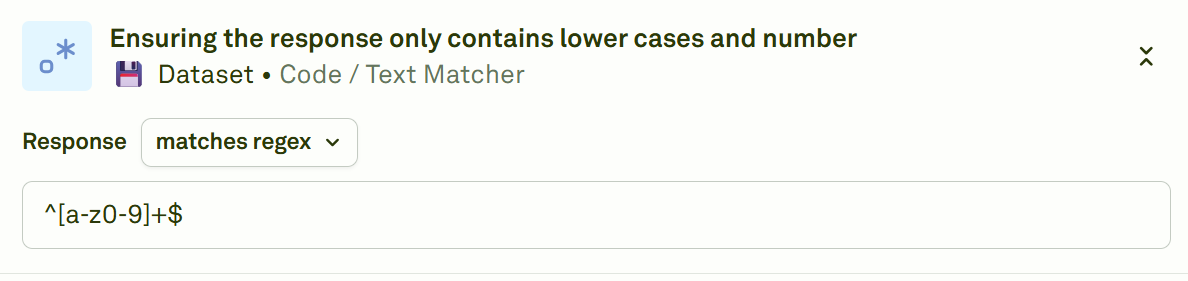
  • regex: The response must match your regular expression pattern.
3

Execute the evaluation and see the results

Click on Evaluate to run the evaluation and see the results.Visualize the results of the text matcher evaluator
Below are some examples of how you can use Text Matcher evaluator:
  • Finding SEO oriented keywords: Finding SEO oriented keywords with the text matcher evaluator
  • Ensuring the response begins with a phrase: Ensuring the beginning of the response starts with a phrase with the text matcher evaluator

  • Ensuring the LLM response does not contain personal information: Ensuring the LLM response does not contain personal information with the text matcher
  • Ensuring the response only contains lower cases and number: Using regex in the text matcher