

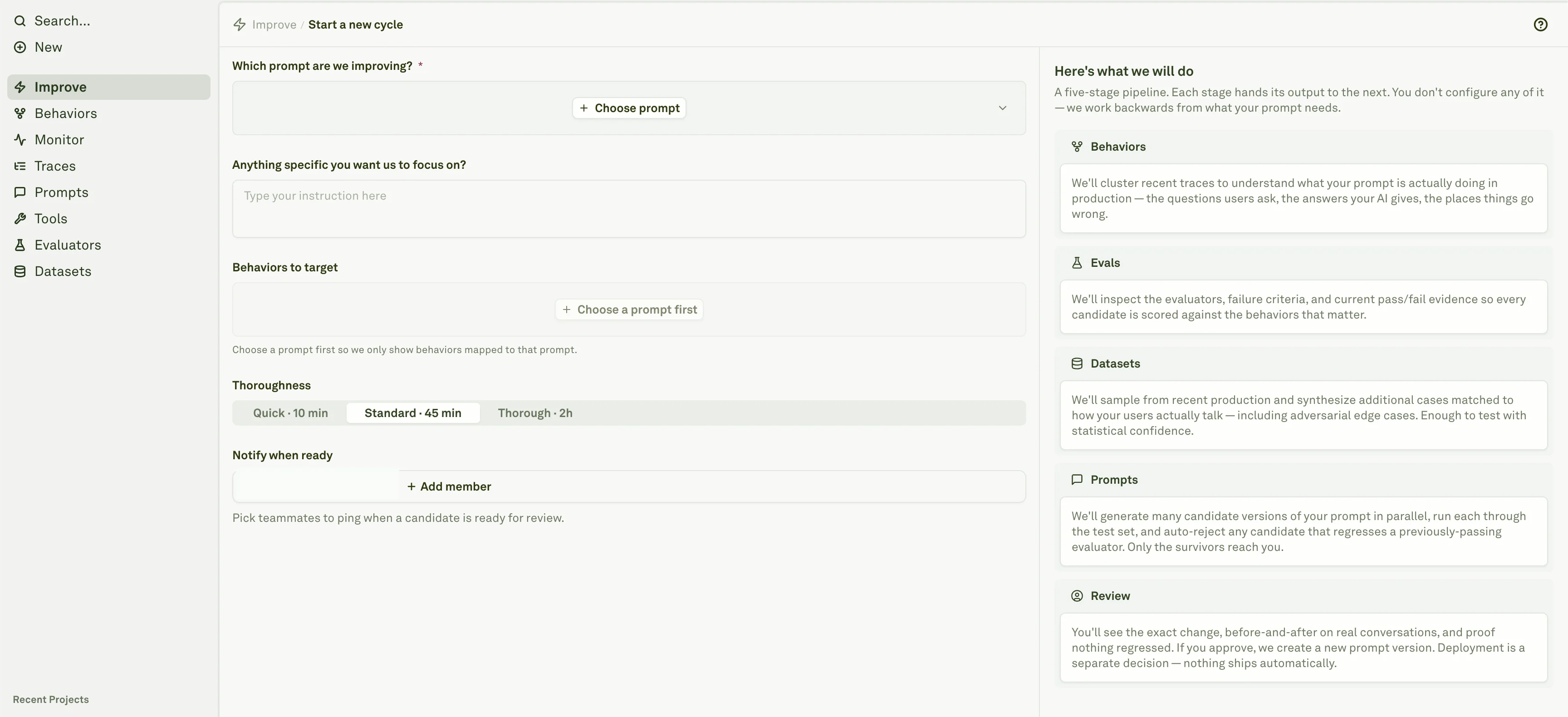
Choose the prompt
Click Start improvement and choose the prompt Adaline should improve. The prompt picker is restricted to prompts in the current project.
Add a focus
Describe what should change. Good focus notes name the failure mode, audience, tone, safety boundary, format requirement, cost concern, latency concern, or evaluator you care about.
Target behaviors
Select one or more Behaviors when you want the cycle to focus on known production patterns. If you start from a Behavior row, the wizard can pre-fill the prompt and Behavior when the relationship is available.
Pick thoroughness
Choose Quick, Standard, or Thorough. Quick is the shortest run, Standard is the default, and Thorough gives Adaline more time to inspect evidence and explore candidates.
Readiness checks
The run button is disabled when the selected prompt is not ready. The most common reasons are:- The prompt has not recorded production traces yet.
- No clustered Behaviors are available for that prompt.
- The clustering pipeline has not finished for the agent or prompt subject.
Thoroughness presets
| Preset | Use it when | Typical tradeoff |
|---|---|---|
| Quick | You need a fast first pass on a narrow issue. | Fewer candidates and less exploration. |
| Standard | You want the default balance of speed and evidence. | Good first choice for most cycles. |
| Thorough | The issue is high impact, ambiguous, or safety-sensitive. | Longer run with broader candidate exploration. |
What makes a good cycle
Start with a prompt that has enough evidence to measure change. The strongest cycles combine:- Recent production traces that show the real behavior.
- Behaviors that identify repeated patterns instead of one-off examples.
- Evaluators that define what must improve and what must not regress.
- Datasets that include normal, edge, and failure cases.
- A narrow focus note that explains what a reviewer would accept.