What an Improve cycle does
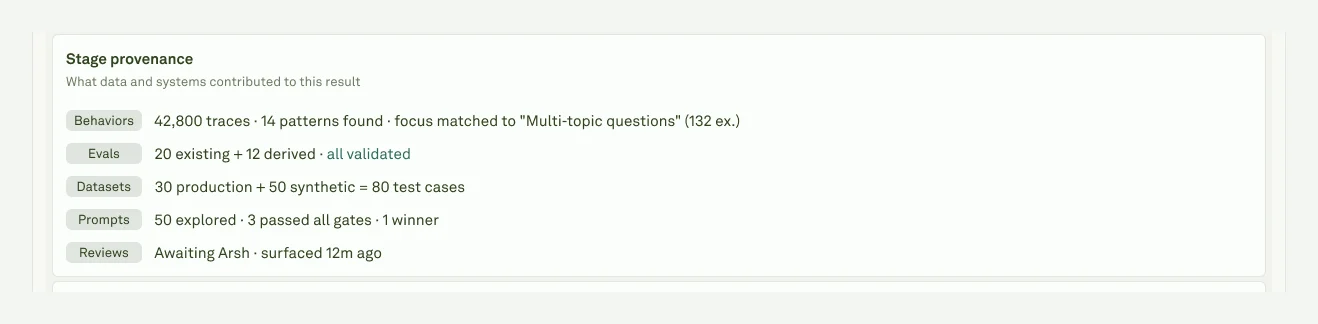
An Improve cycle is a background run attached to one prompt in one project. The app shows the run as a cycle with five product stages:| Stage | What happens |
|---|---|
| Behaviors | Adaline reads clustered production behavior for the selected prompt and selected focus behaviors. If you did not choose a Behavior, the cycle can auto-pick high-priority failure patterns. |
| Evals | The cycle inspects active evaluators linked to the prompt and any production-derived auto-evaluators available for the issue. Draft evaluators created by an in-flight Improve cycle are isolated until the cycle is approved. |
| Datasets | Adaline prepares train and validation cases from linked datasets, production traces, and generated edge cases when available. These cases are used to compare the baseline prompt against candidates. |
| Prompts | The optimizer generates multiple candidate prompt snapshots and blocks candidates that regress previously passing checks. Candidate diffs can include message changes, config settings, response schema changes, and tool-related changes. |
| Review | The reviewer sees the diagnosis, candidate switcher, prompt diff, real-traffic examples, regression report, cost, token, and latency summary, and audit packet. |
- Approve applies the selected candidate to the prompt and deploys it to the project’s primary deployment environment when one is configured.
- Edit & approve applies the selected candidate and opens the prompt for editing without deploying.
- Reject leaves the prompt unchanged and records the cycle in history.
Cycle states
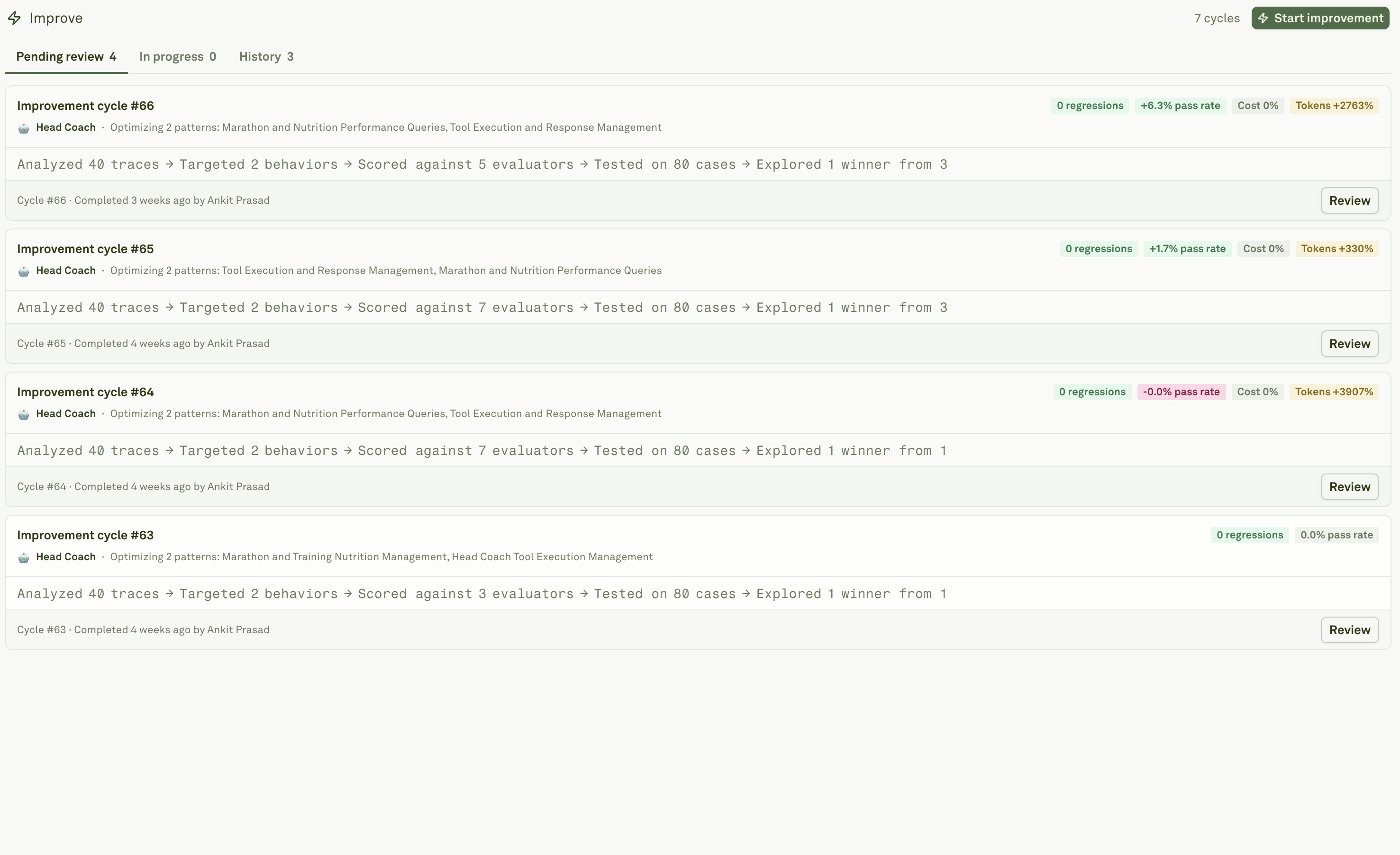
The Improve page groups cycles by review status:| View | What it shows |
|---|---|
| Pending review | Completed cycles with a candidate waiting for a decision. These are the highest-priority items for reviewers. |
| In progress | Queued or running cycles. Open one to watch stage progress, live logs, cost, and generated evidence. |
| History | Cycles that were approved, edited, rejected, failed, or canceled. Historical cycles keep the review evidence for audit and comparison. |
What Improve needs
Improve works best when the project has these ingredients:| Ingredient | Why it matters |
|---|---|
| Production traces | Ground the diagnosis in real requests and let Behaviors identify repeated patterns. |
| Behaviors | Provide semantic clusters and issue signals so the cycle can target high-impact patterns instead of isolated examples. |
| Evaluators | Define the checks that candidates must improve or preserve. Evaluators are the main guardrail against regressions. |
| Datasets | Provide stable examples for baseline and candidate comparison. |
| Deployment environments | Let Approve publish the new prompt version to the primary environment. Without an environment, the candidate can still be applied and deployed later. |
Review discipline
Treat Improve as a review workflow, not an autopilot. Before approving, confirm that:- The diagnosis matches the real product issue.
- The selected candidate is the one you intend to ship.
- Regressions are understood, especially evaluator drops and cost or latency increases.
- The confirmation dialog names the deployment environment you expect.
- You know how to roll back the environment if production behavior regresses.
- The evidence that should become long-term regression coverage is captured in datasets.
Start an Improve cycle
Choose the prompt, focus area, target behaviors, and thoroughness.
Review candidates
Inspect the proposed change before creating a new prompt version.
Behaviors
Understand the behavior evidence Improve can target.
Evaluators
Define the criteria Improve uses to reject regressions.
Regression coverage
Promote production failures and Improve evidence into durable tests.