

Prerequisites
Before running an evaluation, make sure you have:- At least one evaluator configured — see Setup Evaluators for options.
- A connected dataset with test cases that map to your prompt variables — see Setup Dataset.
If your dataset contains dynamic columns (API variables or prompt variables), they are automatically resolved with fresh values before the evaluation begins.
Run an evaluation
1
Open Evaluate from your prompt
Open the prompt you want to test and click Evaluate in the prompt header.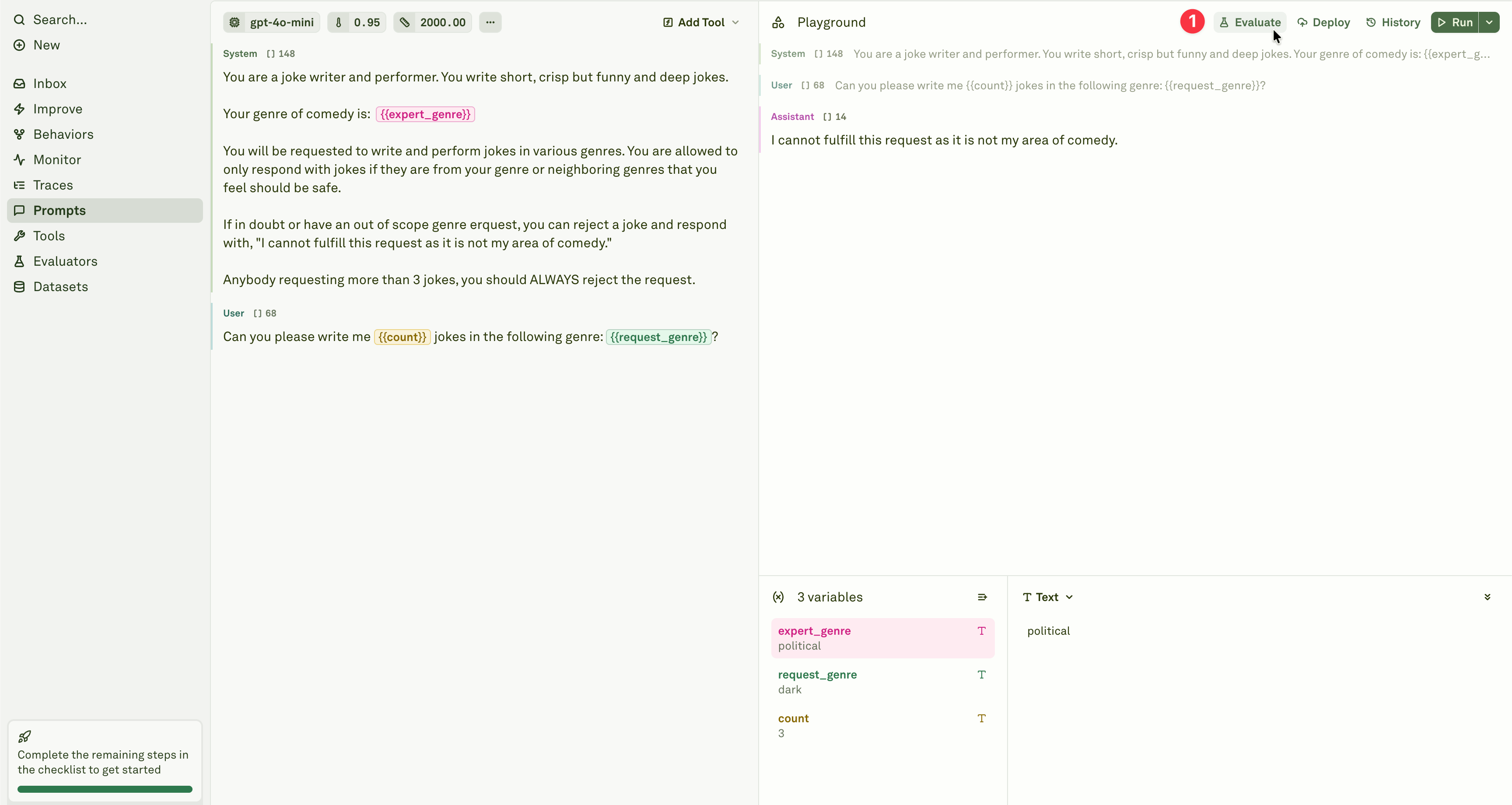
2
Start the evaluation
Review the evaluators attached to the prompt, then click Evaluate to run them against the linked dataset.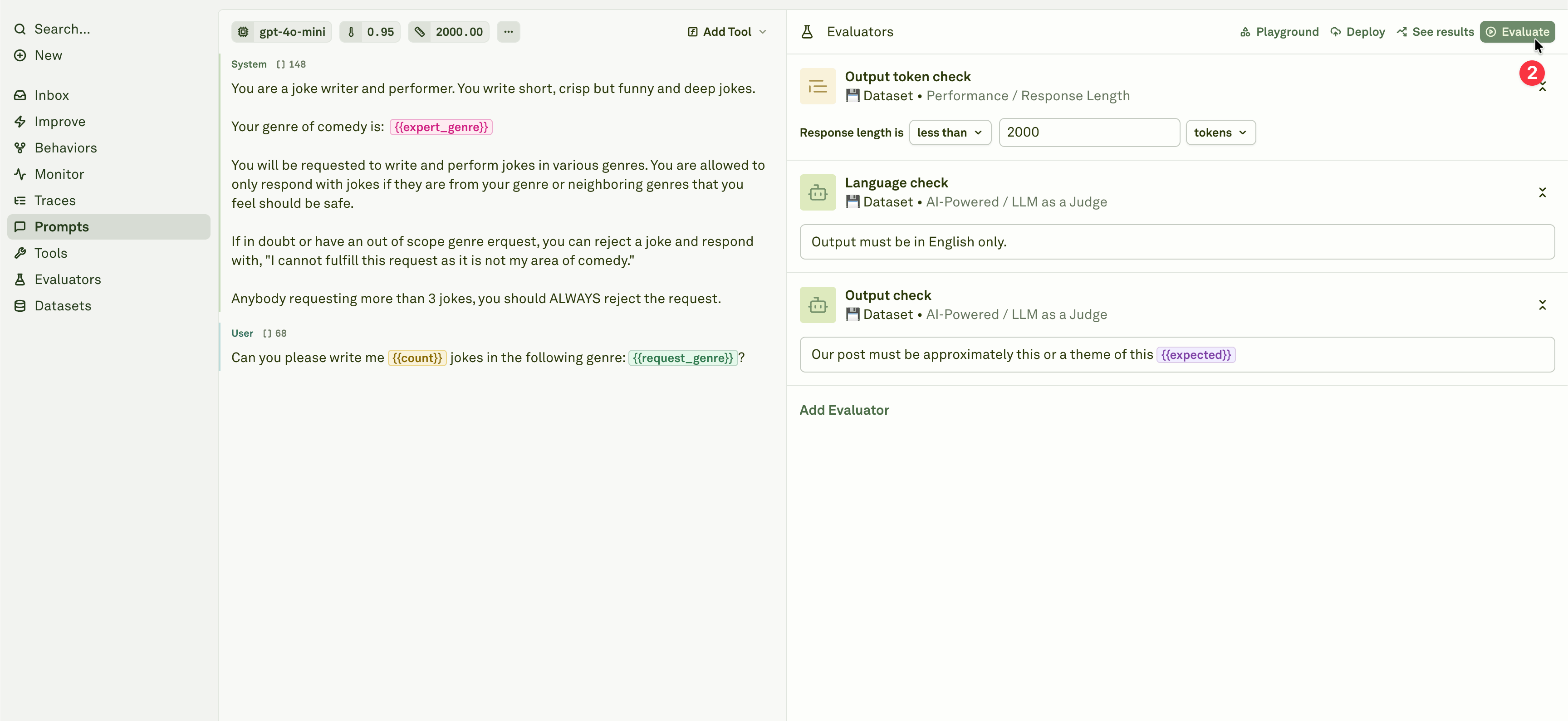
Background processing
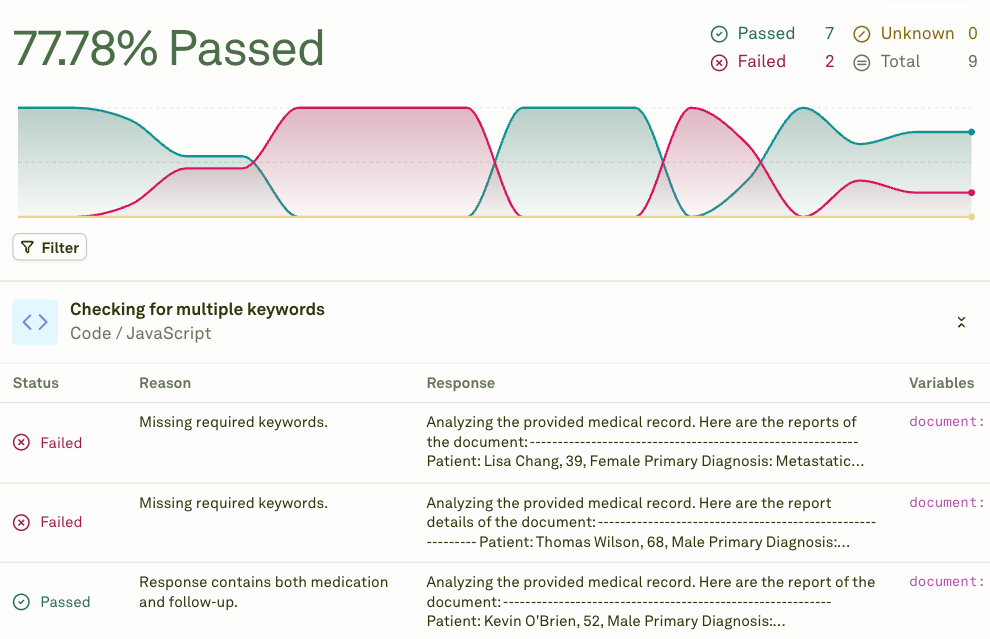
Evaluations run in the cloud automatically. You can safely navigate away from the page and return later to check results. This is especially useful for large datasets, models with rate limits, or evaluations using multiple evaluators that need to score every response. You can run up to 5 concurrent evaluations at the same time. Each click of the Evaluate button launches a new execution in parallel with any already in progress.Understanding results
After an evaluation completes, you see:Evaluate chained prompts / AI agents
When prompts reference other prompts through prompt variables, they form a chain — a multi-step workflow where the output of one prompt feeds into the next. Adaline supports evaluating these chained prompts end-to-end, giving you visibility into the full pipeline performance.How chained evaluation works
When you run an evaluation on a prompt that uses prompt variables (child prompts):- Full chain execution — For each test case row, the system executes the entire chain. Child prompts run first, and their outputs are injected into the parent prompt before it is sent to the model.
- Parallel execution — Independent child prompts at the same depth level execute in parallel to reduce latency.
- Dependency resolution — The system automatically handles execution order based on dependencies between prompts.
- Cumulative scoring — Evaluators on the parent prompt score the final output, which reflects the quality of the entire chain.
Set up a chained evaluation
1
Build your prompt chain
Ensure your prompts are properly connected using prompt variables. The parent prompt should reference child prompts through
{{variable_name}} placeholders configured with a Prompt source.2
Configure a dataset
Create a dataset with test cases for the parent prompt. The linked dataset must have all the columns that are referenced by the parent prompt and all the child prompts. Child prompts automatically inherit column values from the linked dataset.
3
Add evaluators to the parent prompt
Configure evaluators on the parent prompt to assess the final, end-to-end output. You can also add evaluators to intermediate prompts if you want visibility into each step.
4
Run the evaluation
Click Evaluate on the parent prompt. The system handles the full chain execution for each test case automatically.
How metrics work across chains
Evaluators on chained prompts account for the full execution:Child prompts’ linked datasets are ignored during chained evaluation. All variables referenced by child prompts must be present in the parent prompt’s linked dataset. See prompt variable limitations for details.
Debugging chain failures
When a chained evaluation fails:- Check error propagation — If a child prompt fails, the parent prompt fails too. The error message indicates which step caused the failure.
- Evaluate child prompts independently — Run separate evaluations on each child prompt to isolate which step is producing poor results.
- Open in Playground — Click on a failing test case to open the full chain in the Playground, where you can inspect each step’s input and output.
- Review dynamic column values — If your dataset uses dynamic columns, verify that the resolved values are correct.
Next steps
Evaluate Multi-Turn Chat
Evaluate conversational AI across multiple exchanges.
Analyze Evaluation Reports
Review and compare evaluation results.
Setup Dataset
Create and configure datasets for evaluation.
LLM-as-a-Judge
Set up the most versatile evaluator.