

Access run history
Your run history is saved automatically after every execution. To access it, click History in the Playground: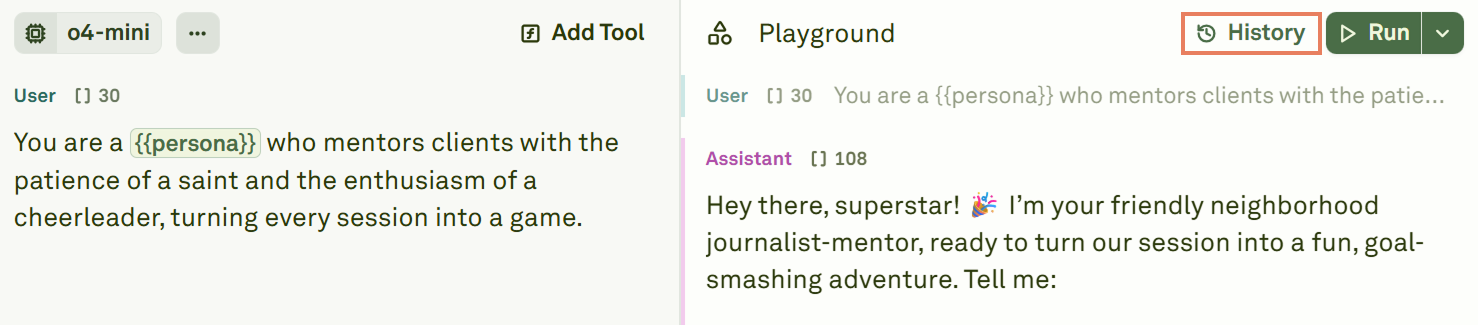
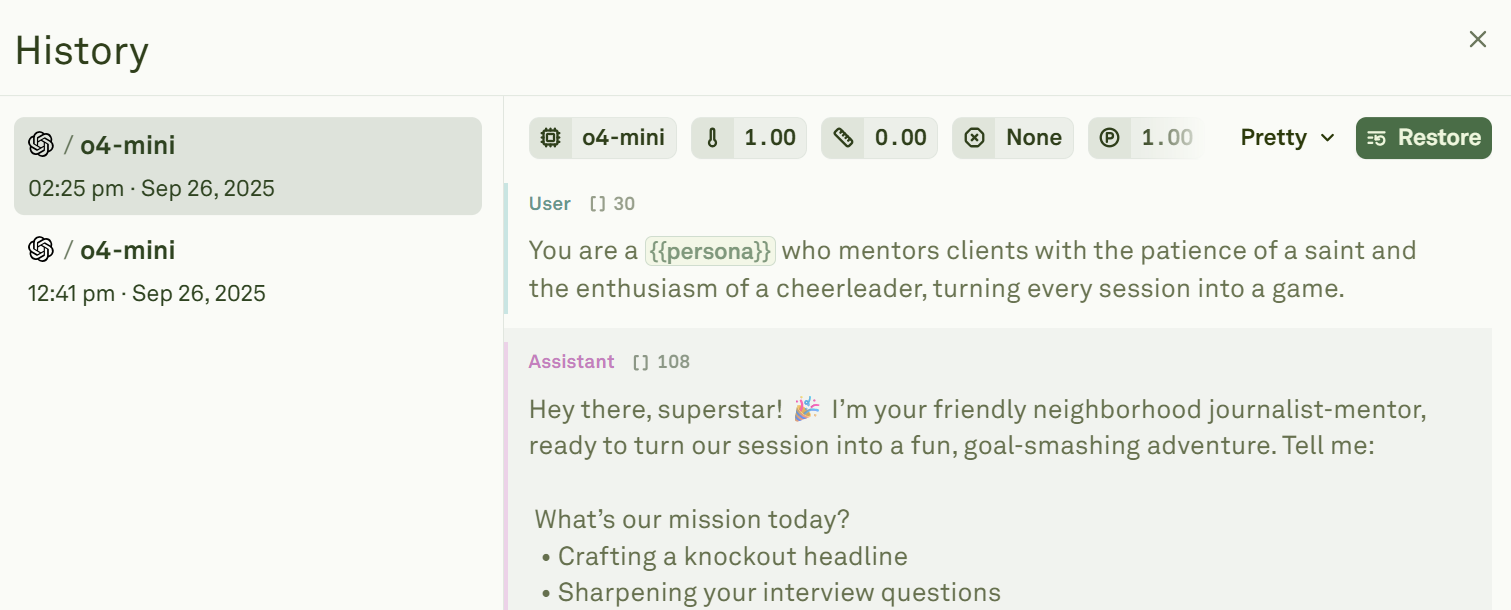
- The prompt configuration at the time of the run (model, parameters, messages)
- Variable values used for that run
- The model’s response and metadata
- Token usage and latency metrics
Restore a previous run
Click Restore on any history entry to revert both the Editor and the Playground to that run’s exact state. This is useful when a previous version produced better results and you want to continue iterating from that point. When restoring, you can view the differences between your current prompt and the version you are about to restore. Choose a comparison format: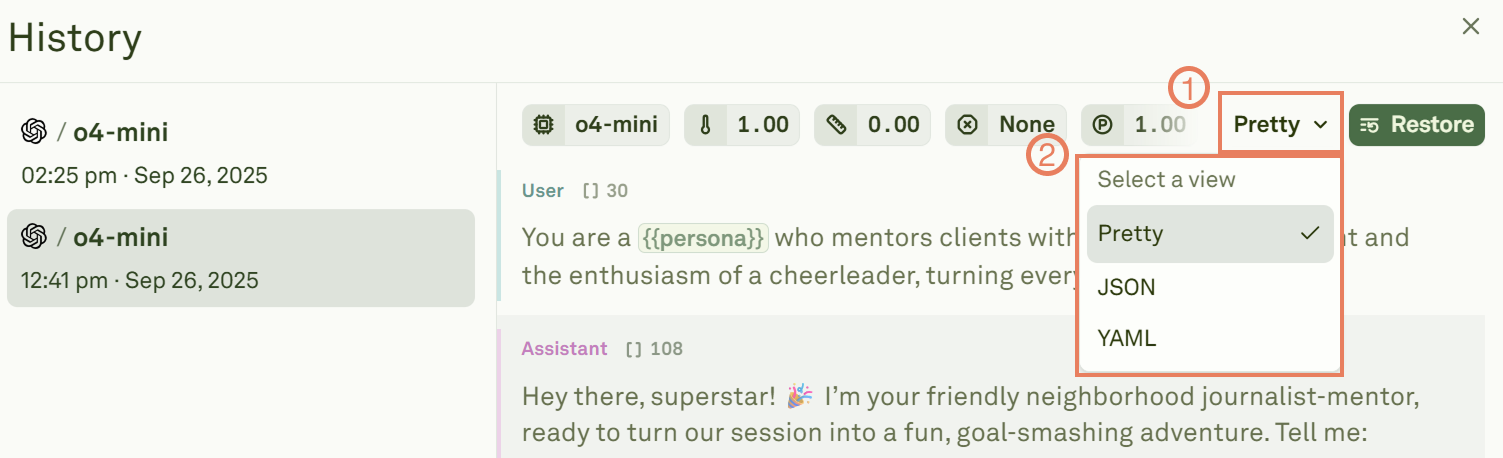
How history works
- Automatic saving — Every run is saved automatically. There is nothing to configure or remember.
- Bi-directional restore — Restoring a run updates both the Editor (prompt, model settings) and the Playground (conversation state).
- Non-destructive — Restoring a previous run does not delete later history entries. You can always go forward again.
Next steps
Run Prompts in Playground
Learn about running and iterating on prompts.
Link Datasets
Connect datasets to test with multiple variable samples.