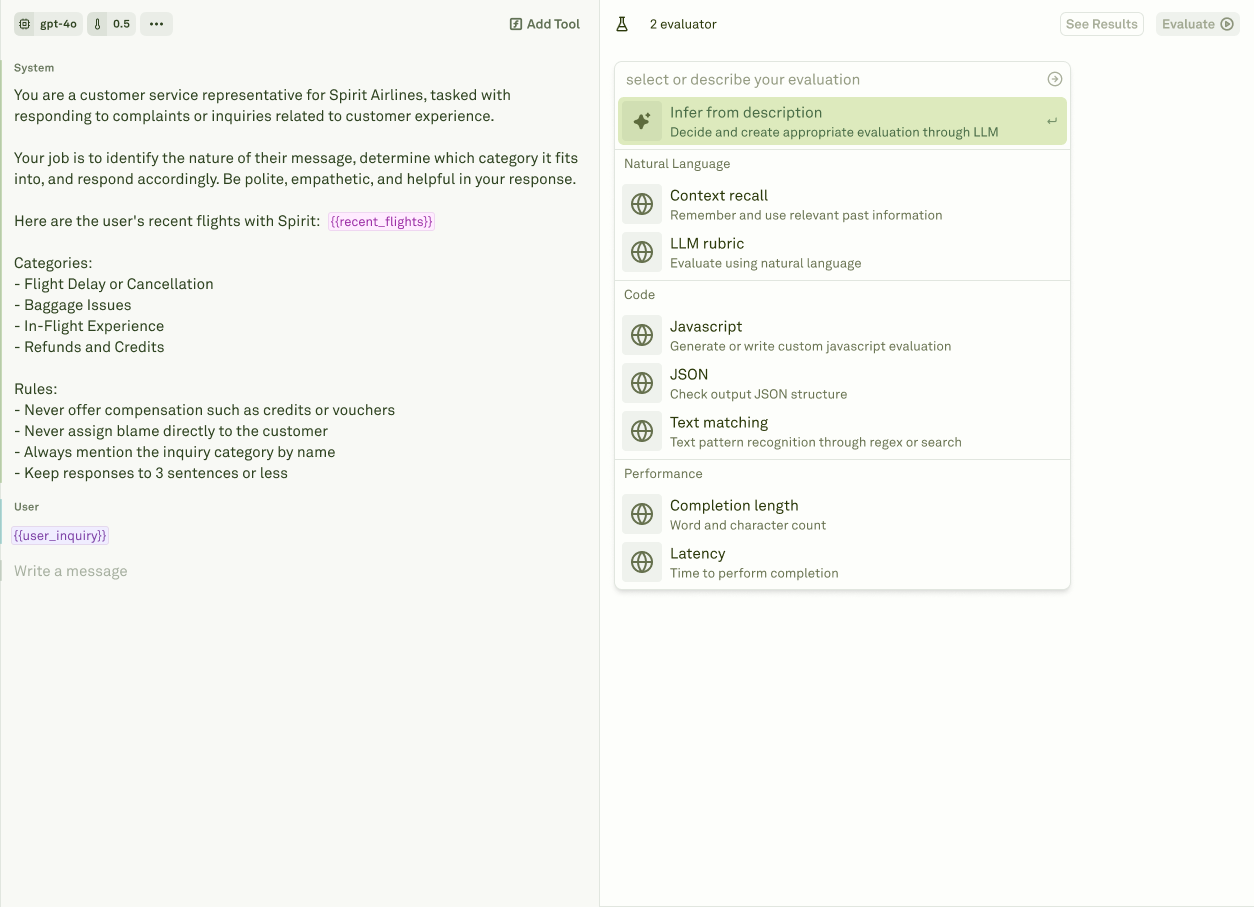
The Evaluate pillar is your quality assurance center for prompts. It lets you test prompts against real-world scenarios at scale, measure their effectiveness with configurable evaluators, and identify areas for improvement before deploying to production. The workflow is: build a dataset of test cases, configure evaluators that define your quality criteria, run evaluations to score every test case, and analyze the results to drive improvements. The evaluate pillar in Adaline

Datasets

Datasets in Adaline Datasets store the test cases your prompts are evaluated against. Each dataset is a structured table of rows and columns — columns map to your prompt variables, and each row is a unique test case with specific input values. Every evaluator must be linked to a dataset, and when you run an evaluation, the system executes your prompt once for every row. Column names must match your prompt’s variable names exactly. If your prompt has {{user_question}} and {{context}}, your dataset needs columns named user_question and context. Extra columns are silently ignored, but missing columns will cause the evaluation to fail. You can populate datasets by typing values manually, importing CSV files for bulk data, or building them from production logs captured by the Monitor pillar. Datasets also support dynamic columns — columns configured as API variables or prompt variables that fetch live data at runtime instead of storing static values. When an evaluation runs, dynamic columns are automatically resolved with fresh values before scoring begins. Setup Dataset covers creating datasets, column-to-variable mapping rules, all population methods, and dynamic column configuration in detail.

Evaluators

The evaluators in Adaline Evaluators define the criteria used to score your prompt outputs. Each evaluator is linked to a dataset and produces a grade (pass/fail), a numeric score, and a reason for every test case. You can stack multiple evaluators on the same prompt to assess different dimensions simultaneously — for example, checking both response quality and cost in a single evaluation run. Adaline provides several evaluator types:
EvaluatorWhat it does
LLM-as-a-JudgeUses an LLM to assess response quality against a custom rubric you define. The most versatile evaluator — ideal for qualitative assessment where nuanced judgment matters.
JavaScriptLets you write custom code to validate structured outputs, enforce business rules, check data formats, and implement any evaluation logic expressible in code.
Text MatcherChecks for required keywords, patterns, or regex matches in the response. Supports equals, starts-with, ends-with, contains-any, contains-all, not-contains-any, and regex modes.
CostCalculates the cost of each response based on actual token usage and provider pricing. Set thresholds to enforce budget caps.
LatencyMeasures the round-trip response time. Set thresholds to enforce SLA requirements.
Response LengthCounts response size in tokens, words, or characters. Set thresholds to enforce brevity or minimum detail requirements.

Evaluations

Evaluation results in Adaline Evaluations execute your prompts against datasets and score every response using your configured evaluators. They run in the cloud, so you can navigate away and return later to check results. You can run up to 5 concurrent evaluations in parallel — useful for comparing different prompt versions or model configurations side by side. Adaline supports three evaluation modes depending on your prompt structure:
  • Single prompt — Run a batch evaluation on one prompt across all test cases in the dataset. This is the standard mode for most evaluation workflows.
  • Chained prompts — Evaluate multi-step workflows where prompts reference each other through prompt variables. The system executes the full chain for each test case, with cumulative cost and latency tracking across all steps.
  • Multi-turn chat — Assess conversational AI systems where response quality depends on context accumulated across multiple user-assistant exchanges.
After each evaluation completes, Adaline generates a detailed report. Analyze Evaluation Reports covers how to inspect individual test cases, filter by pass/fail status, compare scores across up to 20 evaluation runs, and use insights to drive systematic prompt improvements. You can click on any failing test case to open it directly in the Playground for interactive debugging.

Setup Dataset

Create and configure datasets for evaluation.

Evaluate Prompts

Run your first evaluation across test cases.

LLM-as-a-Judge

Set up the most versatile evaluator.

Analyze Reports

Review and compare evaluation results.