

Want to use custom pricing for your models? Reach out to us at support@adaline.ai to set up a private preview.
Set up the Cost evaluator
1
Open Evaluate from your prompt
Open the prompt you want to test and click Evaluate in the prompt header.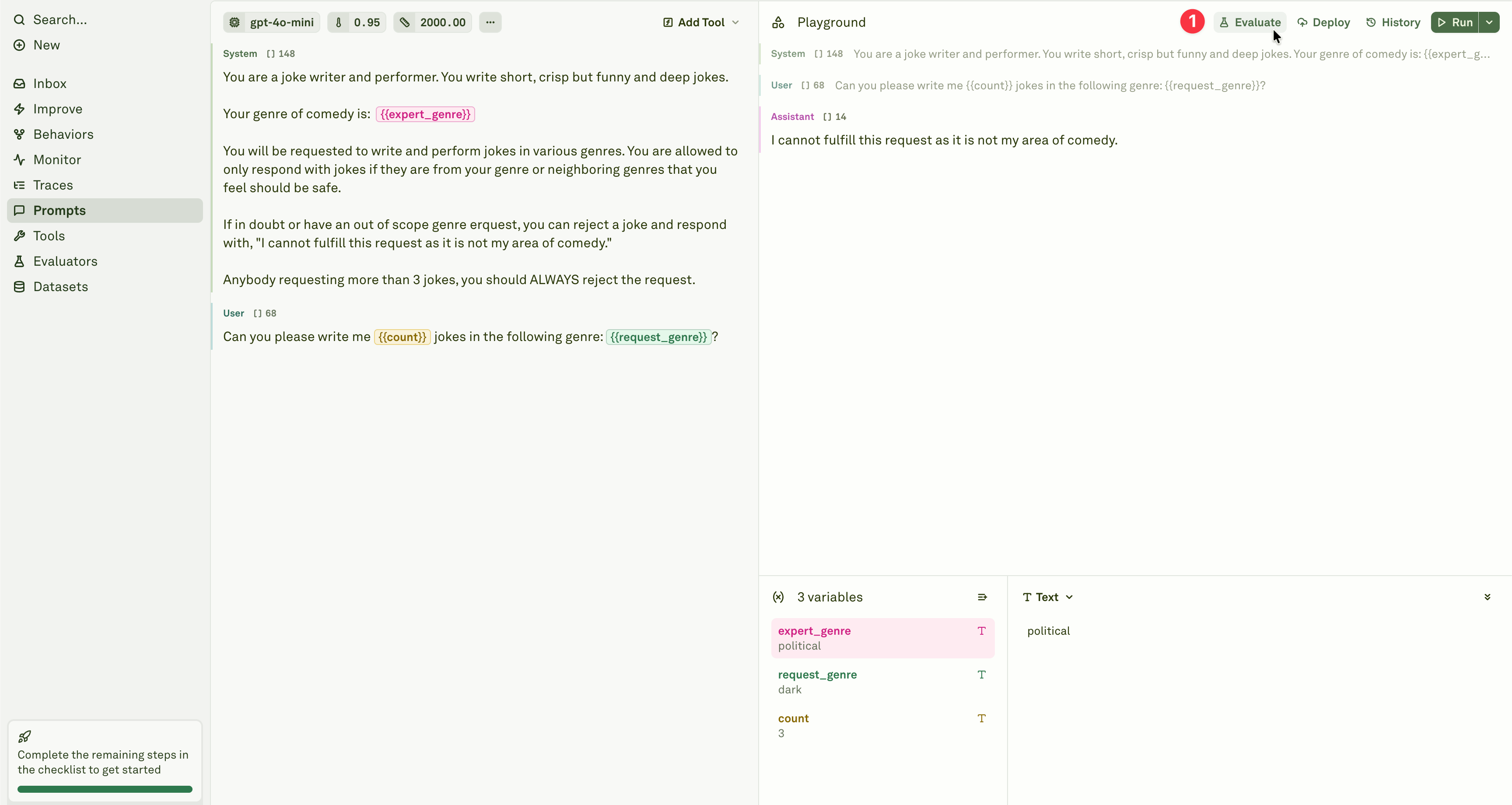
2
Select the evaluator
Add the Cost evaluator from the evaluator menu.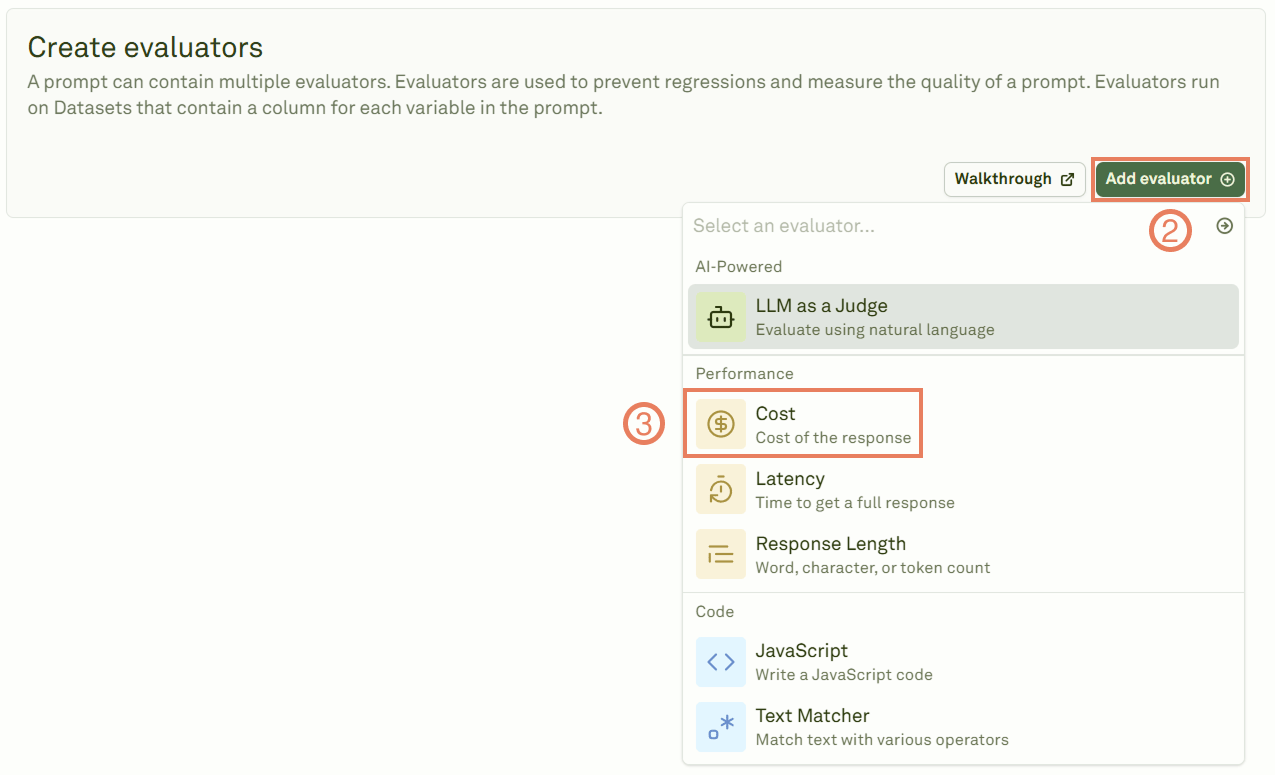
3
Configure the threshold
Give the evaluator a name, link a dataset, and set the cost threshold that determines pass/fail.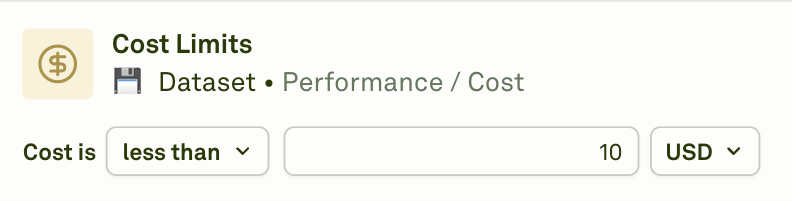
4
Run the evaluation
Click Evaluate to execute the evaluation and see the results.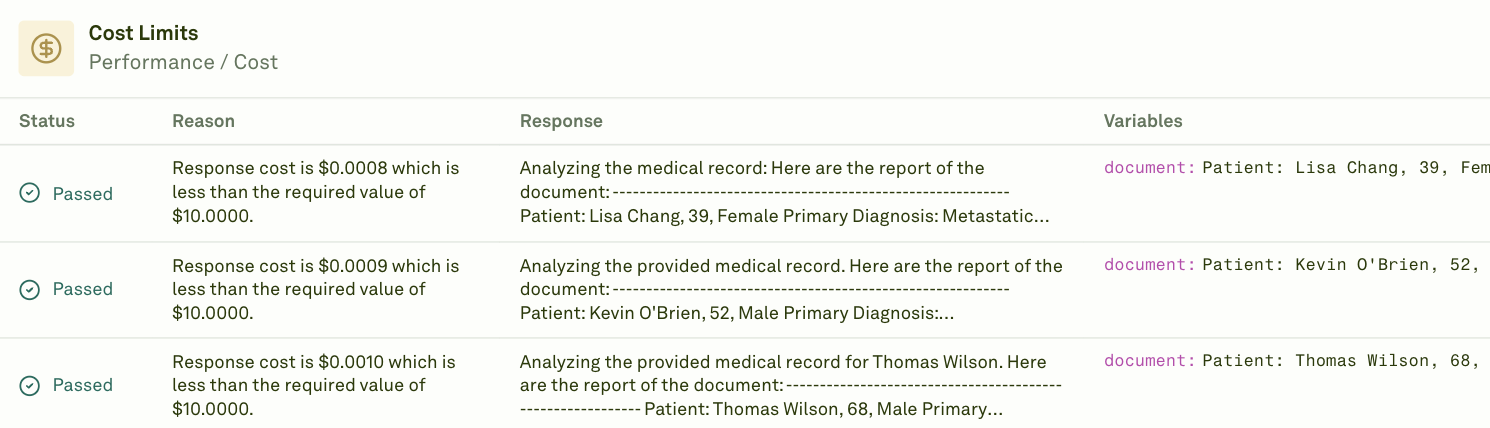
Prompt chaining: When your prompt uses prompt variables (child prompts), the Cost evaluator reports the cumulative cost of the entire prompt chain — including the parent prompt and all child prompts executed during the evaluation.
When to use
- Budget enforcement — Set a maximum cost per response to prevent runaway spending.
- Model comparison — Compare cost efficiency across different models handling the same test cases.
- Prompt optimization — Identify prompts that are more expensive than expected and refine them to reduce token usage.
- Cost forecasting — Use evaluation results to estimate production costs at scale.
Next steps
Latency Evaluator
Measure response time alongside cost.
Response Length
Control output size to manage costs.