

Set up the Latency evaluator
1
Open Evaluate from your prompt
Open the prompt you want to test and click Evaluate in the prompt header.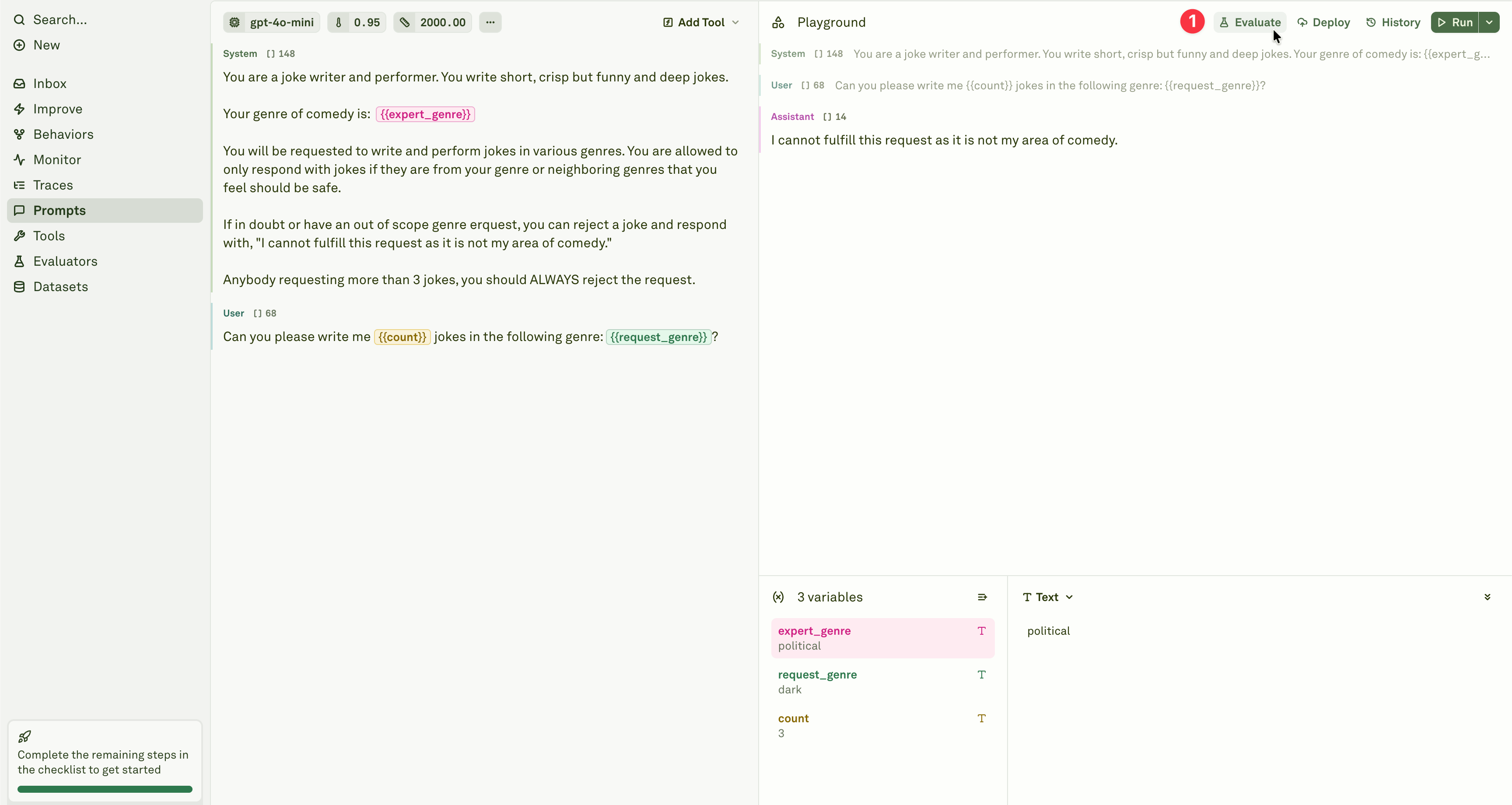
2
Select the evaluator
Add the Latency evaluator from the evaluator menu.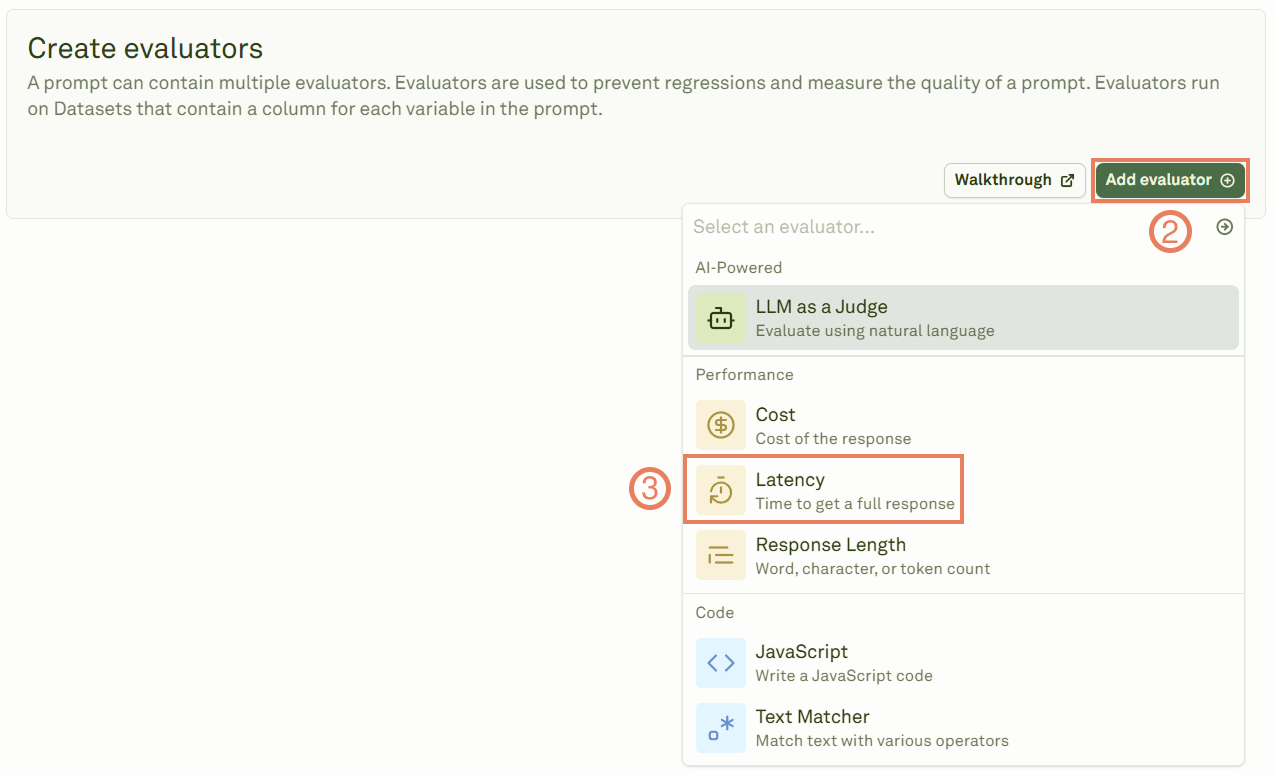
3
Configure the threshold
Give the evaluator a name, link a dataset, and set the latency threshold.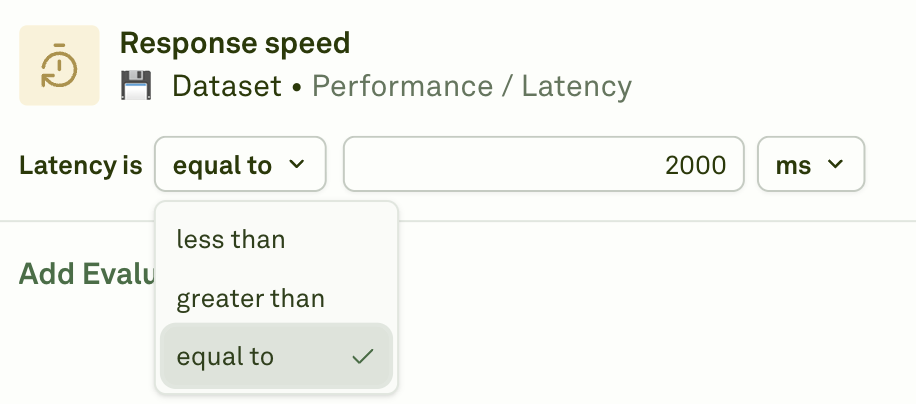
4
Select the unit of measure
Choose the time unit for your threshold.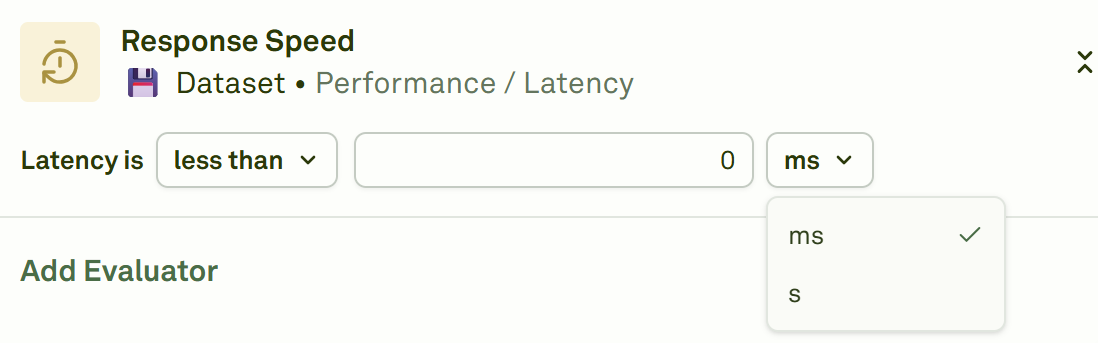
5
Run the evaluation
Click Evaluate to execute the evaluation and see the results.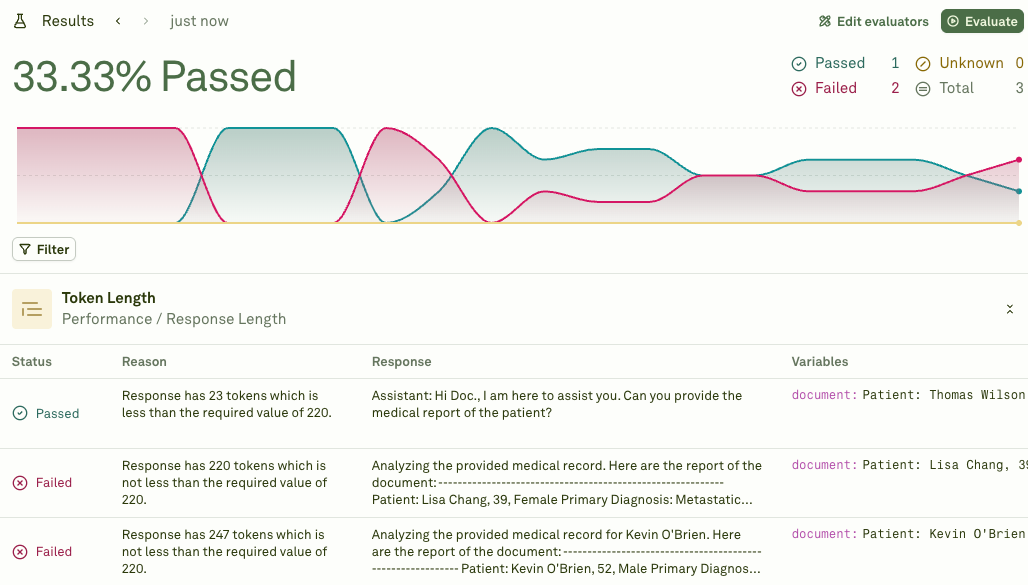
Prompt chaining: When your prompt uses prompt variables (child prompts), latency is calculated based on the slowest execution at each level of the chain. Prompts at the same depth execute in parallel, and the total latency is the sum of the maximum latencies from each level. For example, if Prompt A calls Prompts B and C in parallel (level 1), and Prompt C calls Prompts D and E in parallel (level 2), the total latency is:
max(B, C) + max(D, E) + A's own latency.When to use
- SLA enforcement — Set maximum response time thresholds for production-facing prompts.
- Model comparison — Compare response speeds across different models handling the same test cases.
- Performance optimization — Identify slow-performing prompts and optimize for speed (shorter prompts, fewer tokens, faster models).
- User experience — Ensure response times are acceptable for interactive applications.
Next steps
Cost Evaluator
Track costs alongside latency.
Response Length
Control output size to improve latency.