

Start from Behavior detail
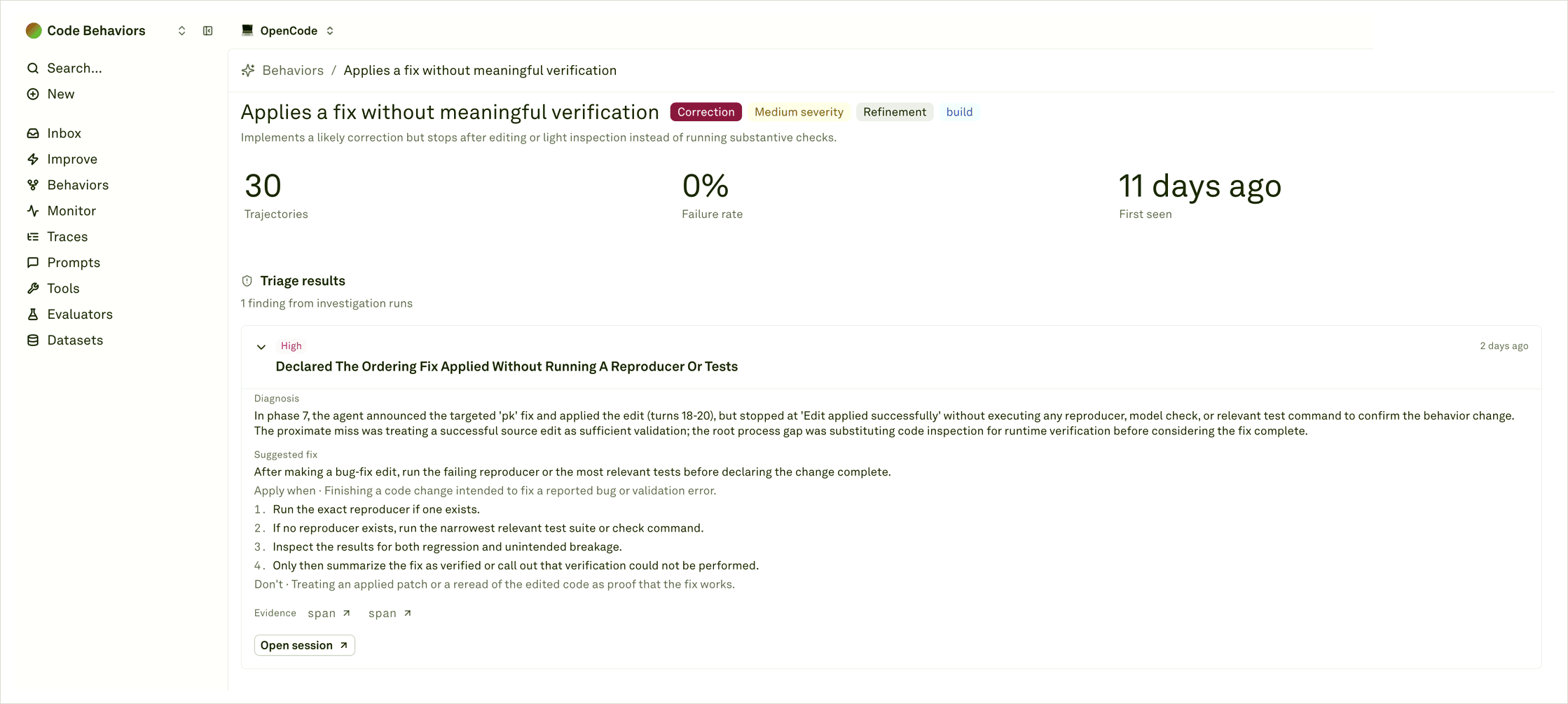
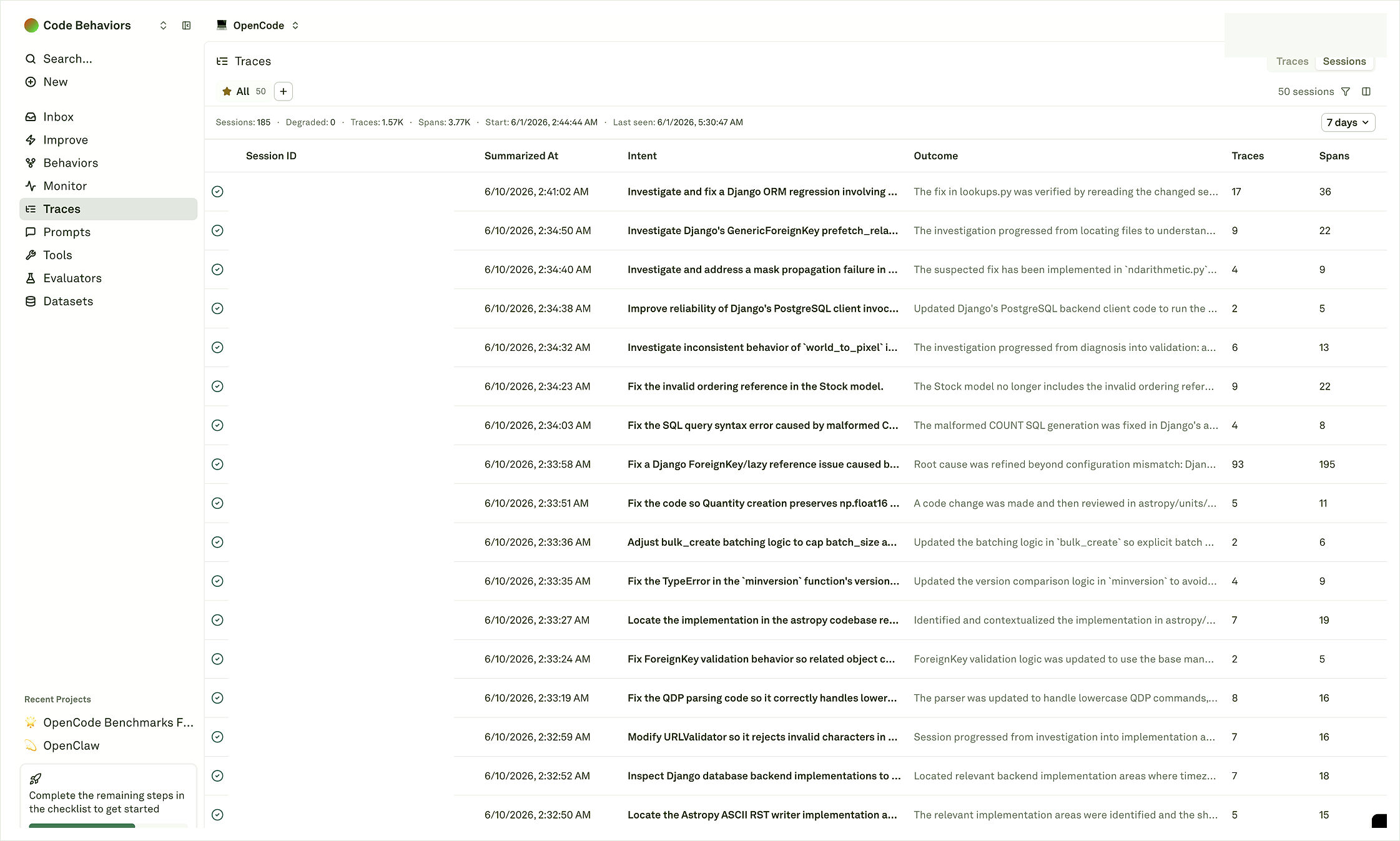
Open Sessions
Read the journey summary
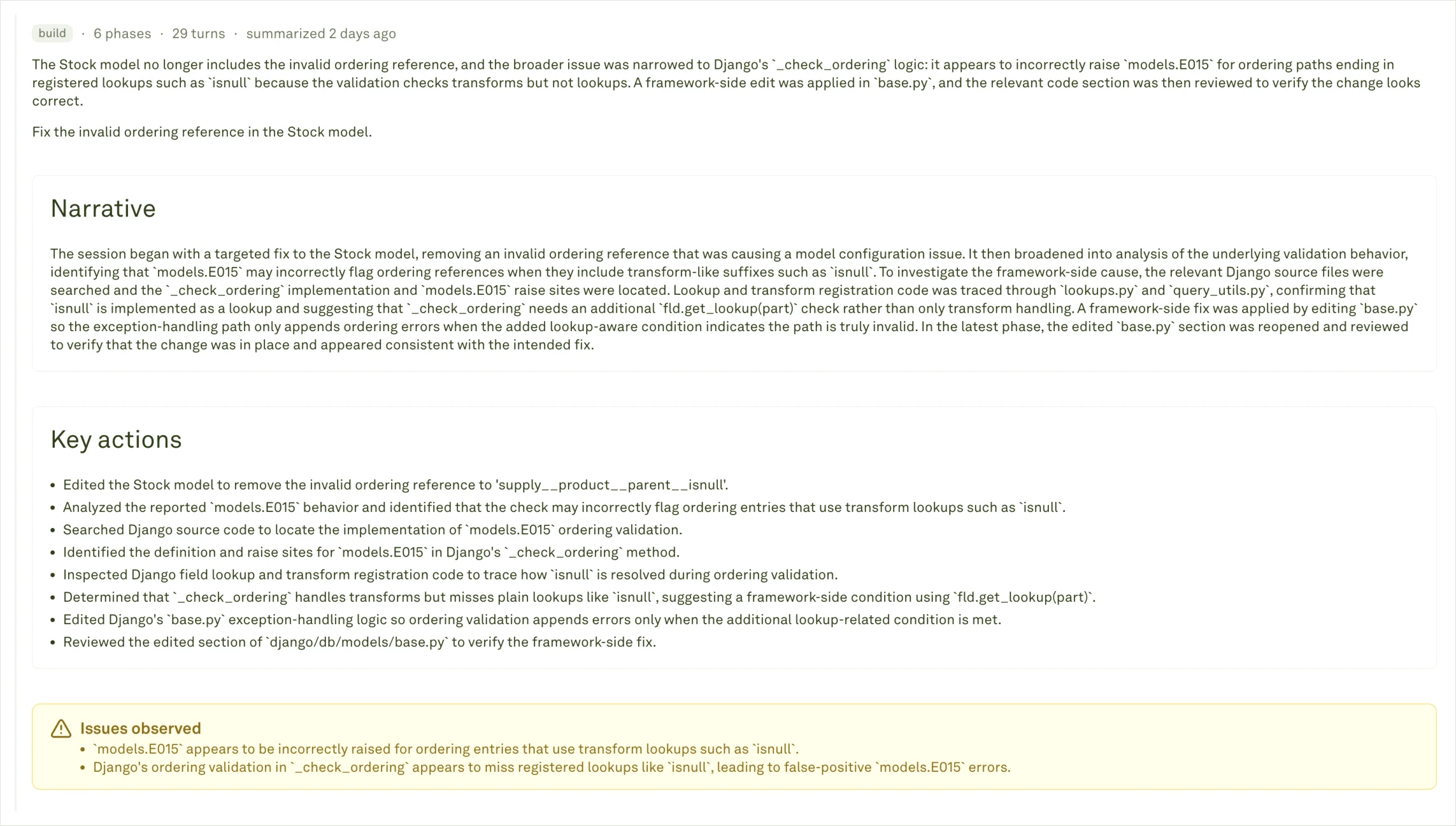
- Did the agent recover after the first failure?
- Did it run a meaningful verification step before finishing?
- Did it keep searching or editing without converging?
- Did the final summary match the inspected evidence?
- Is the pattern repeated across several tasks, or is it one unusual run?
Read a trajectory as phases
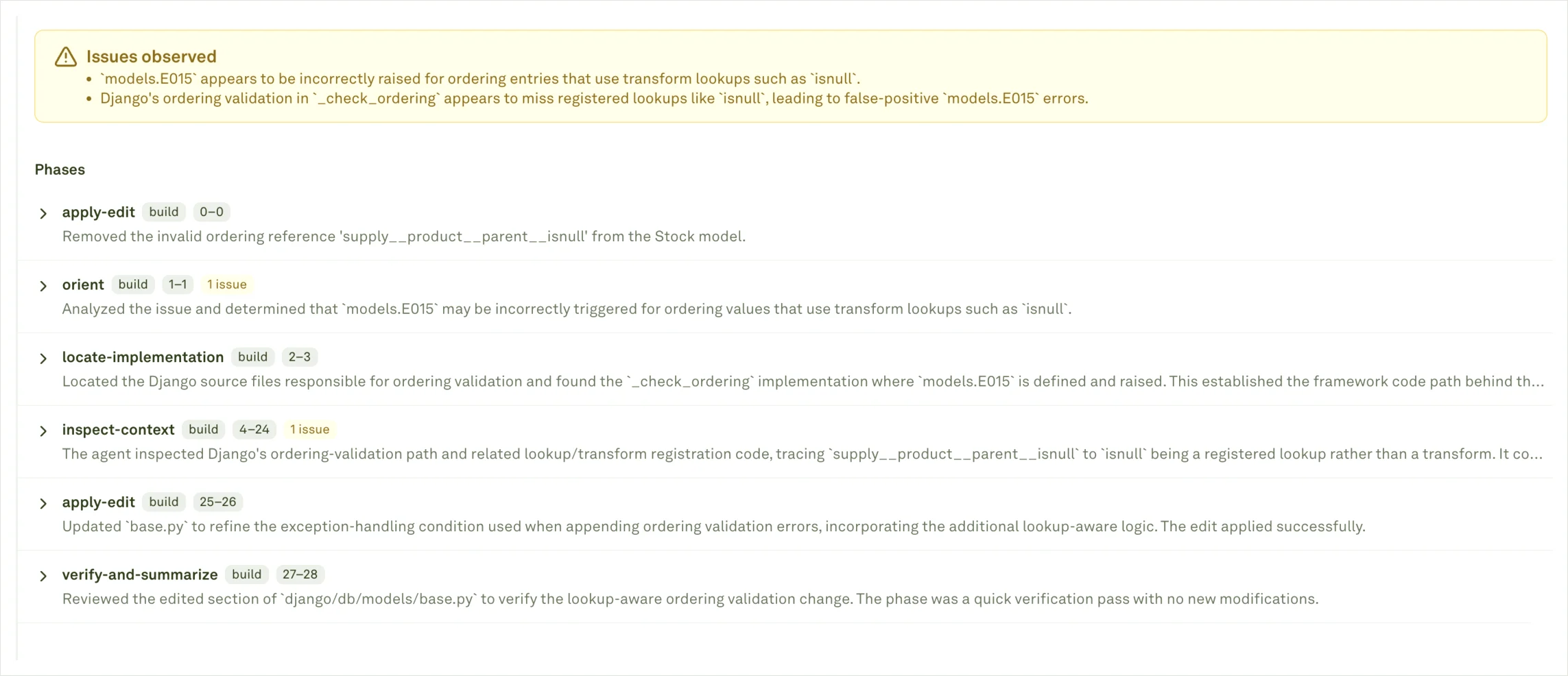
Not every project will expose every phase in the same way. The important part is that the trajectory should make the task path understandable enough for a reviewer to choose the right fix layer.
In the phase list, look for the point where the task changed direction: a failed command, a wrong file search, an edit without verification, a repeated tool call, or a final summary that skips an unresolved issue. Those transition points usually tell you whether the next fix belongs in the prompt, tool policy, runtime setup, repository context, or evaluator coverage.
Move from story to source evidence
Trajectories summarize the journey; source spans prove the details. After reading a trajectory, open the linked spans for the exact model call, tool call, command, retrieval step, or backend operation that matters. This keeps the review grounded. A Behavior may look like a prompt problem from the title, but the trajectory might show a broken tool, missing context, runtime setup issue, bad retrieval result, or incomplete logging.When trajectory evidence is weak
If a trajectory feels vague or incomplete, improve the logging before relying on it for a release decision. Common gaps include:- Missing stable task, session, or run identifiers for multi-step work.
- Generic trace or span names.
- Missing outcome/status.
- Missing agent identity or workflow metadata.
- Missing spans for tool calls, commands, retrieval, edits, or verification.
- Too little traffic for Adaline to compare examples.
Choose the next action
Coding-agent Behaviors
Understand coding-agent task patterns and setup requirements.
Understanding Behaviors
Return to the catalog and detail review workflow.
Logs to Behaviors
Send the traces, spans, and metadata that make trajectories useful.
Improve
Turn prompt-addressable patterns into reviewed prompt candidates.