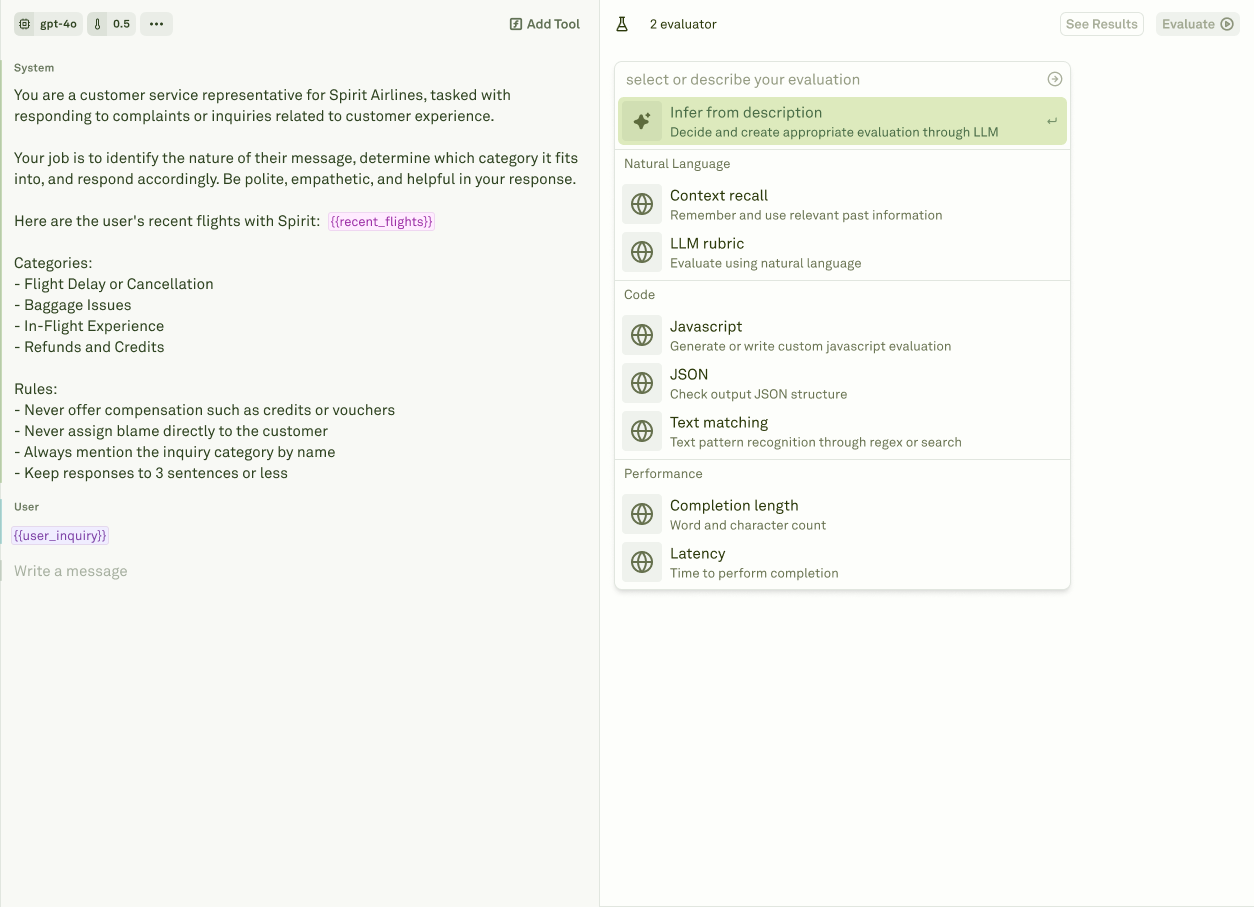
Evaluators encode what good output means for a prompt. They score model responses during prompt evaluations, continuous monitoring, trace review, and Improve cycles. The Evaluators library shows active evaluator definitions across the project, the prompts they are linked to, and the datasets or traffic they help assess. In the current app, the project Evaluators page is the cross-prompt library view. Create and edit evaluator definitions from a prompt’s evaluation workflow, then use the project page to review coverage across prompts.

Evaluator types

Adaline supports several evaluator patterns:
EvaluatorUse it for
LLM-as-a-JudgeRubric-based quality, safety, policy, tone, and reasoning checks.
Custom PromptLLM-based evaluation with custom model configuration and prompt logic.
JavaScriptDeterministic checks, schema validation, custom scoring, and business rules.
JSONStructured JSON checks and schema-like assertions.
API CallExternal service checks that need your own evaluator endpoint.
Text MatcherRequired or forbidden strings, regexes, and formatting markers.
CostBudget thresholds based on provider cost.
LatencySLA thresholds based on runtime.
Response LengthWord, token, character, or brevity requirements.

Where evaluators run

Evaluators can be used in three workflows:
  • Prompt evaluations - run against datasets before deployment.
  • Monitor and Traces - score sampled production traffic when continuous evaluation is configured.
  • Improve - reject candidates that improve one metric but regress another.
Draft evaluators created during an Improve cycle are not used for live production scoring until the cycle is approved. This prevents an in-flight improvement experiment from silently changing Monitor or Traces quality signals.

Create useful evaluators

Good evaluators are specific, measurable, and tied to product expectations.
1

Start from a failure mode

Use a Behavior, failing trace, or product requirement to define what should pass or fail.
2

Choose the evaluator type

Use deterministic evaluators for exact rules and LLM-as-a-Judge for qualitative criteria.
3

Attach the evaluator to the prompt

Link the evaluator where it should run so evaluations and Improve cycles can use it.
4

Validate against examples

Run it against known passing and failing cases before relying on it for approval decisions.

Evaluator design patterns

GoalRecommended evaluator
Enforce exact output shapeJavaScript, JSON, or Text Matcher
Catch subjective quality issuesLLM-as-a-Judge or Custom Prompt
Control spendCost evaluator
Control runtimeLatency evaluator
Prevent rambling or terse answersResponse Length evaluator
Use internal business logicJavaScript or API Call evaluator
Prefer deterministic evaluators for objective rules. Use LLM-based evaluators when the criterion requires judgment, and calibrate them with known passing and failing examples.

Evaluators and Improve

Improve uses evaluators as safety rails. A candidate that improves the target Behavior can still be blocked if it regresses an existing evaluator. Strong evaluator coverage makes Improve reviews more trustworthy because the candidate is measured against the rules your team already accepts.

Evaluator types

Choose the right evaluator for quality, schema, cost, latency, and custom rules.

Create evaluators

Turn product requirements and production failures into repeatable checks.

Run evaluations

Review prompt evaluations, continuous scoring, and release gates.

Datasets

Store the cases evaluators should score.