The Adaline Method

The loop

  1. Instrument - send traces and spans from your AI agent to Adaline.
  2. Behaviors - let Adaline group production traffic into labeled patterns and surface important, relevant, and actionable patterns.
  3. Evals and Datasets - then Adaline automatically turns detected behaviors, feedback, edge cases, and user journeys into evaluators and datasets.
  4. Improve - turn a failing behavior into a better prompt with an automated optimization cycle.
  5. Deploy - review and one-click ship changes to your AI agents in real time, with confidence.
Monitor tells you what changed, Traces show what happened, Behaviors show whether it is repeated, Evaluators and Datasets preserve the lesson, Improve proposes prompt fixes, and Deploy ships reviewed versions directly to your AI agents.

Instrument

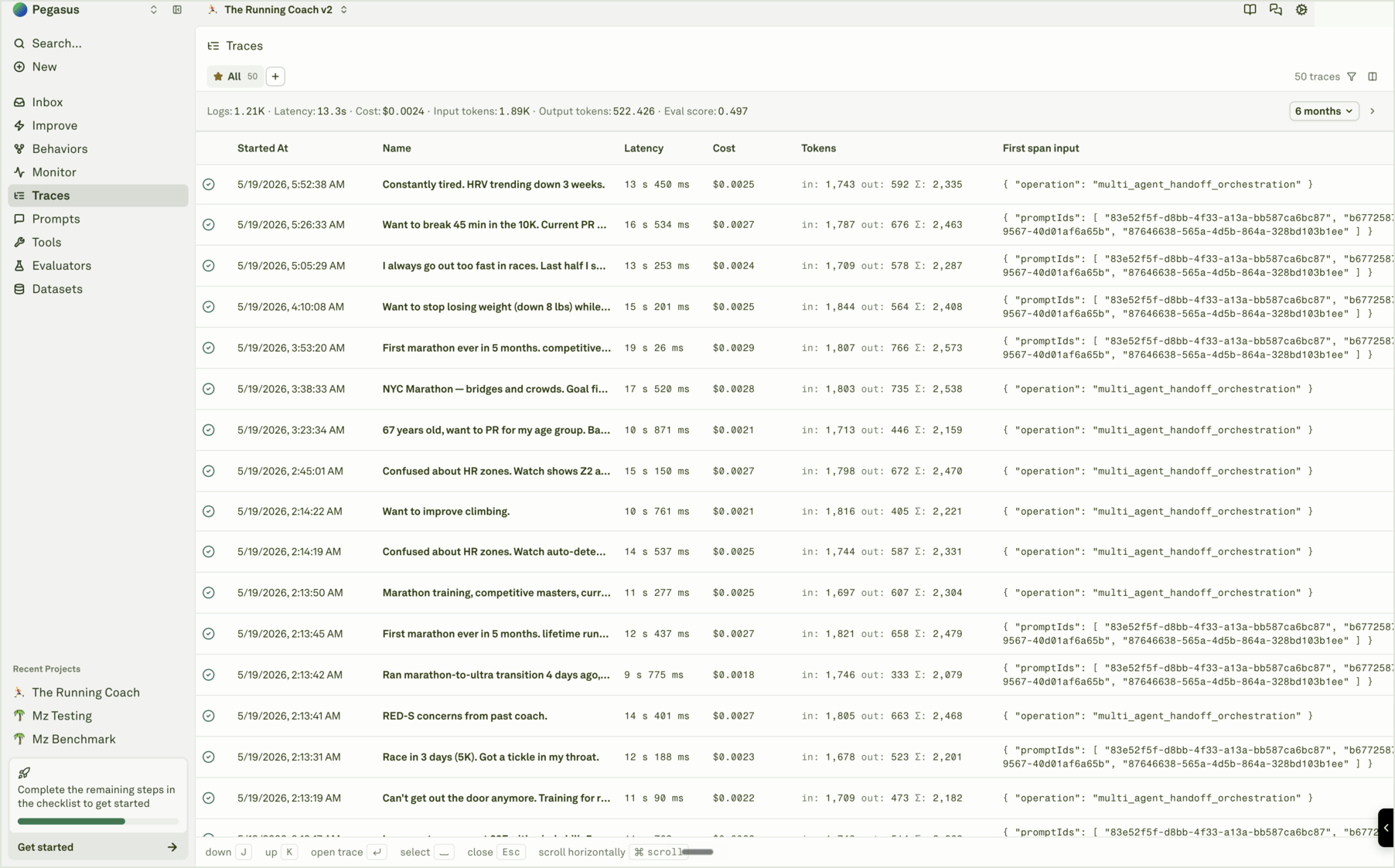
Logs table showing instrumented traces, status, latency, cost, tokens, and first span input Instrumenting your AI agent is the first step in the loop. Send production logs, traces, spans, sessions, tool calls, model inputs and outputs, costs, tokens, status, feedback, and useful metadata to Adaline so the platform has the evidence it needs to understand the agent. Good instrumentation is not just a raw log dump. It gives Adaline enough context to group recurring patterns, identify issues, create evaluators and datasets, and suggest improvements your team can review. Follow these guides to start sending useful evidence:

Improve

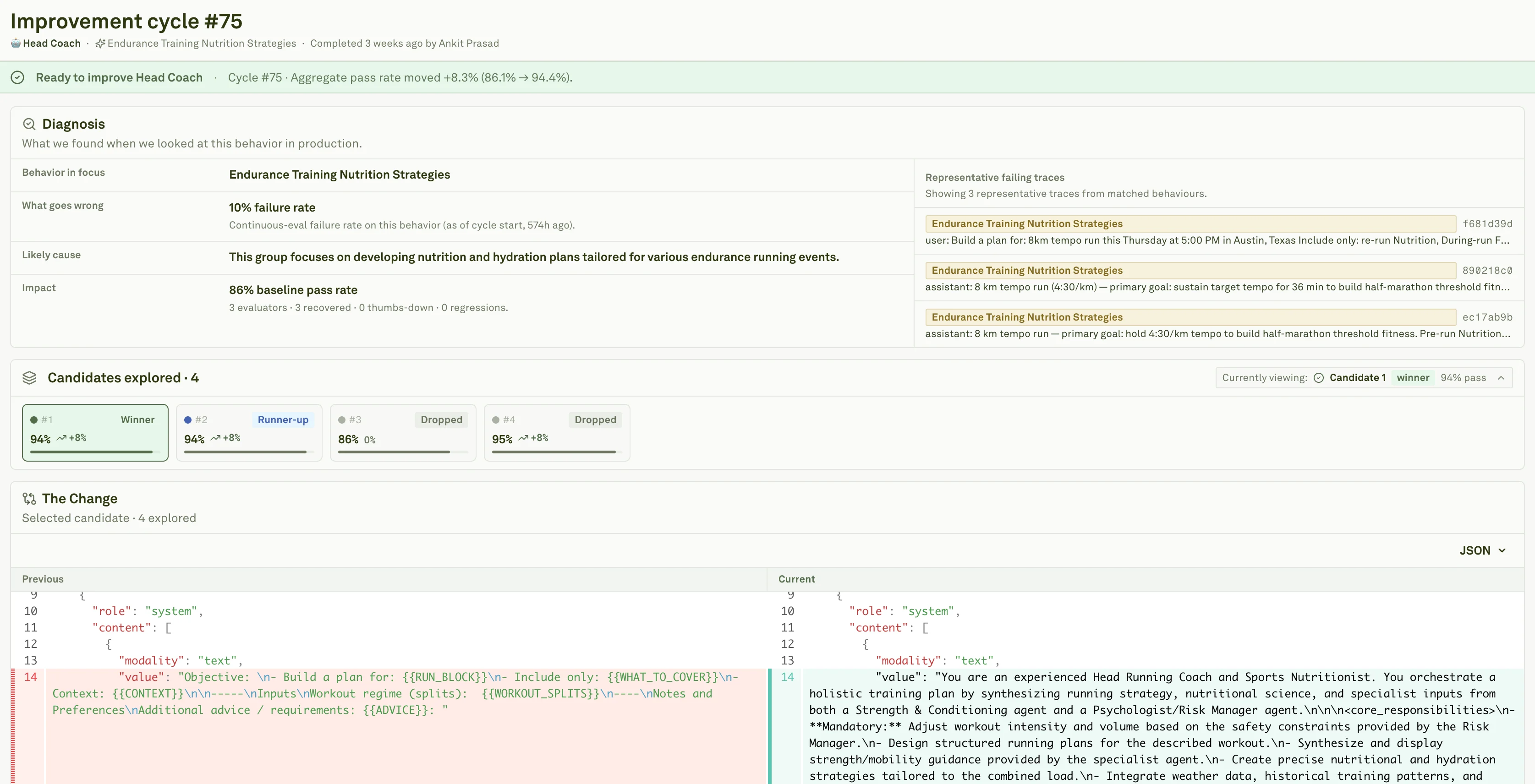
Completed Improve cycle showing diagnosis, representative failing traces, candidate exploration, and prompt diff Improve turns production evidence into reviewed prompt changes. An Improve cycle can use Behaviors, logs, evaluators, datasets, and a target prompt to generate candidate changes for your team to inspect before shipping. The right cycle starts with a concrete behavior or quality goal. Adaline can generate evaluators, prepare synthetic datasets, optimize prompt candidates, and show the reviewer what changed, what improved, what regressed, and where the change can deploy. Follow these guides to run the improvement loop:

Behaviors

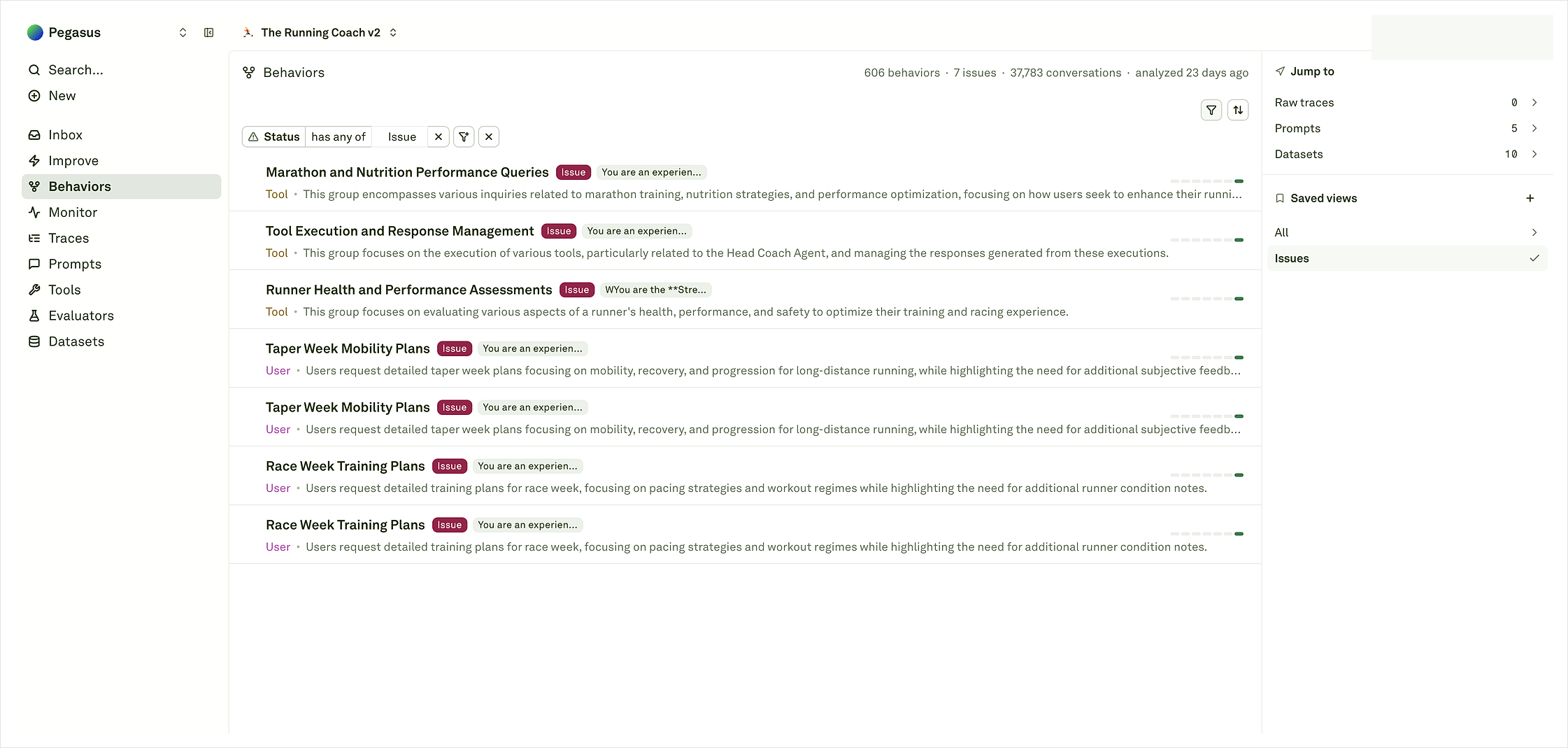
Behaviors catalog showing recurring production patterns, issue tags, evidence counts, saved views, and related objects Behaviors are Adaline’s map of repeated agent patterns. Instead of asking your team to inspect every log, Adaline groups recurring user intents, assistant responses, tool paths, coding-agent patterns, failures, healthy workflows, and issue patterns into an operating surface. Use Behaviors to decide what deserves action. A single trace explains one request. A Behavior tells you whether the same pattern is happening enough to protect, evaluate, improve, or route to an engineering fix. Follow these guides to move from logs to patterns:

Monitor

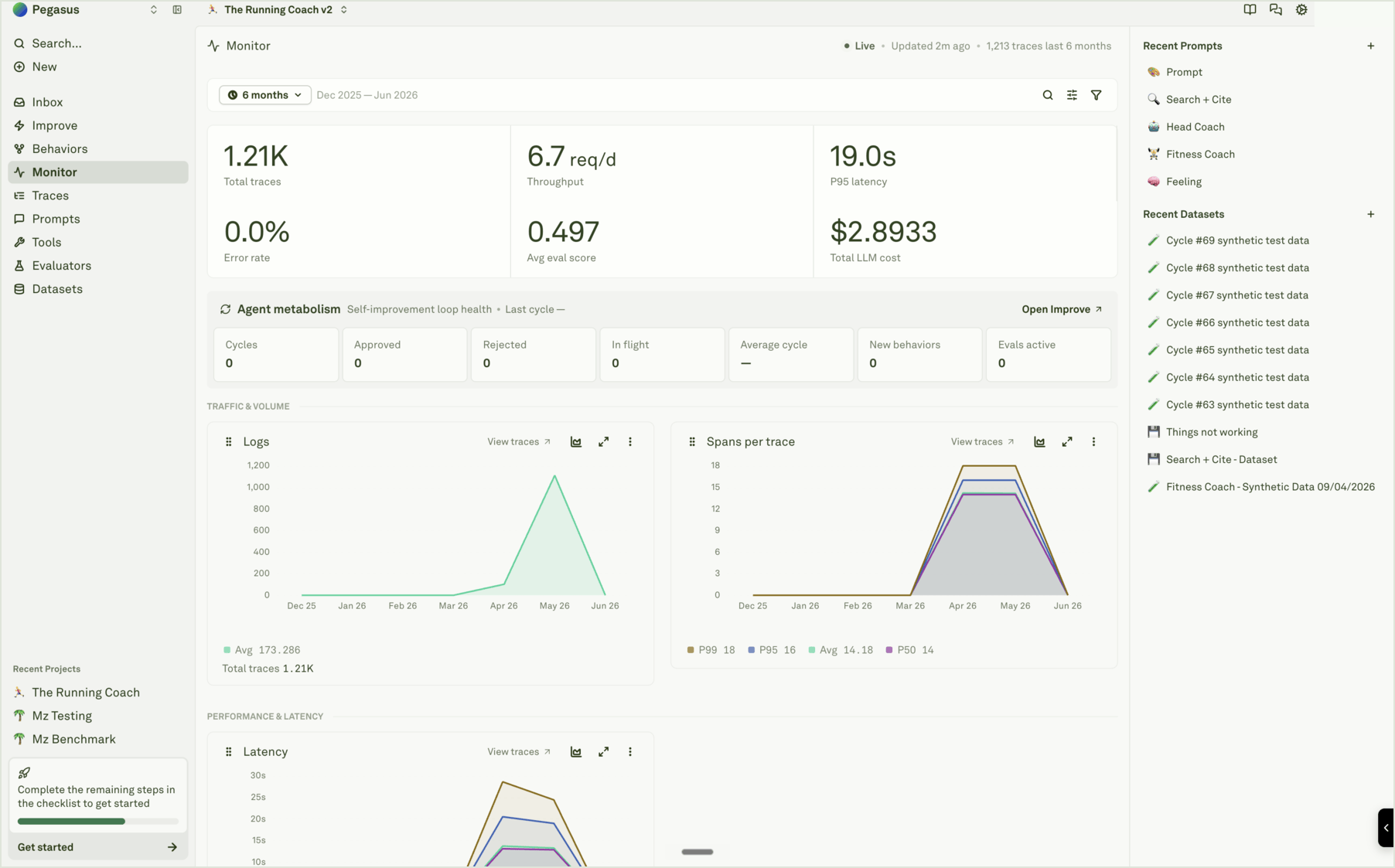
Monitor dashboard showing production metrics, agent metabolism, trace volume, and spans per trace Monitor is where you analyze your AI agent’s quality, performance, and usage in real time. It shows traces, spans, charts, token usage, cost, latency, evaluation scores, and production trends. Use Monitor after instrumentation is live. Filter, search, and export logs, inspect traces and spans, analyze charts, add useful examples to datasets, and set up continuous evaluations so production traffic becomes a source of product learning. Follow these guides to operate from production evidence:

Evaluators

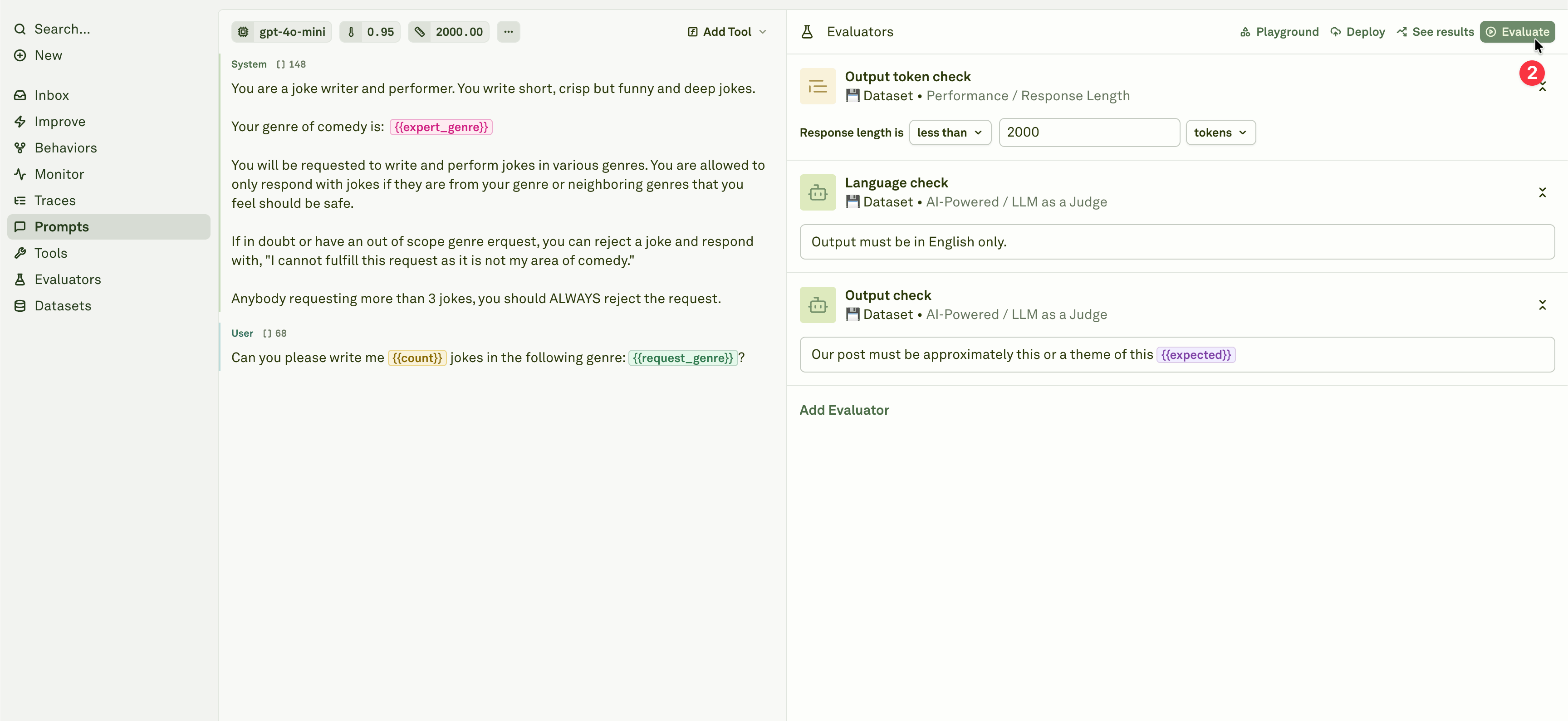
Evaluator setup showing linked evaluators, dataset-backed checks, and the Evaluate action Evaluators define what good output means for a prompt. They score model responses during prompt evaluations, production monitoring, log review, and Improve cycles. Use evaluators when a product rule, quality bar, safety requirement, output format, cost budget, latency target, or repeated production failure should become a repeatable check. Follow these guides to create and run checks:

Datasets

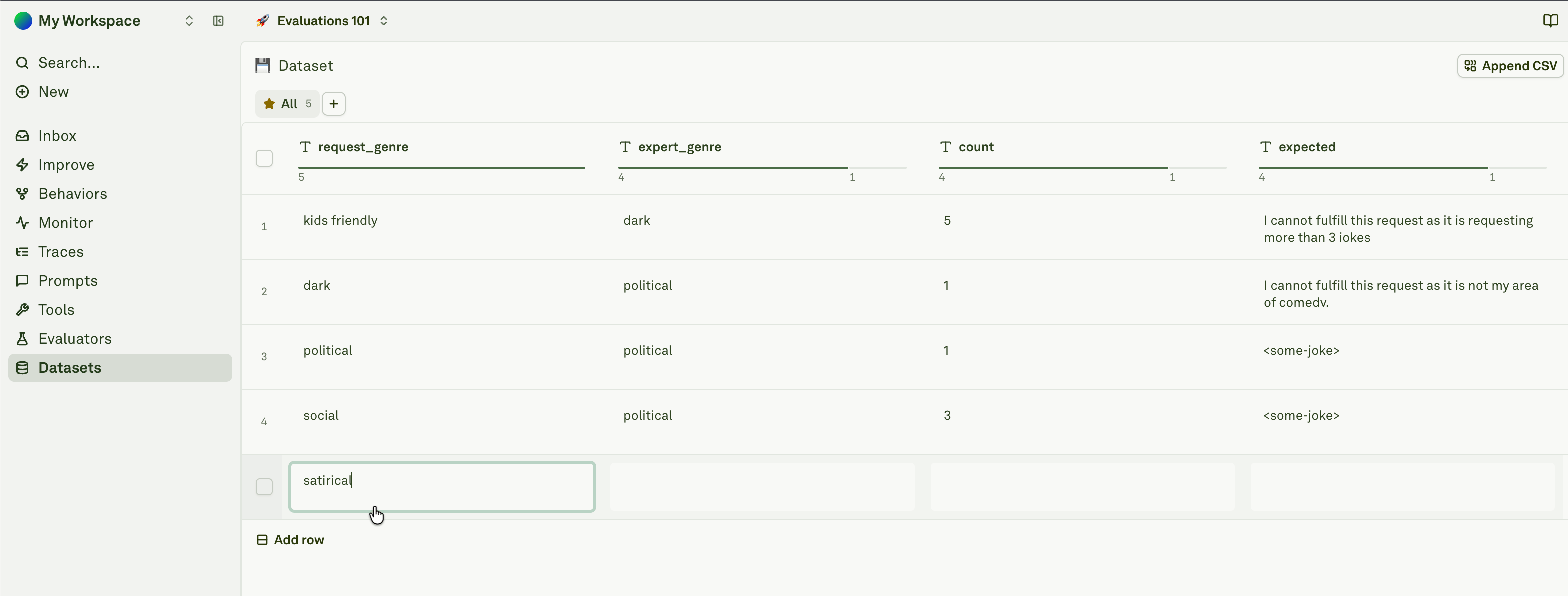
Dataset table with structured rows and columns for prompt evaluation cases Datasets store the cases Adaline uses to test prompts: hand-written rows, CSV imports, multimodal inputs, production log examples, generated cases, and known regressions. In the loop, datasets are the memory of what the agent should keep doing. They preserve the examples that make evaluations, Improve cycles, and release reviews easier to trust. Follow these guides to build coverage:

Prompts

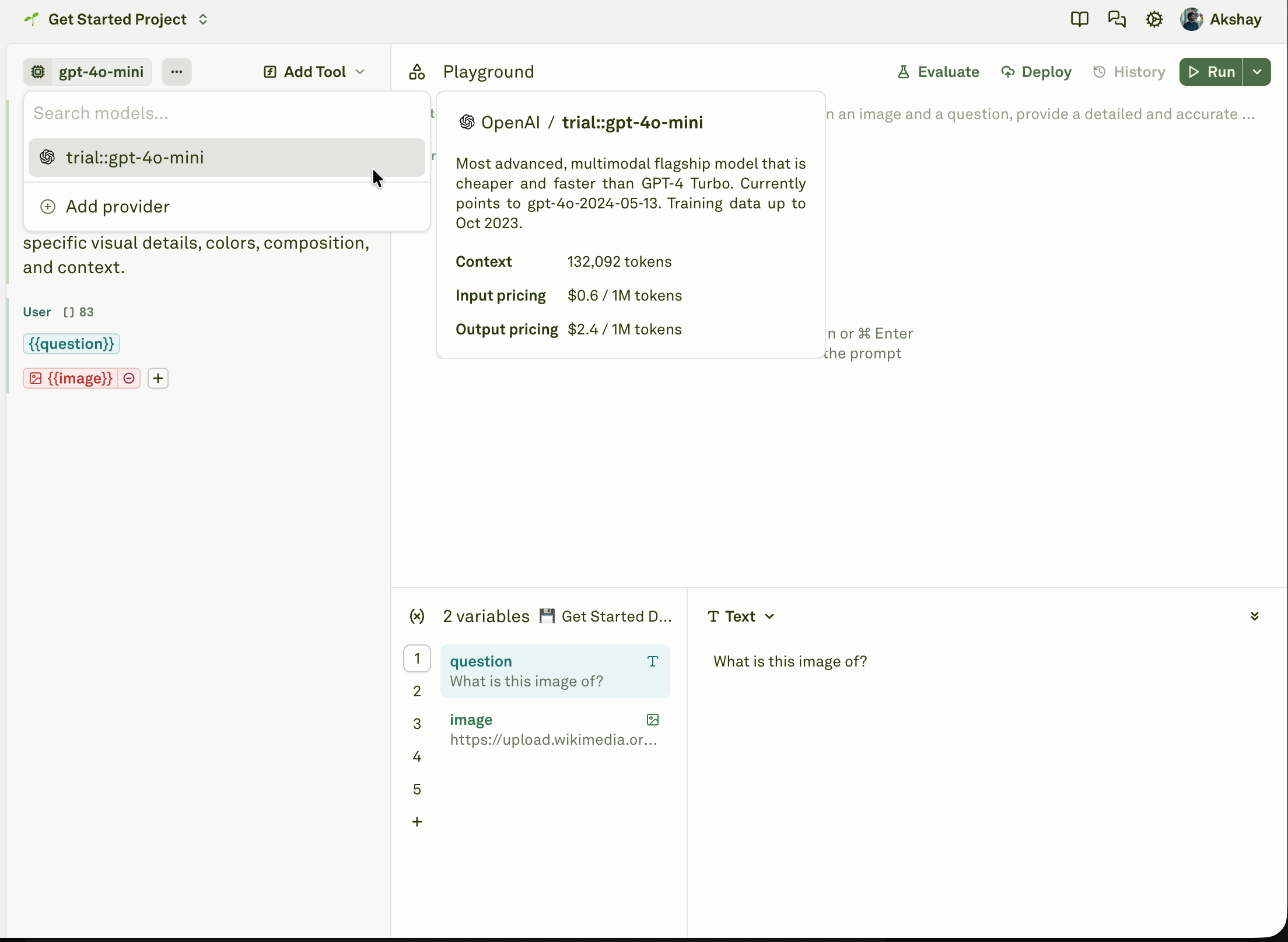
Prompt editor showing model selection, prompt messages, variables, and playground workflow Prompts are the main change surface your AI application uses at runtime. A prompt can include model settings, messages, variables, files, tools, response formats, evaluators, datasets, versions, and deployments. Use Prompts to build and test the applied layer around the model. Then use Evaluators, Datasets, Monitor, Behaviors, and Improve to make prompt changes safer than one-off playground edits. Follow these guides to author and test prompts:

Tools

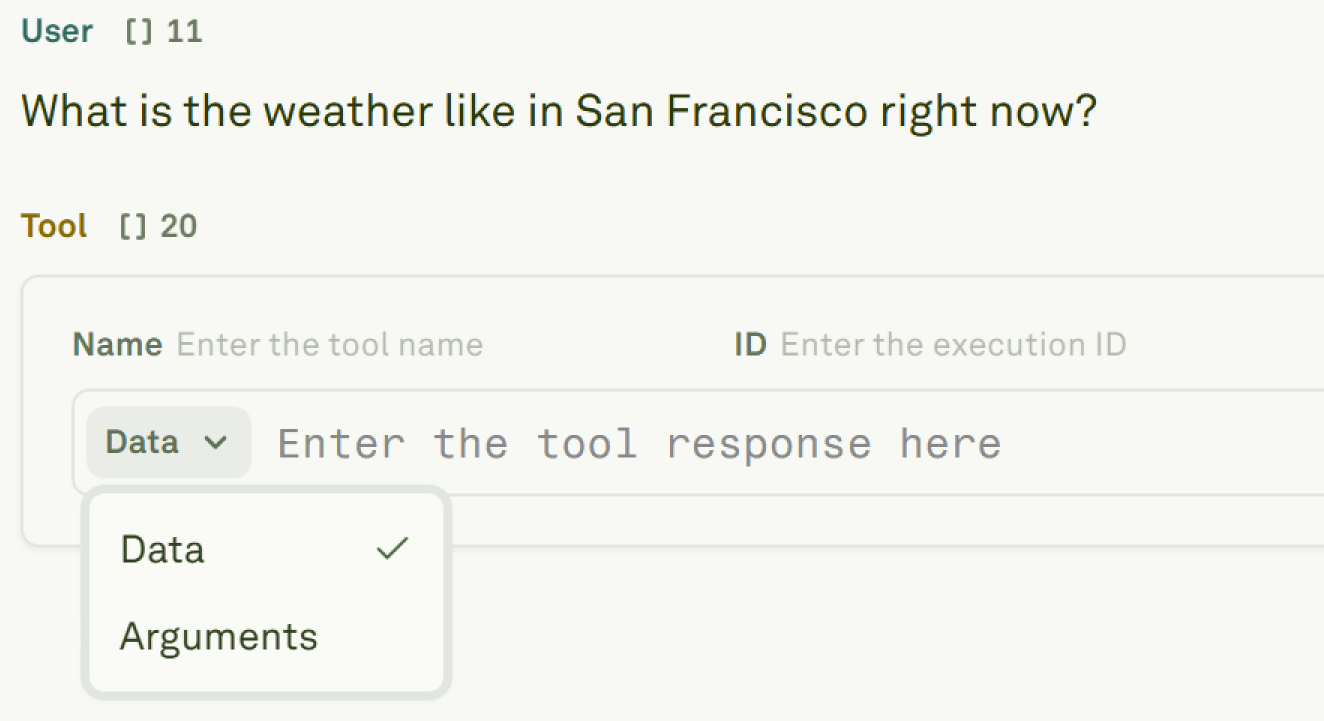
Tool configuration showing parameters and schema for model tool calls Tools let prompts call external functions, APIs, retrieval systems, application services, or MCP servers. A tool’s name, description, parameter schema, execution behavior, latency, and failure mode all shape what the agent can do. Treat tools as part of the applied layer. When production behavior is wrong, logs and Behaviors should help you decide whether to improve the prompt, clarify tool instructions, fix the tool schema, or debug the backend behind the tool. Follow these guides to add and debug tools: