Webhooks let you receive real-time events when a new deployment is created. Use them to trigger CI/CD steps, purge caches, notify downstream systems, or kick off analytics pipelines — all automatically when a prompt is deployed or rolled back.

Create a webhook

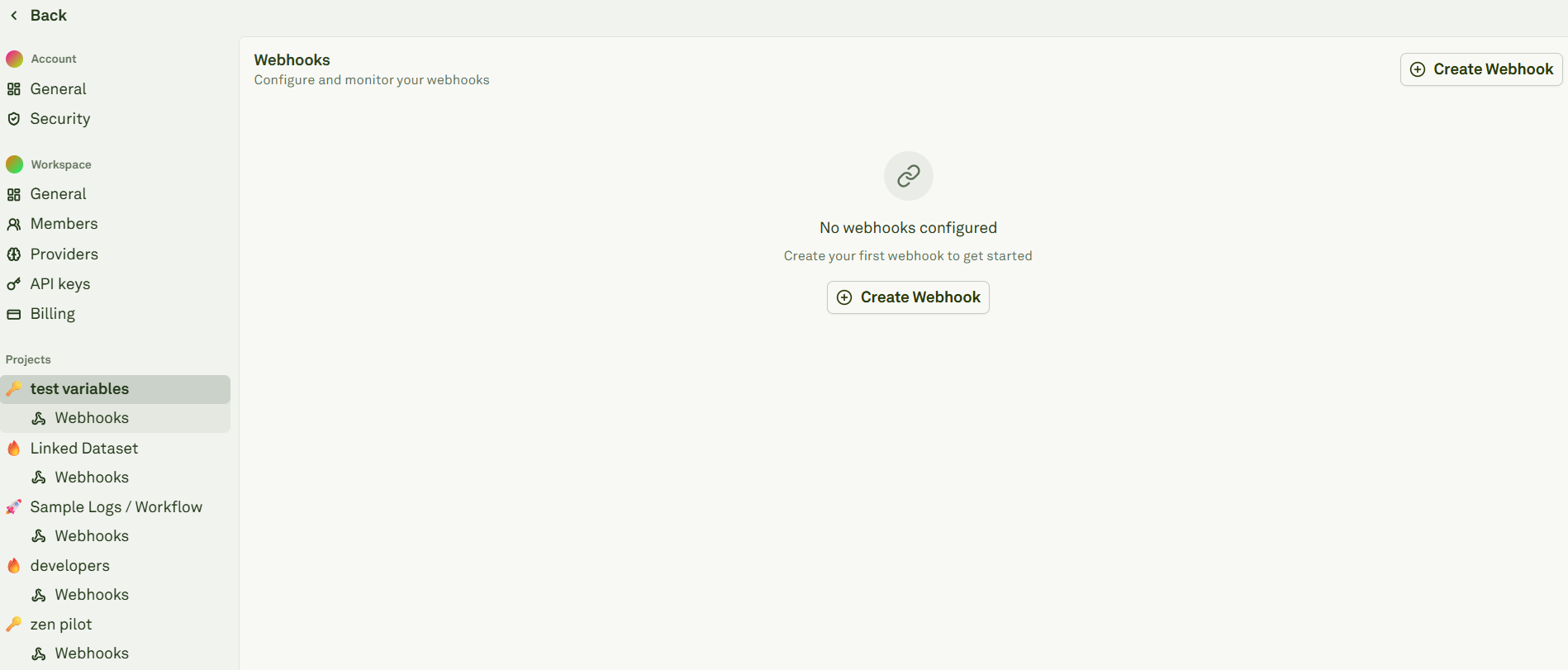
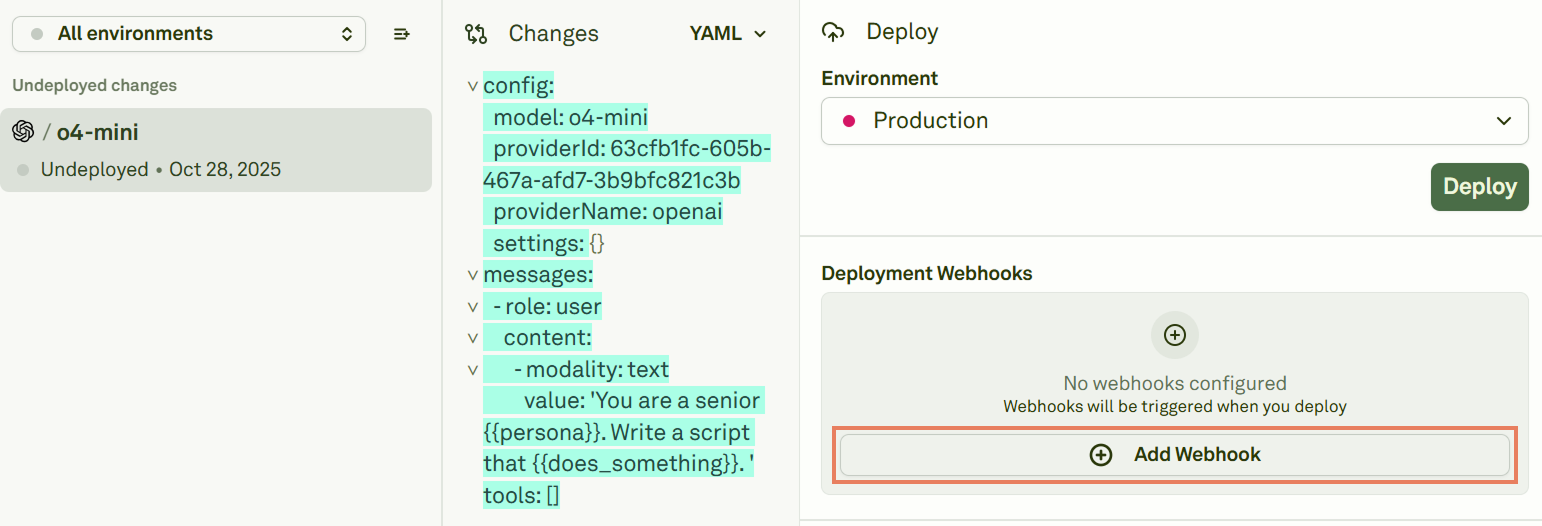
You can create webhooks from two places: From project settings — Click Settings on Adaline’s main page and find the Webhooks section under your project: Creating a webhook from project settings From the deployment view — When viewing an undeployed prompt, click the webhook option in the right panel: Creating a webhook from the deployment view

Configure a webhook

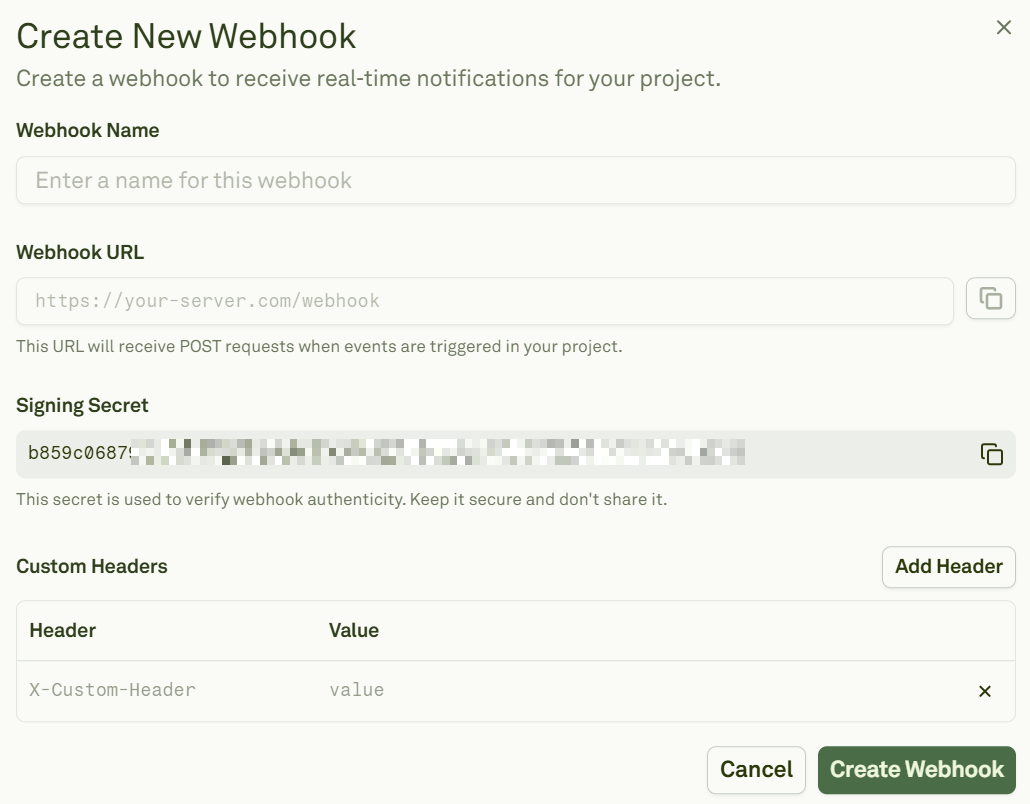
When creating a new webhook, fill in the following fields: Configuring a webhook in Adaline
FieldDescription
Webhook NameA short, descriptive name for the destination.
Webhook URLThe HTTPS endpoint that will receive events.
Signing SecretAuto-generated by Adaline. Copy and store it securely — you’ll use it to verify signatures.
Custom HeadersAdd any custom headers your endpoint expects (e.g., authorization tokens).
Webhooks automatically subscribe to the create-deployment event.

Event format

Currently, Adaline emits a single project event: create-deployment. This event fires whenever a new deployment snapshot is created for a prompt and environment.
{
  "type": "create-deployment",
  "eventId": "ev_01J...",
  "createdAt": 1731024000000,
  "payload": {
    "deploymentSnapshotId": "ds_01J...",
    "deploymentEnvironmentId": "env_01J...",
    "promptBenchId": "pb_01J...",
    "editorSnapshotId": "es_01J..."
  }
}

Request details

SettingValue
MethodPOST (JSON body)
Content-Typeapplication/json
Signature headerX-Webhook-Signature

Verify signatures

When a payload is present, Adaline attaches an X-Webhook-Signature header. The value contains a timestamp and one or more signatures (to support secret rotation):
t={timestamp}&v1={sig1},{sig2}
Each signature is an HMAC-SHA256 over the message:
"{timestamp}.{json_string}"
Here is a TypeScript example that parses the header and verifies the signature:
import crypto from "node:crypto";

// Header format: "t={timestampMs}&v1={sig1},{sig2}"
export function parseSignatureHeader(signatureHeader: string): {
  timestampMs: number;
  signatures: string[];
} {
  let timestampMs = 0;
  let signatures: string[] = [];

  for (const pair of signatureHeader.split("&")) {
    const [key, value = ""] = pair.split("=", 2);
    if (key === "t") timestampMs = Number(value) || 0;
    if (key === "v1") signatures = value.split(",").filter(Boolean);
  }

  return { timestampMs, signatures };
}

export function isValidWebhookSignature(
  rawBody: string,
  signatureHeader: string,
  secret: string,
  options?: { toleranceMs?: number }
): boolean {
  const { timestampMs, signatures } = parseSignatureHeader(signatureHeader);
  if (!timestampMs || signatures.length === 0) return false;

  const message = `${timestampMs}.${rawBody}`;
  const expected = crypto
    .createHmac("sha256", secret)
    .update(message)
    .digest("hex");
  return signatures.includes(expected);
}
Inputs:
  • rawBody — The exact request body string.
  • signatureHeader — The X-Webhook-Signature header value.
  • secret — Your signing secret from the webhook configuration.
You may optionally enforce your own timestamp tolerance. Adaline does not mandate one.

Test webhooks

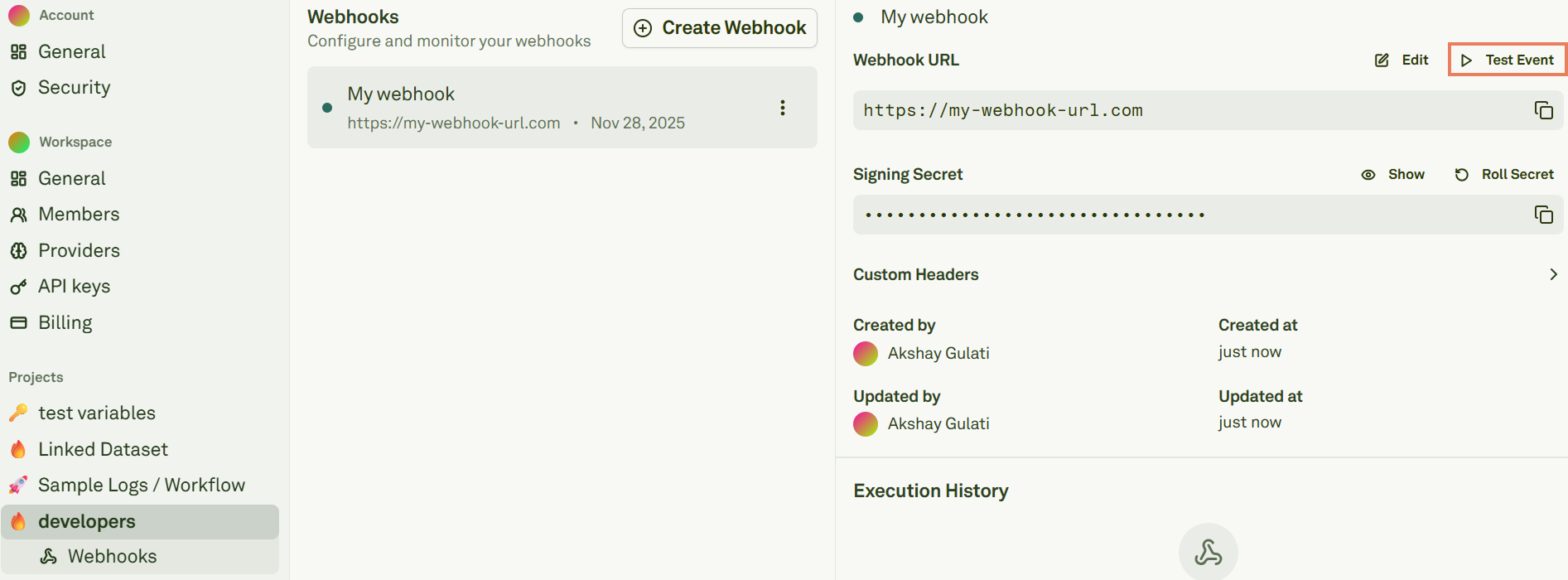
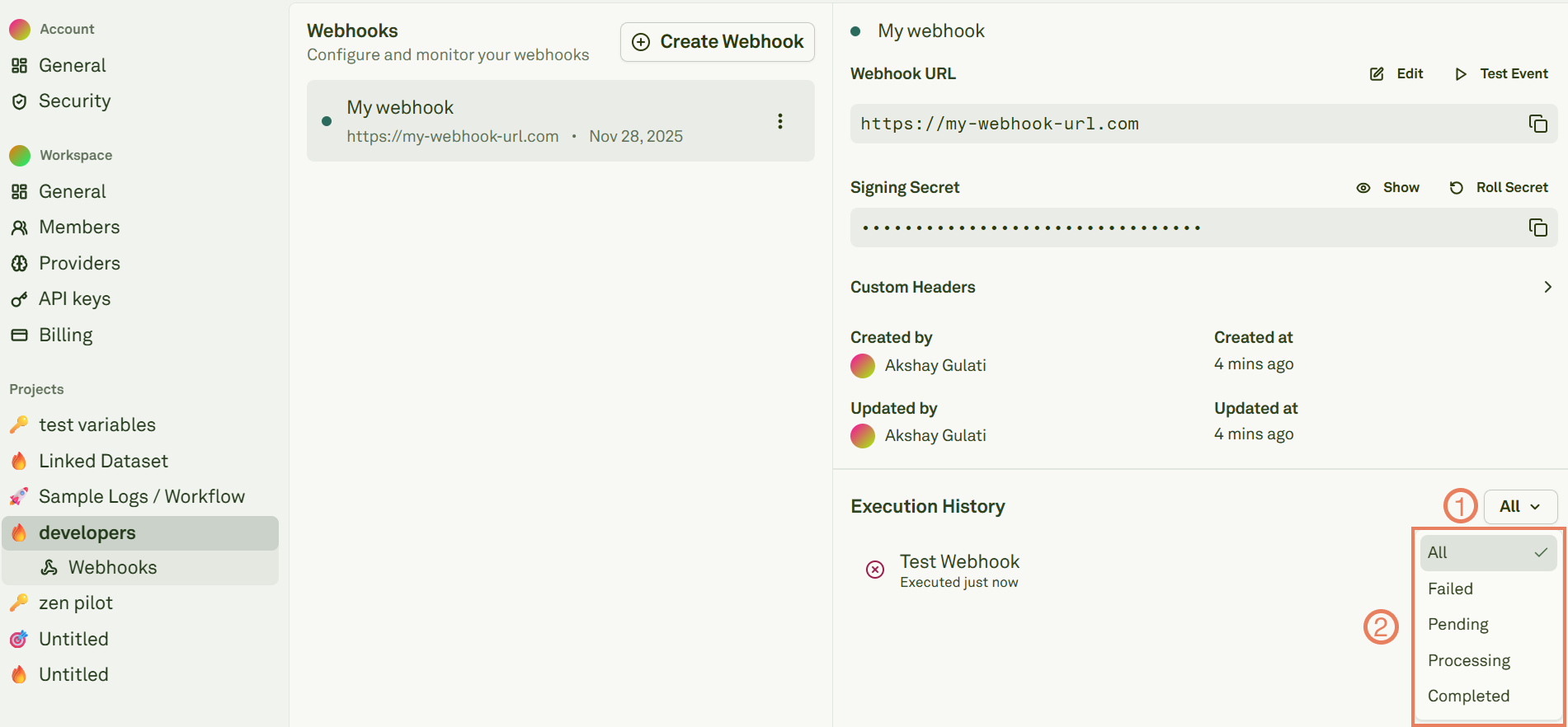
From the webhook details page, click Send Test Event to confirm connectivity and signature validation: Testing a webhook event Review the delivery attempts in Execution History: Webhook execution history Your endpoint should return 200 OK after verifying the signature.
Roll secrets

Roll the signing secret from the webhook details page: Rolling a webhook signing secret When you roll a secret:
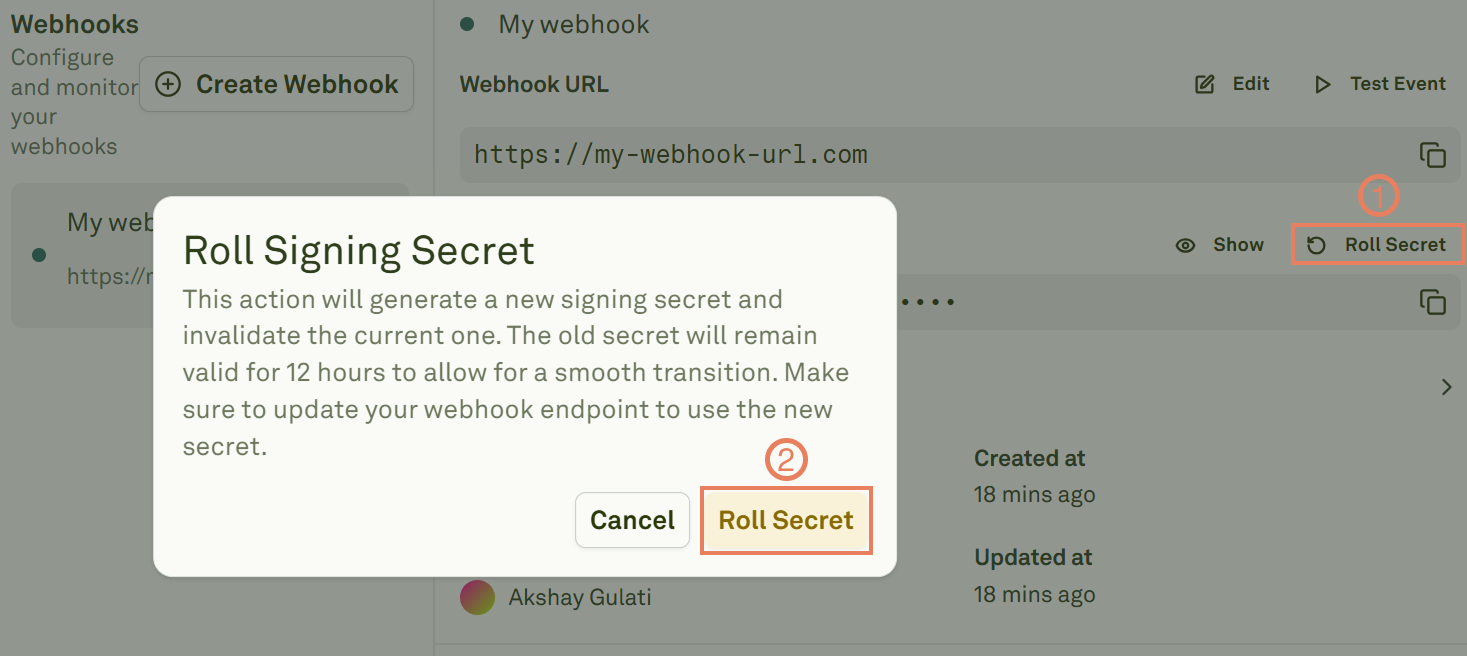
  1. Adaline creates a new primary secret immediately.
  2. The previous secret is retained as a rolled secret and remains valid for 12 hours.
  3. During this window, X-Webhook-Signature may include multiple signatures so your server can accept either secret.
This allows you to rotate secrets without any downtime — update your server to use the new secret within the 12-hour window.

Troubleshooting

IssuePossible causeResolution
Endpoint returns 400 or 401Request body was parsed/modified before signature verification.Verify against the raw request body, not a parsed/re-serialized version.
Signature mismatchClock skew or incorrect message format.Ensure you use the exact {timestamp}.{payload} concatenation format.
No signature headerSigning secret not configured or event has no body.Confirm a signing secret is set in the webhook configuration.
Webhook not firingWrong event subscription or endpoint unreachable.Check that the endpoint is accessible via HTTPS and the webhook is active.

Next steps

Deploy Your Prompt

Ship prompts and see webhooks in action.

Configure Environments

Set up environments for your deployment pipeline.