The Behaviors catalog helps you move from individual logs to repeated patterns. Use it when a customer report, Monitor change, log search, evaluator failure, or support escalation looks like it may be happening across more than one request.Most product and support-agent Behaviors are reviewed through conversations, traces, and spans. Coding-agent projects can add trajectory-style evidence, but that is a specialized workflow covered in Coding-agent Behaviors and Trajectories.
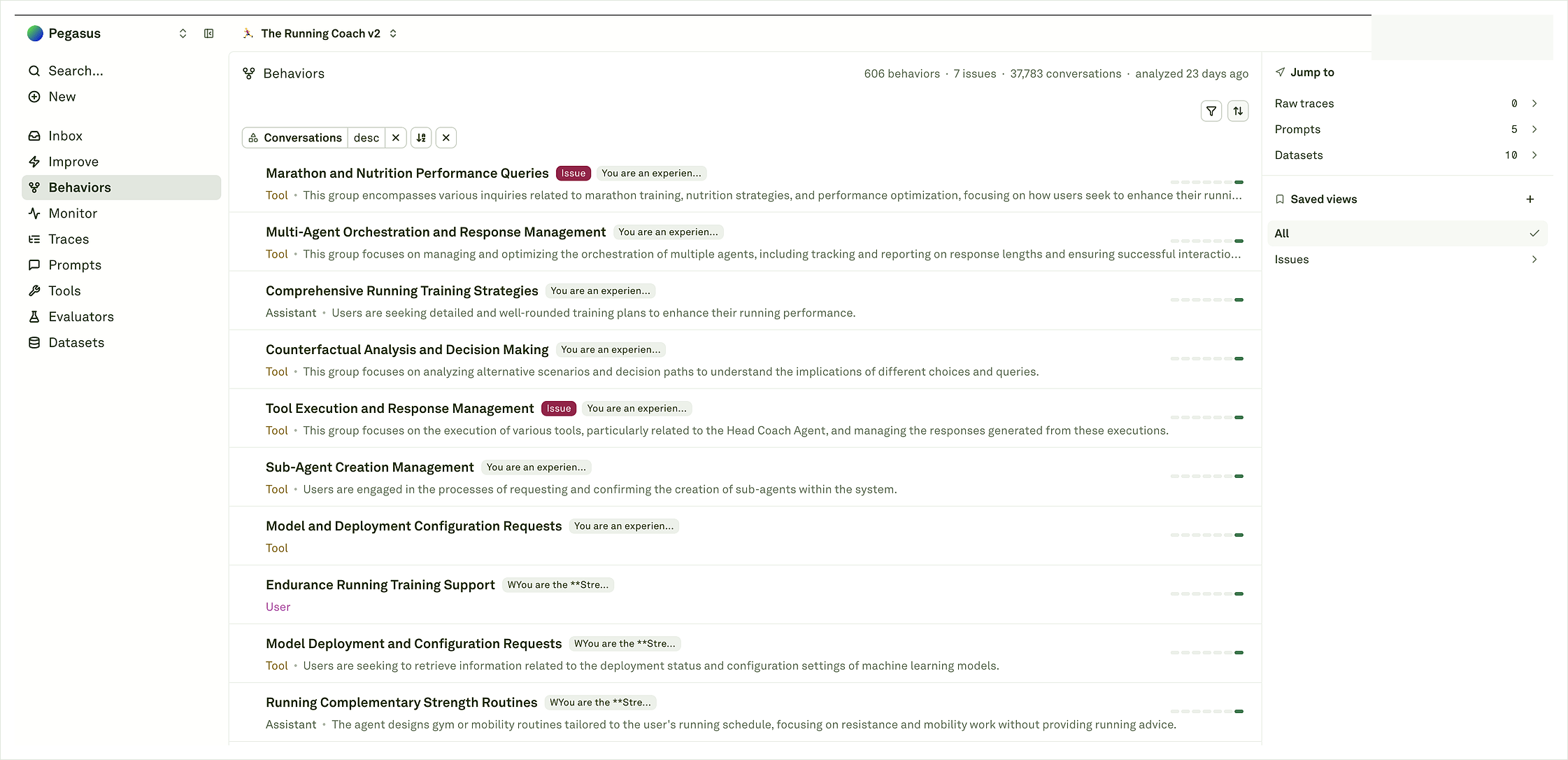
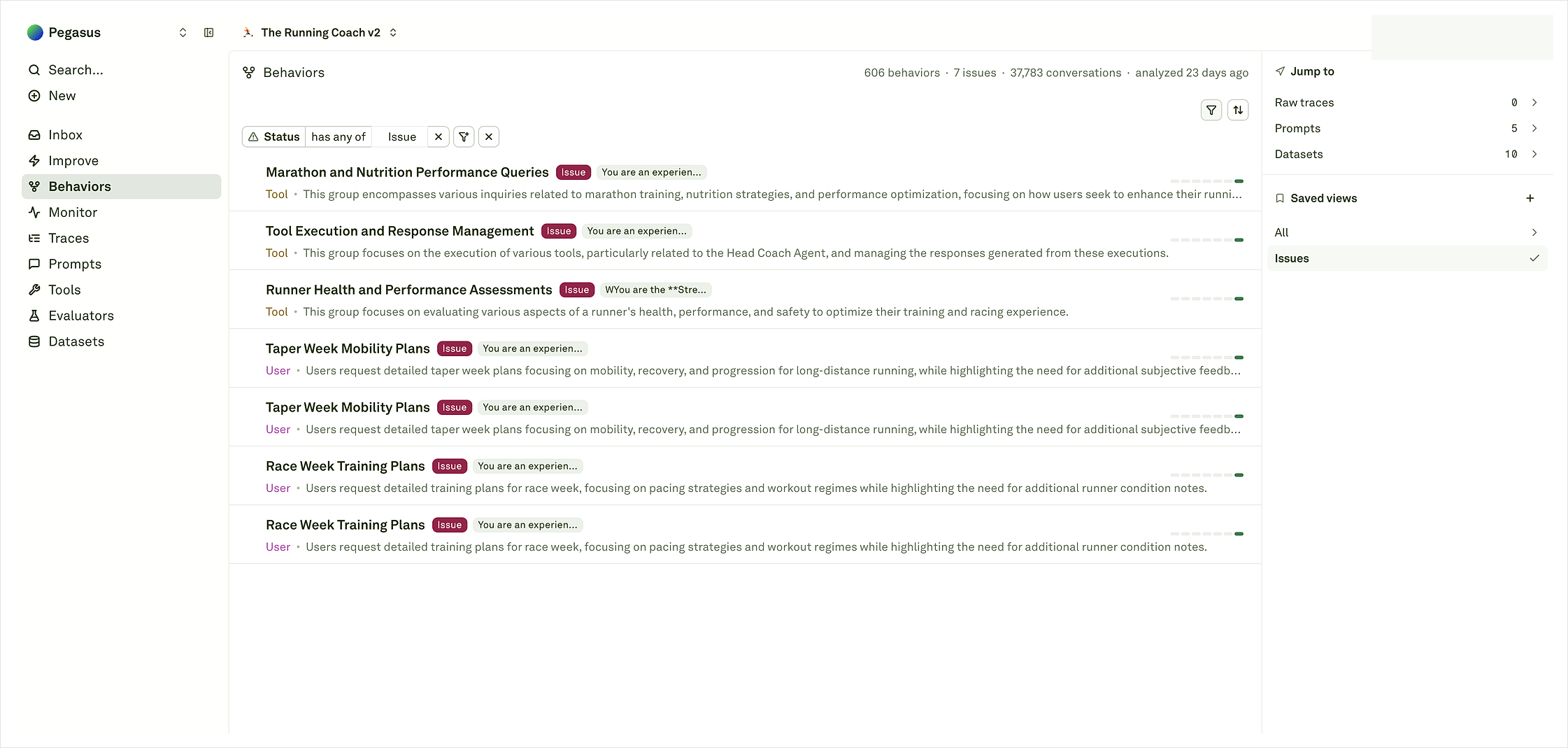
Start with the header and active filters. The header shows how many Behaviors are in the current snapshot, how many are marked as issues, how many conversations are represented, and when analysis last ran.The Issues saved view is useful for review because it filters to patterns Adaline has flagged as likely problematic or worth attention. Each row gives you the Behavior name, role, issue tag, short summary, related prompt/dataset context when available, and a small activity indicator. Treat the row as a pointer to evidence, not the full diagnosis.Use the right rail to jump back to related objects such as raw traces, prompts, datasets, and saved views. Those links are helpful when you need to move from a pattern into the source material or preserve the case as regression coverage.Read the catalog in this order:
Check the snapshot age so you know how fresh the analysis is.
Confirm whether you are in Issues, All, or another saved view.
Read the row label and summary together; the label is short, while the summary usually explains the repeated behavior in customer language.
Use role and related-object context to understand where the pattern came from: user, assistant, tool, prompt, or dataset evidence.
Open the row only after you know why it is worth inspecting.
Issue review is not the only way to read Behaviors. Sorting by conversations helps you find high-volume user intents, common tool paths, and healthy workflows that should not regress. A Behavior with no issue tag can still matter if it represents a large part of your traffic or a path your release depends on.Use both views together: issue filters show where Adaline thinks attention is needed, while volume sorting shows what your users and agents are doing most often.This is especially useful before a launch. Review issue rows for likely fixes, then sort by volume to identify the common paths that should stay stable after the release.
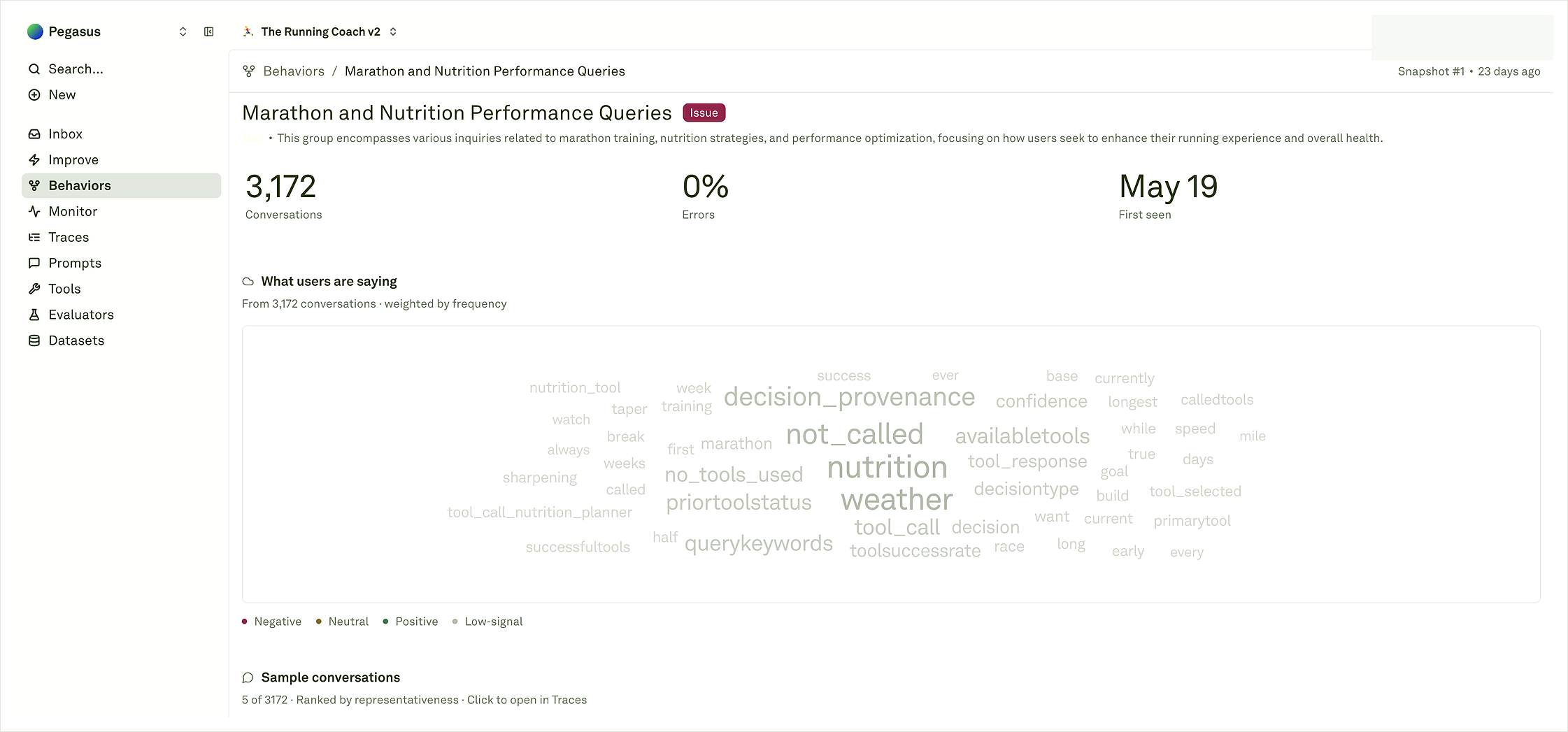
The detail page turns a row into something reviewable. The top area shows the Behavior label, summary, role, tags, snapshot, conversation count, error rate when available, and first-seen date. Use this to understand whether the pattern is recent, repeated, issue-like, or simply a large workflow.The What users are saying view summarizes common terms and attributes across represented conversations. It is a fast way to understand the shape of the pattern before opening individual traces. The Sample conversations area then gives representative examples ranked by usefulness; click those examples when you need the exact source trace or span.For non-coding agent Behaviors, sample conversations are usually the evidence path. They are not trajectories. Open them in Traces to inspect the model call, tool call, input/output content, status, metadata, and span details behind the Behavior.Use the top metrics as context, not as the whole answer. Conversation count tells you the amount of evidence behind the pattern. Error rate tells you whether represented examples are failing according to the logged status. First seen tells you whether the Behavior is new or long-running. The sample conversations and spans tell you what actually happened.
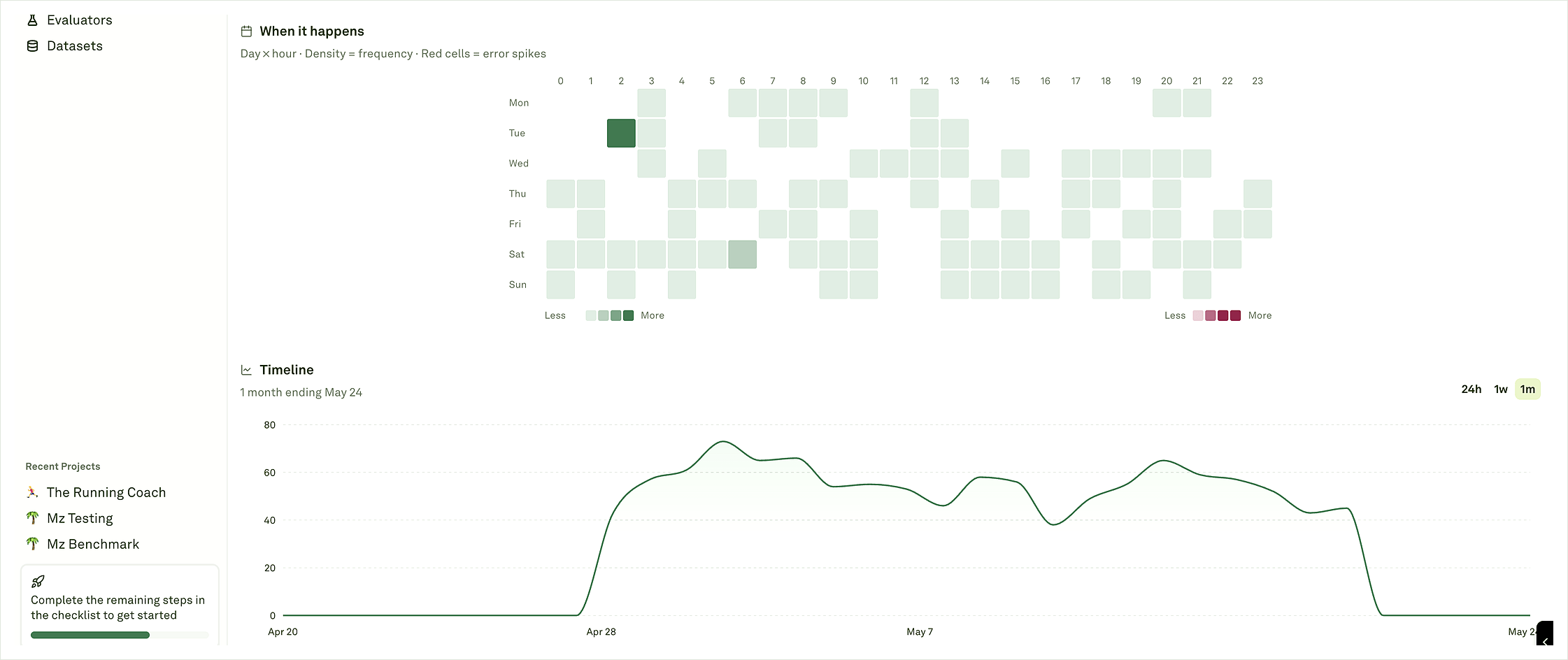
Use When it happens to see whether the Behavior is concentrated by day and hour. Darker cells mean higher frequency, and error-colored cells indicate periods where the Behavior coincided with errors. This helps separate steady background traffic from a pattern that appears during a rollout, traffic spike, customer segment, or recurring operational window.Use the Timeline to see whether the Behavior is new, growing, fading, or stable across the selected period. A repeated pattern across snapshots may be worth watching or preserving even when it is not an issue.
Save a view, monitor it, or preserve it as release coverage.
The examples do not match the label.
Open source traces/spans and wait for more evidence before acting.
Open at least a few representative examples before changing prompts or tools. The label tells you what Adaline grouped; the traces and spans tell you why it happened.
Logs to Behaviors
Send the production evidence that powers Behavior maps.
Coding-agent Behaviors
Review trajectories, phases, and triage for coding-agent logs.
Improve
Turn a prompt-addressable Behavior into a reviewed improvement cycle.
Monitor
Watch whether related logs, costs, latency, and quality signals change.