

Add text to a message
Each message in the Editor contains a content block where you write your text. Select a role for the message, then type directly into the content area.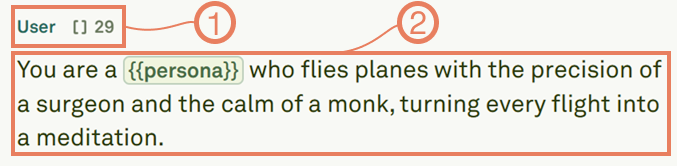
Add comments to messages
Comments let you annotate your prompts without affecting the model’s behavior. They are visible only in the Editor and are automatically stripped before the prompt is sent to the model. Use the comment syntax to add notes about design choices, reminders, or explanations for teammates: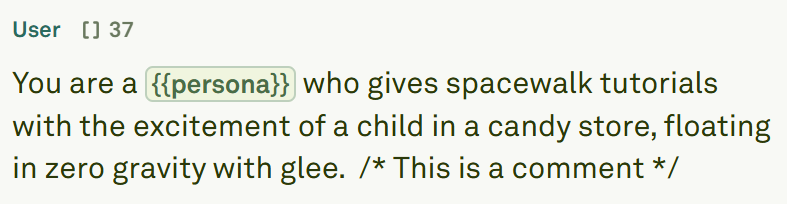
Use variables in text
Variables make your prompts dynamic and reusable. Instead of creating separate prompts for different scenarios, build one template that adapts based on variable inputs. Define a variable by wrapping its name in double curly braces anywhere in your message text: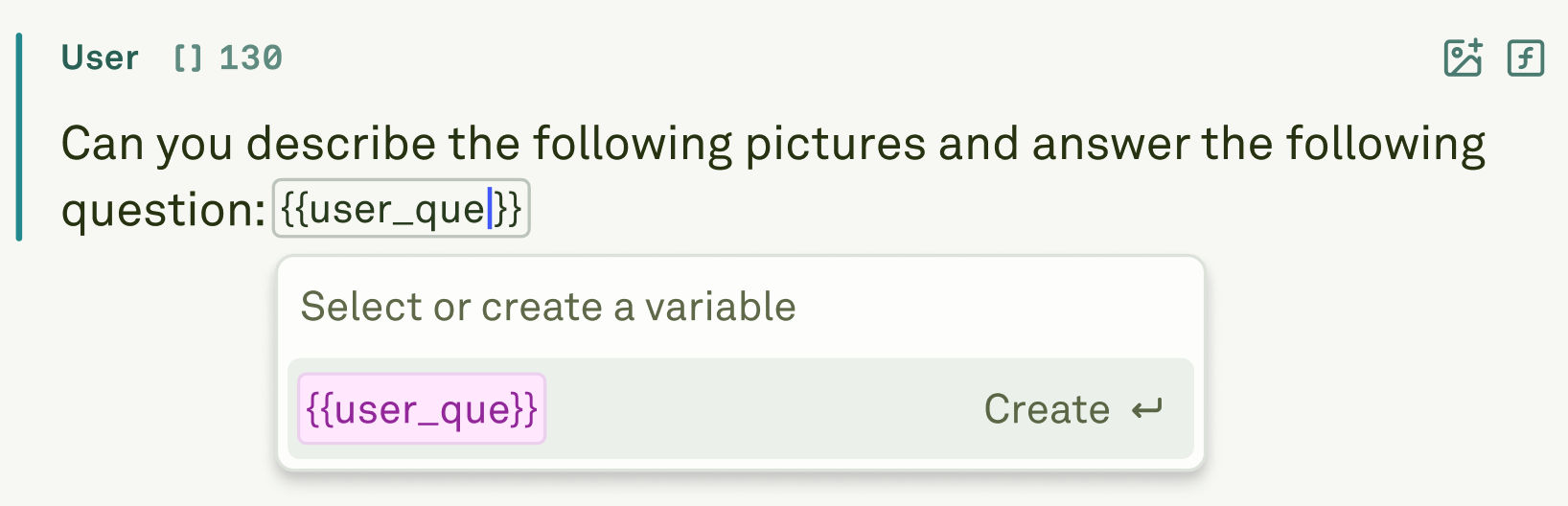
Variable names can only contain letters (
a-z, A-Z), numbers (0-9), underscores (_), and hyphens (-). Spaces, periods, and special characters are not allowed. See variable naming rules for details.Next steps
Use Images in Prompts
Add image inputs for multi-modal prompts.
Multi-shot Prompting
Teach the model with example input/output pairs.