

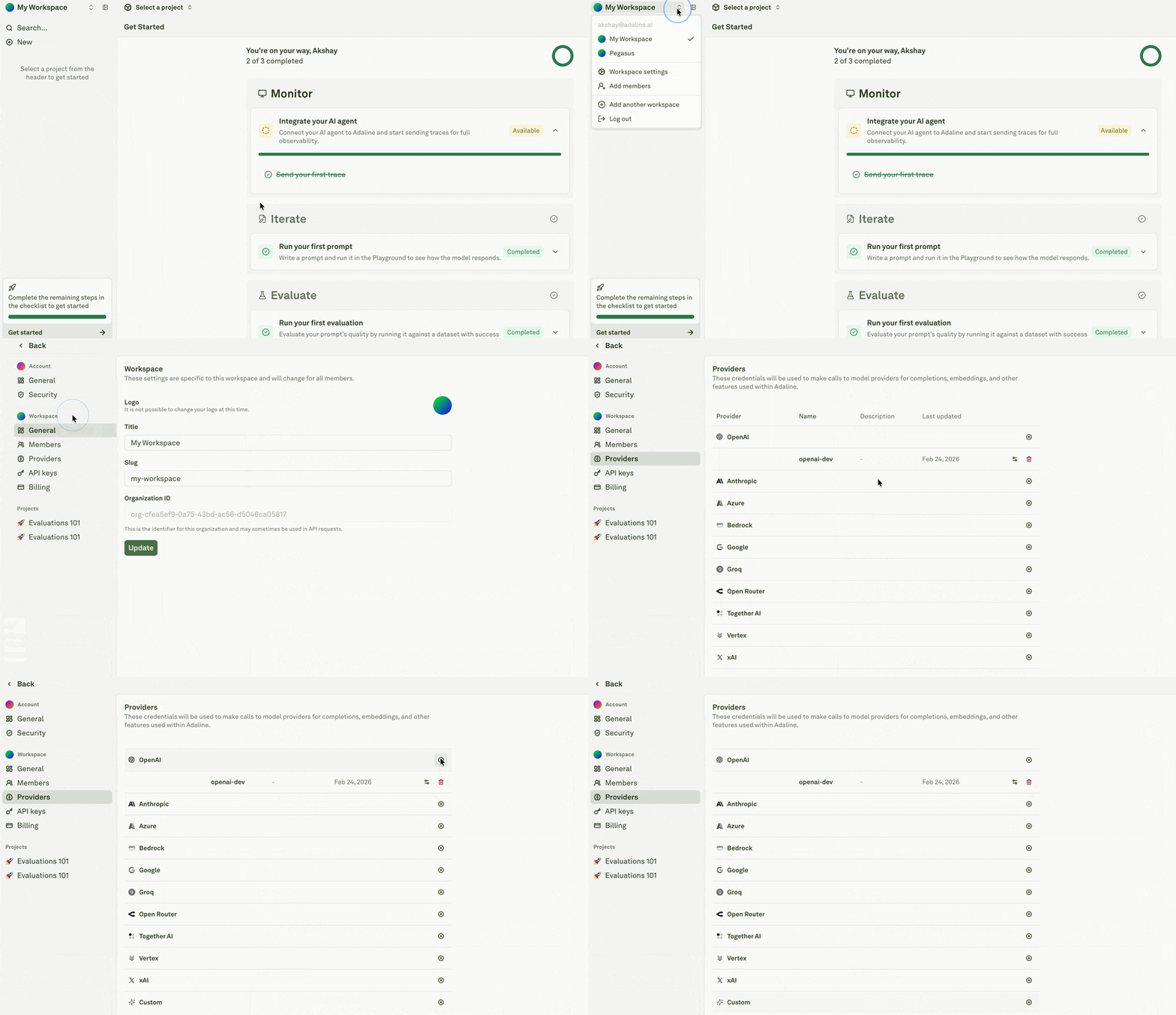
Configure AI provider
Overview
Configure and manage API credentials for AI model providers at the workspace level.
The Providers page serves as Adaline’s workspace-level credential management system, allowing teams to configure and manage API credentials for various AI model providers.
This centralized approach lets users store multiple credentials per provider and use the right model configuration across Prompts, Playground, Evaluators, Monitor, Traces, and deployed prompt workflows.
Provider setup is part of production readiness. If model access is missing or misconfigured, playground runs, evaluations, continuous evaluations, and deployed prompt execution can fail in places that look like prompt problems.
 OpenAI
 Anthropic
 Google
 xAI
xAI Azure
Azure Bedrock
 Groq
Groq Open Router
 Together AI