

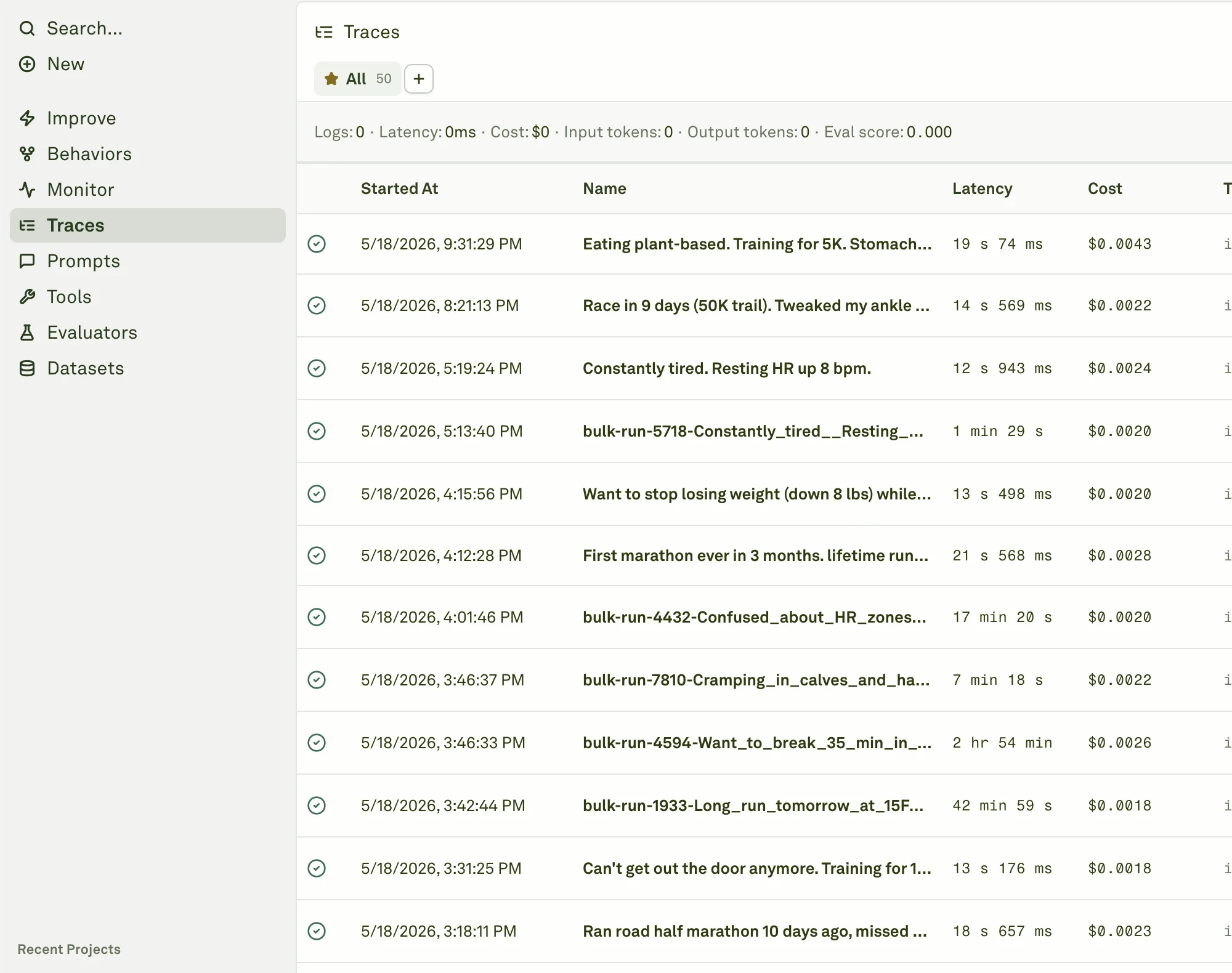
What the table shows
The Traces table includes:- Started At - when the request began.
- Name - the trace name or workflow name.
- Latency - total request time.
- Cost - total provider cost when available.
- Tokens - input, output, and total token counts.
- First span input and Last span output - quick context without opening the trace.
- Tags and Attributes - metadata attached during instrumentation.
- IDs - trace and span identifiers for debugging and API workflows.
Open a trace
Open a trace when you need to inspect the full execution. Use the trace viewer to review:- Span hierarchy and timing.
- Model input and output.
- Tool calls and tool responses.
- Retrieval and search context.
- Tags, attributes, and IDs.
- Evaluator scores attached to spans.
- Prompt and deployment context when available.
- Provider, model, cost, token, and latency details for model spans.
Trace metadata model
Tags and attributes are the bridge between your application and Adaline workflows:| Metadata | Use it for |
|---|---|
| Tags | Short labels such as production, checkout, release-2026-06, or high-value-account. |
| Attributes | Key-value details such as route, tenant, region, user segment, feature flag, or experiment arm. |
| Trace IDs | Debugging and exact reproduction. |
| Span IDs | Opening the precise model, tool, retrieval, or orchestration step. |
Behavior-aware trace review
When you arrive from a Behavior, Traces can narrow the table to spans that belong to that Behavior. This is useful when a Behavior represents only part of a larger request: you can inspect the full trace while still anchoring the search to the member spans that explain the Behavior.Use traces with the rest of Platform
Traces are connected to every improvement workflow:- Monitor aggregates traces into charts.
- Behaviors clusters traces into repeated patterns.
- Datasets can store examples from traces.
- Improve uses traces as evidence for prompt candidates.
- Evaluators can score spans for continuous quality monitoring.
Filter and search traces
Find the exact traces you need with time ranges, tags, attributes, and status filters.
Inspect a trace
Read tree view, waterfall view, span details, evaluator results, and trace IDs.
Deep search
Search trace messages semantically by meaning.
Instrumentation metadata
Send tags, attributes, names, and IDs that make trace review useful.
Save views and export
Preserve filtered investigations and export trace evidence.
Add spans to datasets
Turn production spans into regression and golden dataset rows.